
“Why Instagram account suspended?” is a frustrating question to see on your screen – especially when you are not sure what you did wrong. One minute you are checking messages or posting a Reel; the next, Instagram is telling you that you cannot access your account.
The important thing is not to panic or immediately assume that your account is permanently gone. A suspension can be connected to policy enforcement, suspicious activity, account security, age or eligibility issues, or other account-related circumstances. The exact reason matters because the appropriate next step depends on what Instagram has actually told you.
Meta has also been expanding its account-support and recovery tools. In March 2026, Meta said its support assistant was being rolled out on Facebook and Instagram in supported markets, with capabilities including help with account problems, understanding content-removal decisions, and finding appeal options. Meta also said its newer recovery systems use adaptive verification and, in some cases, optional selfie-video verification.
Quick Answer: Why Instagram Account Suspended?
An Instagram account may be suspended or disabled because Instagram has taken enforcement or security action against the account. Possible situations include violations of Instagram’s rules, spam or deceptive activity, intellectual-property problems, suspicious account behavior, compromised-account activity, or age-related eligibility issues.
However, there is no single reason that applies to every suspended account.
The most useful first step is to read the exact message Instagram shows when you try to log in. If Instagram gives you an option to request a review or appeal the decision, follow that official process and provide accurate information.
Do not assume that a particular number of likes, follows, comments, or logins automatically causes a suspension unless Instagram specifically says so. Many claims about secret Instagram “limits” circulating online are not reliable enough to use as a diagnosis.
Common Reasons Instagram May Suspend an Account
Instagram’s enforcement decisions can involve different types of policy and security signals. Rather than treating every possible cause as a certainty, it is better to look at the categories that can explain why an account has been restricted or disabled.
1. Violating Instagram’s Rules
One obvious possibility is activity that violates Instagram’s current rules.
This can involve content or behavior covered by Instagram’s policies, including certain forms of harmful, deceptive, abusive, or otherwise prohibited activity. The exact rules change over time, so an old blog post or social-media video is not a reliable substitute for Instagram’s current documentation.
If Instagram specifically identifies a policy violation, use that information as the starting point rather than trying to guess what the automated system detected.
2. Spam or Inauthentic Activity
Spam-like behavior can create account-enforcement problems.
Examples may include repetitive or deceptive activity, artificial engagement, coordinated manipulation, or behavior that makes an account appear inauthentic. However, this does not mean that normal activity such as following people, liking posts, or commenting occasionally will automatically get an account suspended.
The important distinction is between ordinary platform use and behavior that Instagram identifies as violating its rules or integrity systems.
For example, imagine an account that suddenly performs a large volume of repetitive actions through an external automation tool. That situation is very different from a person gradually following accounts they genuinely want to follow.
3. Impersonation or Misrepresentation
An account can also face enforcement if it improperly represents another person, organization, or identity.
This is particularly relevant when someone creates an account that appears to be another individual or uses another person’s identity in a misleading way.
If you operate a fan account, parody account, business account, or personal brand, make sure your profile does not create unnecessary confusion about who operates it.
4. Copyright or Intellectual-Property Problems
Copyright and other intellectual-property issues can also lead to account action.
This is especially important for accounts that repeatedly upload material belonging to other people or businesses without the necessary rights.
Meta has described cases where intellectual-property complaints can result in action against individual content and, when there is evidence of broader or repeated infringement, against an account itself.
That does not mean every copyright complaint automatically results in account suspension. The circumstances and enforcement history matter.
If you run a meme page, reposting page, fan page, or business account, keep track of what content you have permission to use.
5. Suspicious Account Activity
Sometimes the problem is not simply about what you intentionally posted.
Instagram also has security systems designed to identify suspicious activity and potential account compromise. Meta says its security systems analyze signals in real time to identify threats such as hacking and phishing, block suspicious logins, and flag compromised accounts.
This matters because a hacked account can behave very differently from the way its owner normally does.
For example, an attacker might:
- Change the account email address.
- Change the password.
- Send unusual messages.
- Publish unfamiliar posts.
- Connect unfamiliar services.
- Attempt unusual logins.
- Use the account for scams or spam.
If the suspension happened after something like this, account security deserves attention alongside the appeal process.
6. Third-Party Apps and Automation
Be careful with apps or services that claim they can:
- Automatically follow users
- Automatically like posts
- Generate artificial engagement
- Mass-unfollow accounts
- Scrape Instagram data
- Manage activity through unofficial methods
- “Boost” followers automatically
The existence of a third-party app does not by itself prove that the app caused a suspension. But if an account has been connected to an unauthorized or questionable service, it is worth reviewing that connection.
If an app asks for your Instagram credentials directly, that should also raise a security concern.
7. Repeated Policy Problems
A single incident and a pattern of repeated violations are not necessarily treated in the same way.
If Instagram has previously warned or restricted an account and similar problems continue, the account may face additional enforcement.
This is why simply creating another account after every restriction is not necessarily a solution. If the underlying behavior or security problem remains, the same problem can return.
8. Age or Eligibility Issues
Age-related enforcement is another possibility.
Meta says Instagram requires users to be at least 13 and has been expanding technology designed to identify accounts that may belong to underage users. Meta also said that when it determines an account may belong to someone under the required age, the account can be deactivated while the account holder is asked to provide proof of age through its verification process.
The exact rules and age-related protections can also vary by country and regulatory environment.
For example, Meta reported in August 2026 that it had removed access to more than 750,000 Facebook and Instagram accounts in Australia that it assessed as belonging to people under 16, following Australia’s social-media age restrictions. That is a country-specific example, not a rule that applies globally.
Before You Appeal, Figure Out What Actually Happened
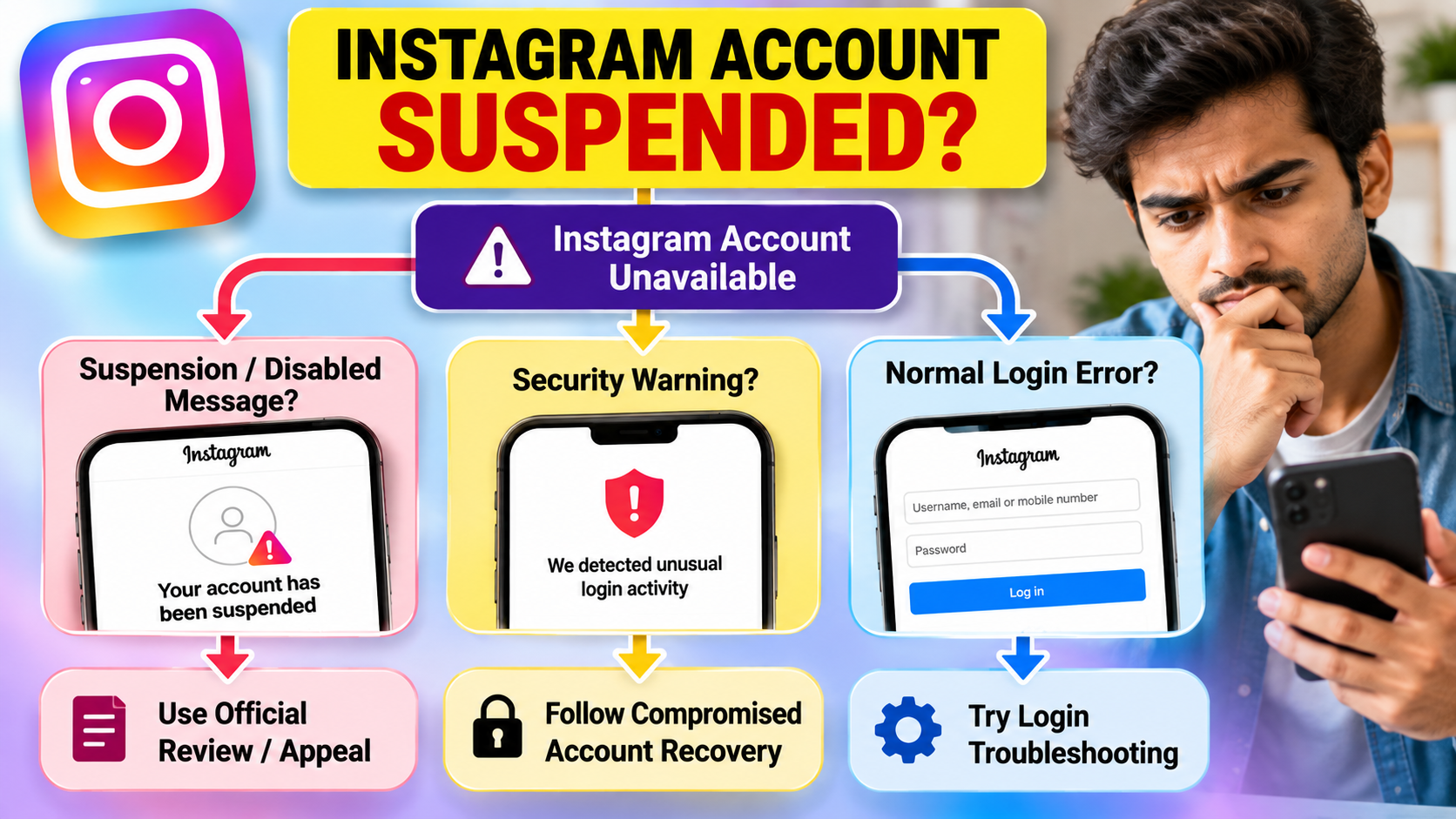
One of the easiest mistakes is treating every Instagram access problem as a suspension.
You may be dealing with a disabled account, a temporary feature restriction, a security check, a hacked account, or a simple login problem.
So before submitting anything, ask yourself a few questions.
Does Instagram Actually Say the Account Is Suspended?
Read the message carefully.
If Instagram explicitly says that the account has been suspended, disabled, or is unavailable because of an enforcement decision, that is different from seeing an ordinary incorrect-password or login error.
Take a screenshot of the message for your records.
Can You Still Find the Profile?
If appropriate, ask a trusted person to search for your username or check the profile from another account.
If the profile is unavailable, that can provide useful context, but it does not, by itself, tell you exactly why Instagram took action.
Did You Receive an Email or Security Notification?
Check the email address associated with the account.
Look for legitimate account-security or policy notifications, but be careful with phishing messages. A person who has just lost access to Instagram is an attractive target for scammers offering fake “recovery” services.
Never give your password or verification code to someone claiming they can restore your account.
Did Something Unusual Happen Before the Suspension?
Think about what changed immediately before the problem.
Did you:
- Log in from a new device?
- Change your email address?
- Click a suspicious link?
- Connect a new third-party application?
- Notice unfamiliar messages?
- See posts you did not create?
- Receive a security warning?
- Give your login details to another service?
These details can help distinguish a policy problem from an account-security problem.
What Should You Do If Instagram Suspended Your Account?
Once you understand what message you are seeing, move through the recovery process carefully.
Step 1: Read the Notification Completely
Do not immediately close the message.
Look for information about:
- Why the account was disabled or suspended
- Whether a review is available
- Whether verification is required
- What action Instagram wants you to take
The exact interface can change, so current on-screen instructions should take priority over older tutorials.
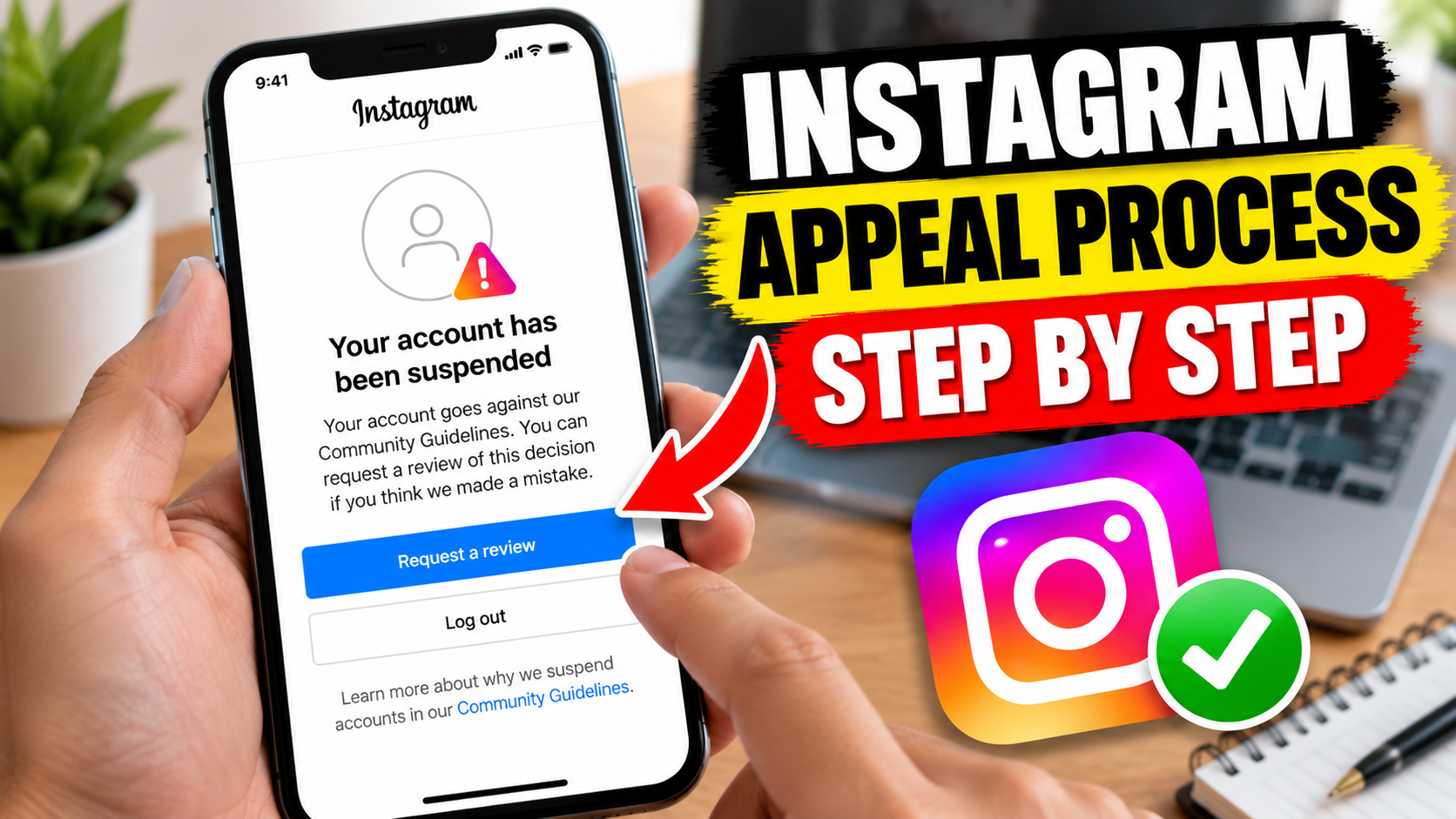
Step 2: Use the Official Review or Appeal Option
If Instagram provides a review or appeal option, use it.
Meta said in 2026 that it has been improving the appeal process and making it easier for people to understand why content was removed, find appeal options, and track what happens next. Meta also said people remain involved in high-risk decisions such as appeals of account disablement.
That makes the official route more useful than relying on someone online who claims to have a secret Instagram contact.
Step 3: Provide Accurate Information
If Instagram asks you to verify your identity or provide additional information, give truthful information.
Do not submit random explanations simply because you think a particular phrase will make the appeal successful.
An appeal should explain the situation honestly.
For example, if you believe the account was compromised, say so and describe the suspicious activity you noticed.
Step 4: Secure the Account if You Suspect Hacking
If there are signs of unauthorized access, account recovery and account security should be treated as part of the same problem.
Meta says its updated recovery systems can adapt the recovery process to the user’s situation and may offer additional verification methods in eligible cases.
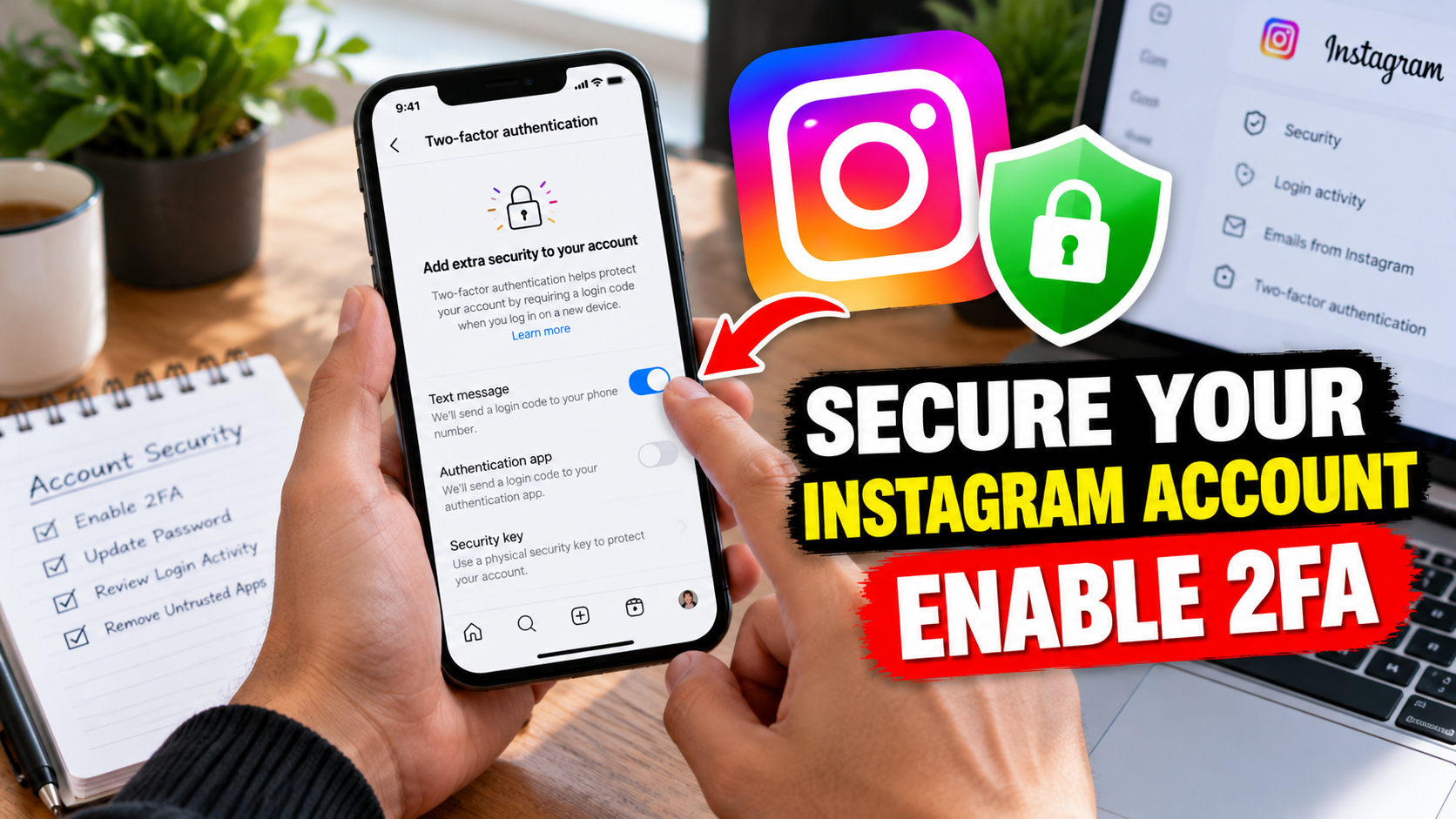
After access is restored, review your security settings and enable two-factor authentication where available.
Meta specifically recommends Security Checkup and two-factor authentication as account-protection measures.
Step 5: Keep Evidence
Save:
- Screenshots
- Relevant emails
- The date the problem started
- Security notifications
- Any unusual-login information
- Details about recent changes to the account
This is especially useful if you need to explain that the account was compromised.
Step 6: Be Patient With the Official Process
Do not assume that every Instagram appeal will be completed within 24 or 48 hours.
There is no universal recovery time that should be promised to every user.
The process can depend on the account, the issue, the verification required, and the available review mechanism.
How to Appeal an Instagram Suspension
The precise Instagram interface can change, so the safest approach is to follow the review instructions presented inside Instagram or the current official Meta support system.
A typical process may look like this:
- Open Instagram and attempt to sign in.
- Read the suspension or disabled-account message.
- Select the available review, appeal, or verification option.
- Complete the requested information.
- Complete identity verification if Instagram requests it.
- Submit the request.
- Monitor the account and official communications for further instructions.
Do not assume that every account will see exactly the same buttons.
Meta said in March 2026 that its support assistant was being rolled out on Facebook and Instagram in markets where Meta AI is available, including through Help Center experiences on desktop. It can provide support around account problems and make appeal information easier to access.
That means an older article showing a specific button or form may no longer match the current interface.
What Should You Write in an Appeal?
Keep the explanation factual and short.
If you genuinely believe the suspension is an error, explain:
- That you believe the decision may have been incorrect.
- What you were doing with the account.
- Whether you noticed suspicious activity.
- Any relevant security incident.
- Any information Instagram specifically requested.
Avoid writing an emotional essay or making unsupported accusations.
The goal is to give Instagram useful information, not to “beat” an automated system with special wording.
What If Instagram Suspended Your Account by Mistake?
It is possible for enforcement systems to make mistakes.
Meta itself acknowledged in 2025 that improving account support and enforcement accuracy was an ongoing priority, and in its 2026 support updates it said its systems were being improved to reduce mistaken disabling and make appeals easier. (Facebook About)
But there is an important distinction:
“I believe my account was suspended incorrectly” is not the same as “Instagram confirmed that the suspension was an error.”
If you believe the decision is wrong, use the available official review process and explain the situation honestly.
Do not pay a stranger who promises that they can “guarantee” restoration.
There is no legitimate reason to hand your password, two-factor authentication code, backup codes, or other sensitive login information to someone simply because they claim to work with Instagram.
What If Your Account Was Hacked Before It Was Suspended?
This situation deserves special attention.
Suppose you wake up and discover that your Instagram account has published strange content. Then you find that the email address has changed, the password no longer works, and eventually the account becomes unavailable.
In that situation, the suspension may be only part of the problem.
The account could have been compromised first.
Warning signs include:
- Password changed without your permission
- Email address changed
- Unknown login alerts
- Unfamiliar posts or Stories
- Messages you did not send
- Unknown connected services
- Unexpected profile changes
- Security emails you did not initiate
If you recognize several of these signs, use Instagram’s official compromised-account recovery options.
Meta says its recovery systems now use signals such as familiar devices and locations and have expanded recovery methods in eligible situations. Meta reported that its relative success rate for hacked-account recovery increased by more than 30% in the U.S. and Canada in the year discussed in its December 2025 update. That figure is specific to Meta’s reported recovery measurement and geography; it should not be treated as a guarantee for every Instagram user.
Is an Instagram Suspension Temporary or Permanent?
There is no single answer for every account.
The exact status depends on what Instagram has done and what the notification says.
| Situation | What to check |
|---|---|
| Account suspension | The exact suspension message and available review option |
| Account disabled | Instagram’s stated reason and recovery instructions |
| Feature restriction | Which features are unavailable and for how long, if a duration is shown |
| Security lock | Verification or account-security instructions |
| Compromised account | Evidence of unauthorized activity and recovery options |
| Age-related deactivation | Current age-verification instructions |
Do not assume that every suspension lasts a specific number of days.
You may see websites claiming that Instagram suspensions always last 24 hours, 48 hours, 7 days, or 30 days. Treat those statements cautiously unless they are tied to a specific official Instagram process.
A duration shown to one user may relate to a particular restriction rather than a universal rule.
How Long Does Instagram Take to Review a Suspended Account?
Instagram does not provide one universal review time that applies to every account situation.
The review process can depend on the type of enforcement action, whether identity verification is required, the available appeal mechanism, and other account-specific factors.
So if someone tells you:
“Your account will definitely be restored within 48 hours.”
there is no good reason to treat that as a guarantee.
Follow the instructions provided by Instagram and monitor official account communications.
If the interface gives you a way to check the status of a review, use that option rather than repeatedly submitting unrelated forms.
What Not to Do After an Instagram Suspension
Sometimes the biggest mistake is trying too many things at once.
Don’t pay for guaranteed recovery
Services claiming they can definitely restore a suspended Instagram account should be treated with extreme caution.
Don’t share your password
Instagram recovery does not require you to hand your password to a stranger who promises special access.
Don’t share verification codes
A verification code can be enough for an attacker to take over an account or complete an unauthorized login attempt.
Don’t trust fake “Meta employees”
Scammers can create convincing profiles and claim to work for Instagram, Meta, or a cybersecurity team.
A professional-looking profile is not proof of employment.
Don’t blindly follow old tutorials
Instagram’s support and account-recovery interfaces change.
A video uploaded several years ago may show options that no longer exist.
Don’t assume one particular action caused the suspension
If Instagram has not identified the reason, avoid turning a guess into a fact.
For example, saying “Instagram suspended me because I followed too many people” may sound convincing, but without evidence from Instagram, it is still a hypothesis.
How to Reduce the Risk of Future Instagram Restrictions
There is no way to guarantee that an account will never be restricted, but sensible account management can reduce avoidable problems.
Keep Your Account Secure
Use strong, unique credentials and enable two-factor authentication where available.
Meta recommends 2FA and Security Checkup as ways to strengthen account security. (Facebook About)
Be Careful With Automation
Avoid services that perform large volumes of actions on your behalf or promise artificial follower and engagement growth.
Review Connected Apps
Periodically check which third-party services have access to your account and remove connections you no longer need.
Don’t Buy Fake Engagement
Artificial followers, likes, views, and comments can create account-quality and security concerns, particularly when combined with other suspicious activity.
Follow Current Instagram Rules
Policies can change.
If you operate a creator or business account, periodically review the current Instagram rules rather than relying on an old social-media “growth hack.”
Protect Your Email Account Too
Your Instagram account is only as secure as the email account connected to it.
If someone gets control of your email, they may have a much easier path toward taking over other accounts.
Pros and Limitations of the Official Appeal Process
Pros
- It uses Instagram’s own account-review system.
- It gives the platform an opportunity to reconsider an enforcement decision.
- It allows the account owner to provide requested information.
- It is safer than giving account credentials to unofficial recovery services.
- Current support tools may provide more guidance than older recovery processes.
Cons
- An appeal does not guarantee that the account will be restored.
- Review times can vary.
- Additional verification may be required.
- The available options can differ between account situations.
- The interface may change as Instagram updates its support systems.
The safest strategy is therefore not to look for a “secret appeal trick.” It is to understand the specific problem and use the official recovery route available for that problem.
A Simple Decision Tree for a Suspended Instagram Account
Frequently Asked Questions
Why was my Instagram account suspended?
Instagram may suspend or disable an account because of policy enforcement, suspicious activity, security concerns, repeated violations, intellectual-property issues, age or eligibility concerns, or other account-specific circumstances. The exact reason should be based on the notification and review information Instagram provides rather than a generic list found online.
Can I recover a suspended Instagram account?
Recovery may be possible in some situations, particularly when Instagram provides a review or verification option, but restoration is not guaranteed. Follow the official process shown for your account and provide accurate information.
How do I appeal an Instagram suspension?
Try signing in and follow the review or appeal instructions Instagram provides. Depending on the situation, Instagram may ask for additional information or identity verification. Meta has also been expanding account-support tools and appeal guidance across Facebook and Instagram.
How long does Instagram take to review a suspended account?
There is no single review time that applies to every suspension. The timing can depend on the account and type of issue. Avoid relying on websites that promise a fixed 24-hour or 48-hour recovery period unless an official Instagram process specifically states that timeframe.
Can a hacked Instagram account be suspended?
Yes, a compromised account can potentially create activity that the legitimate owner did not perform. If your account showed unauthorized posts, messages, login activity, or profile changes before the suspension, investigate account compromise and use Instagram’s official recovery process.
Can third-party Instagram apps cause account restrictions?
Some third-party services can create security or policy risks, particularly when they automate account activity or require sensitive login credentials. The presence of a third-party app does not by itself prove that it caused a suspension, so investigate the specific circumstances rather than assuming a connection.
Know about Smartphone Overheating Explained
What Should You Do Right Now?
If you are currently staring at an Instagram suspension message, keep the process simple:
- Screenshot the message.
- Read exactly what Instagram says.
- Check whether an official review or appeal option is available.
- Complete the requested verification honestly.
- Investigate suspicious activity if the account may have been hacked.
- Secure your email and Instagram account.
- Avoid unofficial recovery services and anyone promising guaranteed restoration.
- Keep records of important notifications and account activity.
The most useful information will always come from the current Instagram interface and official Meta support resources because account-recovery tools can change.
Email Text
Dear Instagram Team,
My account (@yourusername) has been deactivated. I believe this may have been a mistake. I kindly request you to review my account and reconsider the decision.
I have always tried to follow Instagram’s Community Guidelines and Terms of Service. Please review my account and reactivate it if possible.
Thank you for your time and assistance.
Conclusion
If you searched “why Instagram account suspended,” the most important thing to remember is that there is no universal explanation for every suspended account.
A suspension can be connected to policy enforcement, suspicious activity, account compromise, intellectual-property issues, age or eligibility requirements, or other account-specific circumstances. The exact notification you receive is therefore more useful than a random list of supposed Instagram “ban triggers.”
Start by identifying what Instagram actually says. If a review or appeal option is available, use it. If there are signs of hacking, treat account security as part of the problem. And if someone promises guaranteed recovery in exchange for money or your login credentials, walk away.
Instagram’s support and recovery systems are evolving, including expanded support tools and newer account-recovery technology.
The goal is not to find a magic trick to bypass Instagram’s system. It is to understand what happened, provide accurate information, and use the legitimate recovery path available to your account.

Send me
We’ve disabled your account
You no longer have access to anellll, _1029
Account disabled on 7 July 2026
Why this happened
We’ve reviewed your account and found that it still doesn’t follow our Community Standards on account integrity.
Read more about this rule
What this means
No one can see or find your account and you can’t use it. All your information will be permanently deleted.
You cannot request another review of this decision.
What you can do
You can download your information so that you have a copy of what you shared on Instagram.
More information
How we made this decision
My instagram account disable plz recovery plz
My instagram account disable plz recovery plz my insta account disable plz recovery plz
Give back my instagram account 😭😭
My account last suspended, I want my account. Please give me.
We’ve disabled your account
You no longer have access to anellll, _1029
Account disabled on 7 July 2026
Why this happened
We’ve reviewed your account and found that it still doesn’t follow our Community Standards on account integrity.
Read more about this rule
What this means
No one can see or find your account and you can’t use it. All your information will be permanently deleted.
You cannot request another review of this decision.
What you can do
You can download your information so that you have a copy of what you shared on Instagram.
More information
How we made this decision
My account last suspended I want my account please give me
instagram-android@meta.com
* support@instagram.com
* security@mail.instagram.com
* privacy@instagram.com
Account recovery
Dear Instagram Team,
My account (yourusername) has been deactivated unexpectedly. I believe this may be a mistake, as I have always tried to follow Instagram’s Community Guidelines and Terms of Service.
I kindly request you to review my account and restore access as soon as possible. I would truly appreciate your support and assistance.
Thank you.
Hlo please return my account
Vaibhav_king_301
anellll______1029
Husband I’d
We’ve disabled your account
You no longer have access to _mr_kartik_patil_98
Account disabled on 23 September 2026
Why this happened
We’ve reviewed your account and found that it still doesn’t follow our Community Standards on child sexual exploitation, abuse and nudity.
目
Read more about this rule
What this means
No one can see or find your account and you can’t use it. All your information will be permanently deleted.
Log out
Deactivated my account please
We’ve disabled your account
You no longer have access to anellll, _1029
Account disabled on 7 July 2026
Why this happened
We’ve reviewed your account and found that it still doesn’t follow our Community Standards on account integrity.
Read more about this rule
What this means
No one can see or find your account and you can’t use it. All your information will be permanently deleted.
You cannot request another review of this decision.
What you can do
You can download your information so that you have a copy of what you shared on Instagram.
More information
How we made this decision
What is this guy
The best time to post is……NOW
Next time repeat request
Please recover my account
My account was disabled
Please request
Promise next time not repeat
Leave it brother please help me
I want my Instagram account 😞😭
Nak chala important naa account
Nen em Cheyali Cheppu
Please request chesthunna Nen nak account nak recovery kavali
Mera account suspend Ho Gaya recvar karna hai @_xr_suraj_5112_
Mera account suspend Ho Gaya please Bhaiya Mera account recover kar do please
Hi
My Instagram account disabled
@_rahul__390_
Please request chesthunna Nen nak account nak recovery kavali
Dear Instagram Team,
My account (@mr_sri_nu_001_) has been deactivated. I believe this may have been a mistake. I kindly request you to review my account and reconsider the decision.
I have always tried to follow Instagram’s Community Guidelines and Terms of Service. Please review my account and reactivate it if possible.
Thank you for your time and assistance.
Mera account suspended ho gaya
Id name he _itz_akshu___