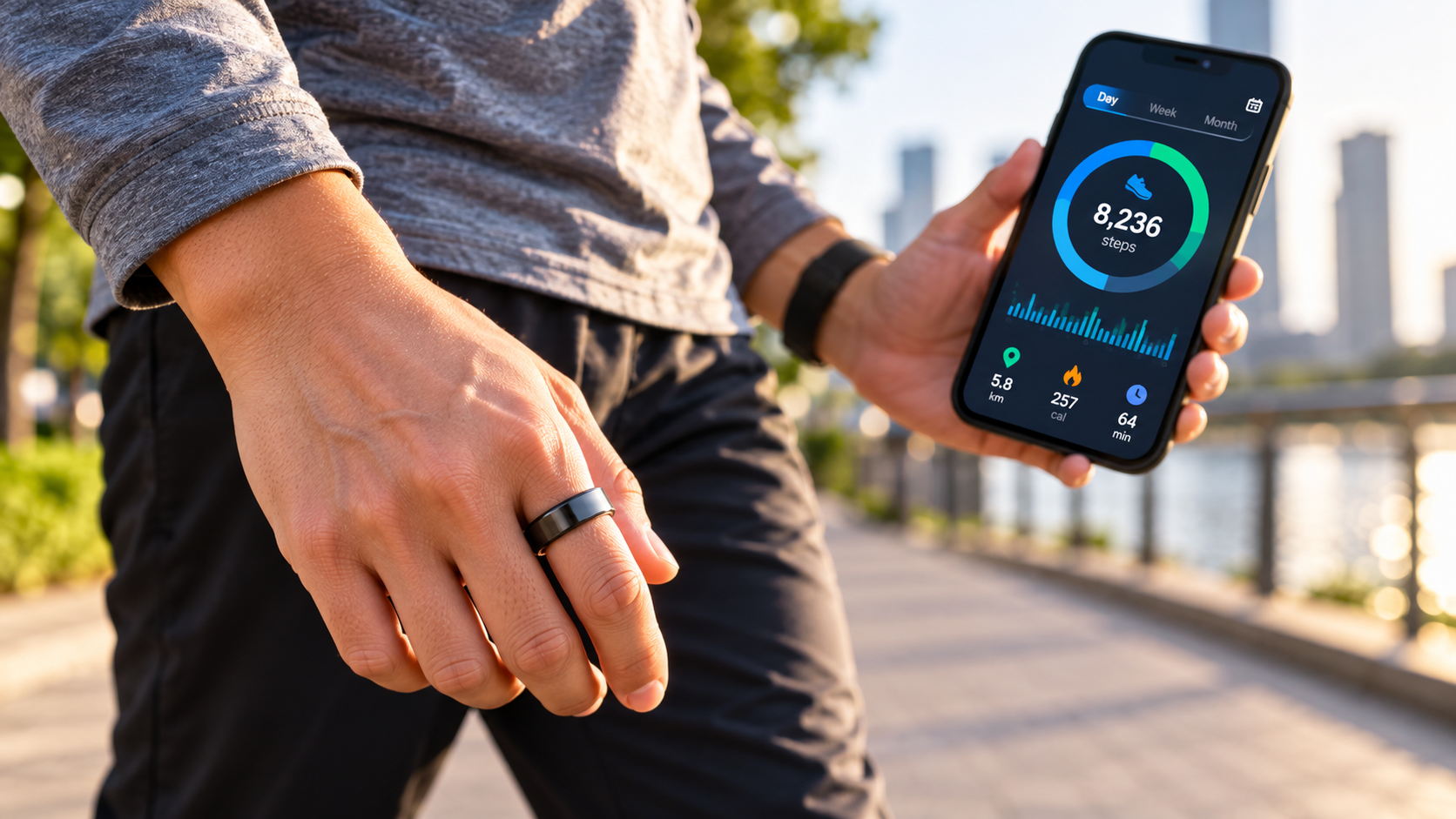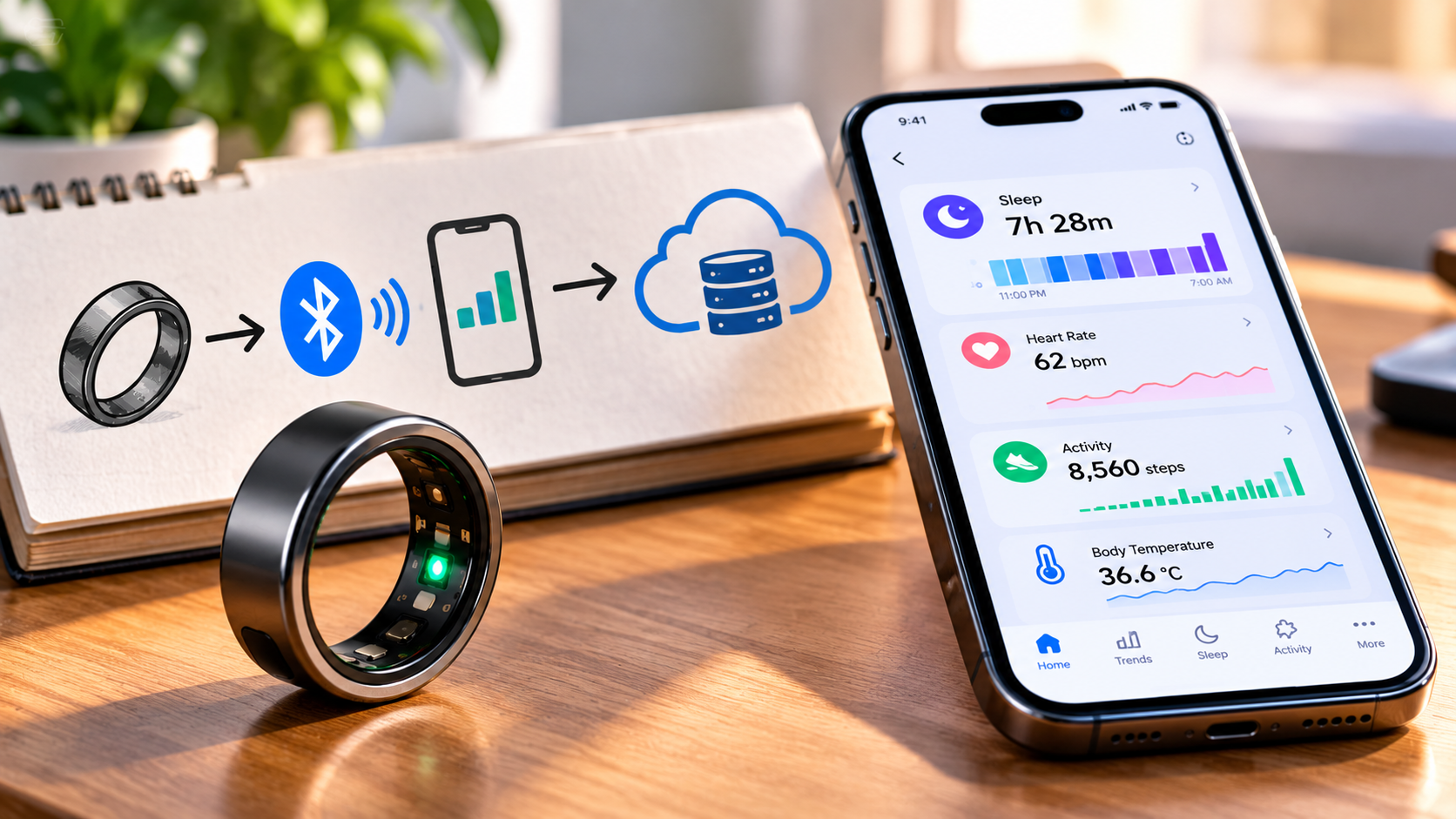
You wake up, open your smart-ring app, and there it is: last night’s sleep data, heart-rate trends, activity, and other health metrics. But the ring on your finger has no conventional screen and isn’t connected to Wi-Fi like a phone. So where did all that information go?
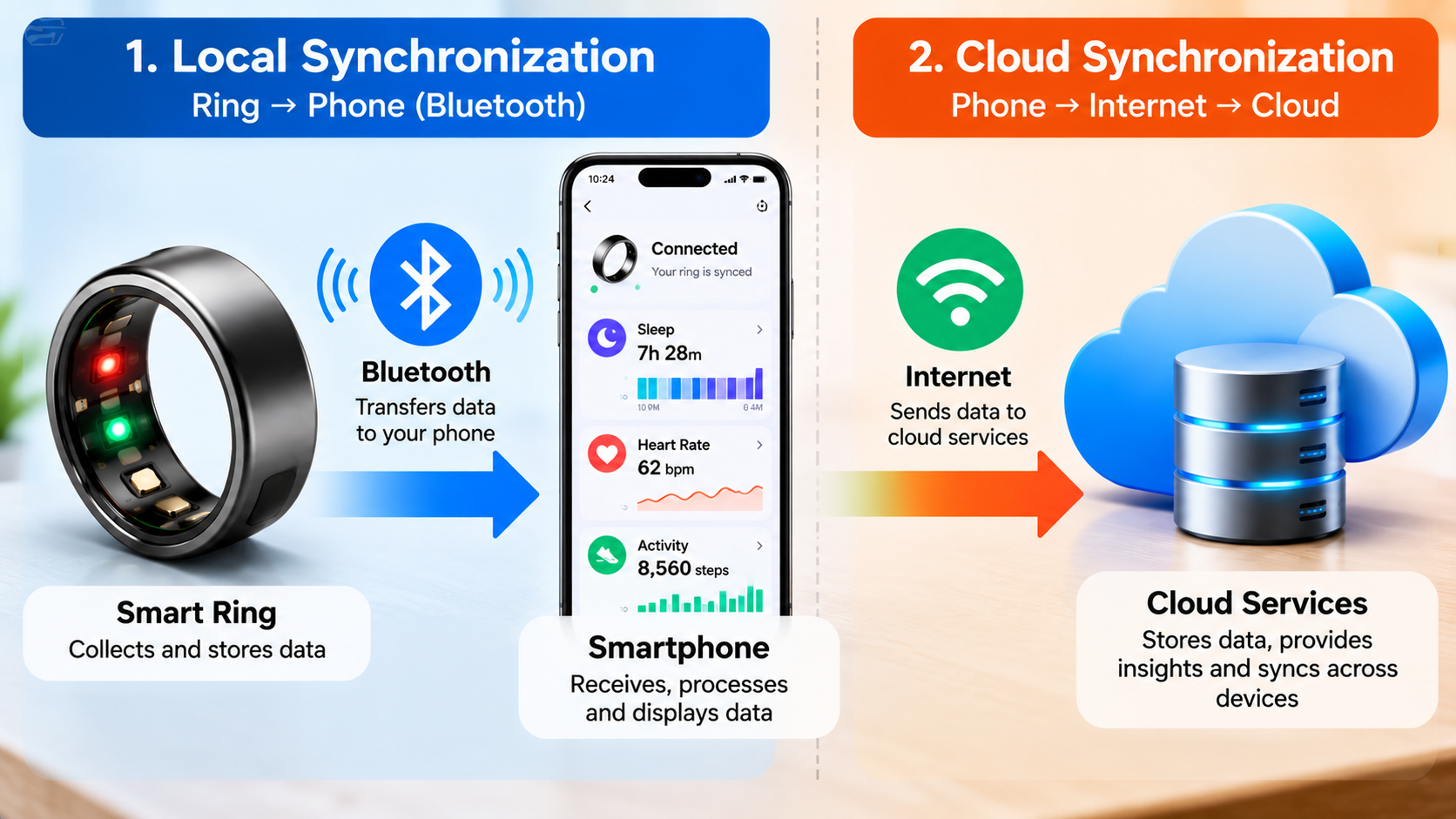
Smart ring data synchronization is the chain that moves measurements from the ring to your phone and, depending on the product, onward to cloud services or health platforms. The interesting part is that the ring does not necessarily need to maintain a constant connection to your phone while collecting data. Oura, for example, says its ring continues collecting and storing data when its Bluetooth radio is disabled and synchronizes the information after the connection is restored. Samsung similarly describes Galaxy Ring measurements as being periodically synchronized with Samsung Health.
Understanding that journey makes several common questions much easier to answer: Does Bluetooth need to stay on? What happens when your phone is in another room? Is your data stored on the ring, phone, or cloud? And what exactly does the companion app do?
Quick Answer: How Does Smart Ring Data Synchronization Work?
In a typical wearable-data workflow, the process looks roughly like this:
Smart ring sensors → ring memory → Bluetooth/BLE → smartphone app → optional cloud services → health platforms or other apps
That is a conceptual model, not a universal architecture. Manufacturers can divide storage and processing differently.
Bluetooth Low Energy (BLE) is designed for low-power communication between nearby devices. Android’s BLE documentation describes a workflow in which a phone discovers a nearby BLE device, connects to its GATT server, discovers available services and characteristics, and transfers data through that connection.
Once the phone has received the information, the companion app can organize and display it. Depending on the ecosystem, additional information may then be synchronized with cloud services or shared with platforms such as Apple Health or Android Health Connect.
The important distinction
Collecting data, synchronizing data, processing data, and storing data are four different things.
A ring can collect information without currently synchronizing it. An app can synchronize information without sending every piece of it to the cloud. A health platform can store selected information without storing the entire dataset generated by the manufacturer’s ecosystem.
That distinction is the key to understanding the whole system.
What Happens to Data Inside the Ring First?
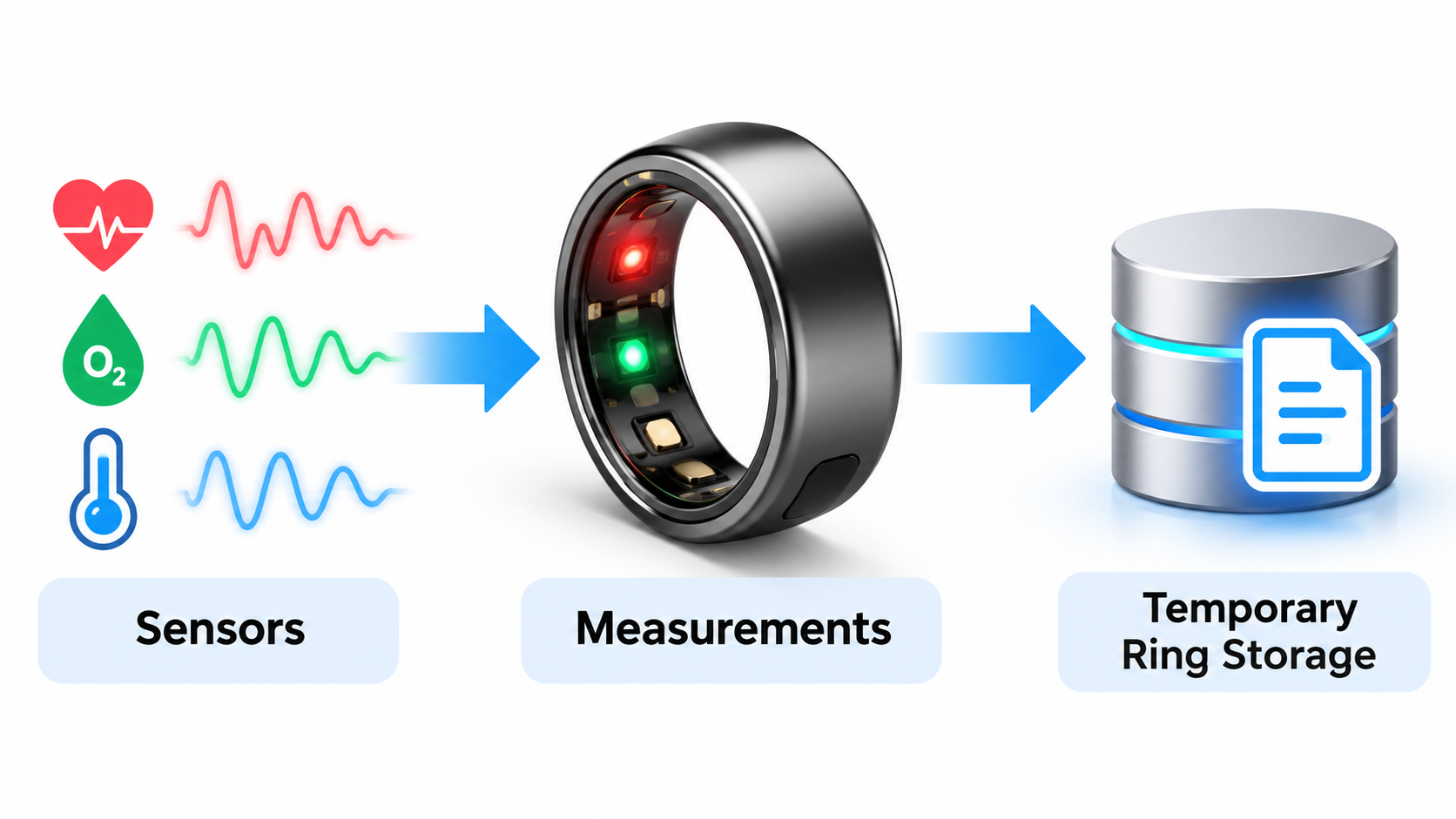
Before a graph appears on your phone, the ring has to measure something.
Depending on the device, sensors can collect signals associated with things such as movement, heart rate, temperature-related measurements, and sleep-related patterns. The precise sensor set and algorithms vary considerably between products.
The ring then has to retain enough information for the next stage of the process.
Why the ring needs some local storage
Imagine wearing your ring while leaving your phone in another room – or switching Bluetooth off for a period of time. If the ring could only record measurements when a phone was actively connected, its usefulness would be severely limited.
Oura provides a clear real-world example. Its current documentation says Airplane Mode disables the ring’s radio transmissions, including Bluetooth, but the ring continues to collect and store data. When Airplane Mode is disabled, the stored data can then synchronize with the app.
That does not mean every smart ring has identical storage capacity or offline behavior.
A better rule is:
A smart ring may be able to collect and temporarily retain data while disconnected, but the exact behavior depends on the manufacturer and model.
This is one reason it is useful to distinguish the general architecture from product-specific claims.
Bluetooth Is the Local Bridge Between the Ring and Phone
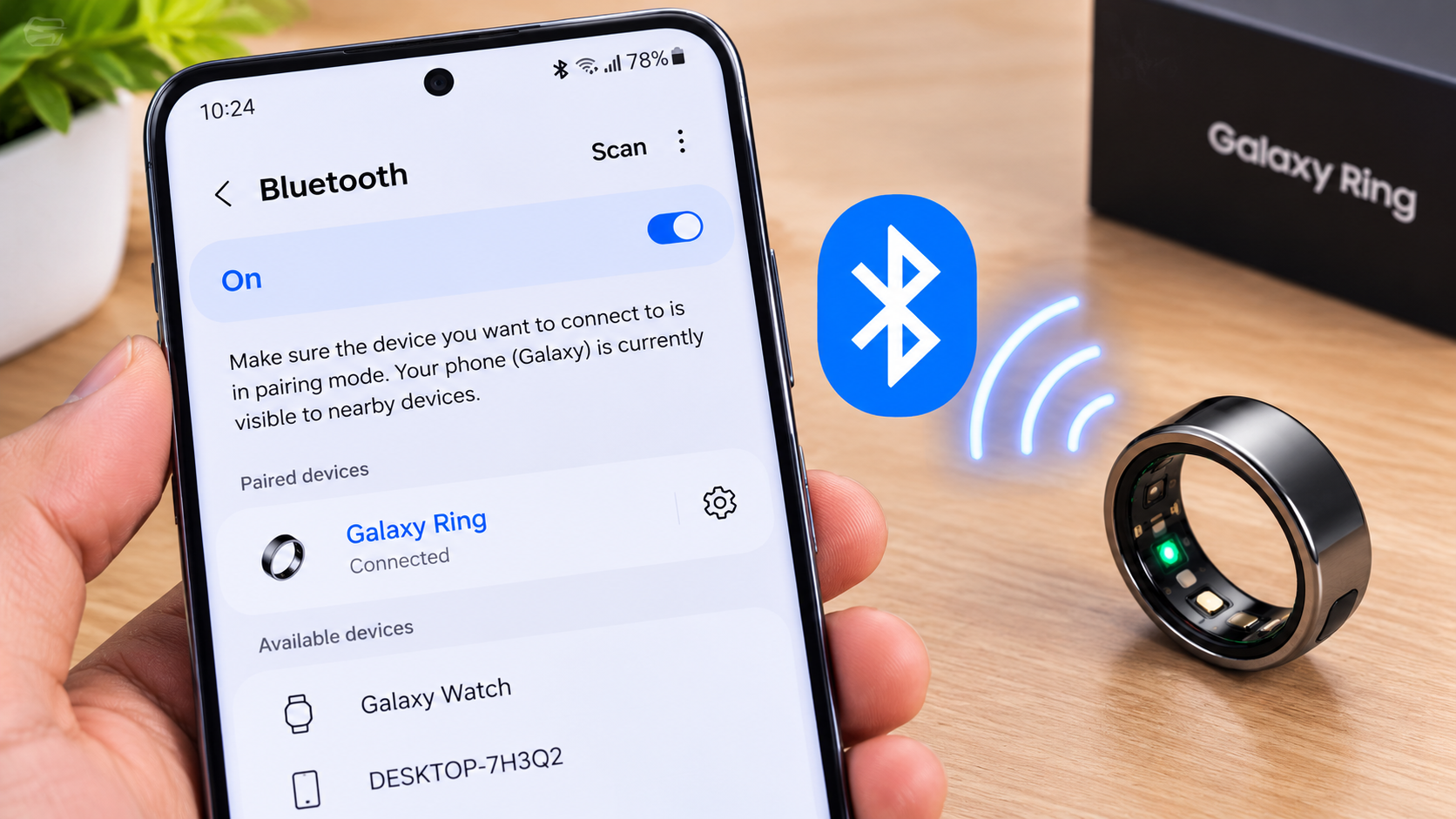
When synchronization takes place, Bluetooth is usually the important local communication layer.
For low-power wearable devices, the relevant technology is commonly Bluetooth Low Energy, or BLE.
Android describes BLE as being designed for lower power consumption and small amounts of data transfer, with use cases including heart-rate monitors and fitness devices. Its documentation explains that a phone can discover nearby BLE devices, connect to them, discover GATT services, and exchange data through characteristics.
What actually happens during a BLE connection?
At a simplified level:
- The phone scans for a compatible nearby device.
- The ring advertises its availability.
- The phone establishes a connection.
- The software discovers the ring’s available services.
- Relevant characteristics are accessed.
- Data is transferred.
- The companion app interprets and organizes the information.
You don’t normally see most of this happening. The app handles the technical work behind the scenes.
For developers, BLE becomes more interesting because of terms such as GATT, services, characteristics, UUIDs, central, and peripheral. Android defines GATT as the framework for sending and receiving small pieces of data called attributes over a BLE link; services group characteristics together.
For a normal smart-ring owner, however, you don’t need to understand GATT to use the device. The practical takeaway is simpler:
Bluetooth creates the nearby communication path between the wearable and the phone; it is not the same thing as an internet connection.
Does Bluetooth Need to Stay Connected All Day?
Not necessarily.
The answer depends on the ring and its software architecture, but continuous Bluetooth connectivity is not a universal requirement for the ring to keep collecting measurements.
Oura’s current documentation is explicit: when Airplane Mode disables Bluetooth, the ring continues collecting and storing data, then synchronizes it after communication is restored. Oura also says synchronization can take longer after the ring has been in Airplane Mode for several days.
That is a product-specific example, not a rule that should automatically be applied to every smart ring.
A useful way to think about it is:
Bluetooth connection: transfers information between nearby devices.
Internet connection: allows the phone or app to communicate with online services.
You can therefore have Bluetooth working while the internet is unavailable, or have internet access while the ring is not connected to the phone.
That distinction becomes important when troubleshooting synchronization.
Your Smart Ring App Is More Than a Bluetooth Viewer
Once the ring and phone communicate, the companion app becomes the next major layer.
The app may handle several jobs:
- receiving measurements from the ring
- organizing the data
- displaying trends
- calculating or presenting derived metrics
- managing device settings
- handling permissions
- coordinating firmware updates
- managing the user’s account
- communicating with cloud services
- sending selected information to third-party health platforms
Samsung’s current Galaxy Ring documentation, for example, says the ring’s measured health data is periodically synchronized with Samsung Health, while the Galaxy Wearable app provides access to ring status, connection information and measured health data.
Raw measurements are not always the same as the final metric
This is another important distinction.
Suppose a ring measures several signals overnight. The app may not simply display those individual measurements one by one. Software can organize them into summaries, trends, scores, or other derived information.
The general chain is:
Sensor signal → collected data → processing/algorithm → metric → user-facing insight
The exact location of that processing is product-dependent.
So if your app shows a polished score, don’t assume the ring itself calculated the entire thing. The manufacturer may divide the work between the ring, phone and online services.
Where Does the Processing Happen: Ring, Phone, or Cloud?
There isn’t one universal answer.
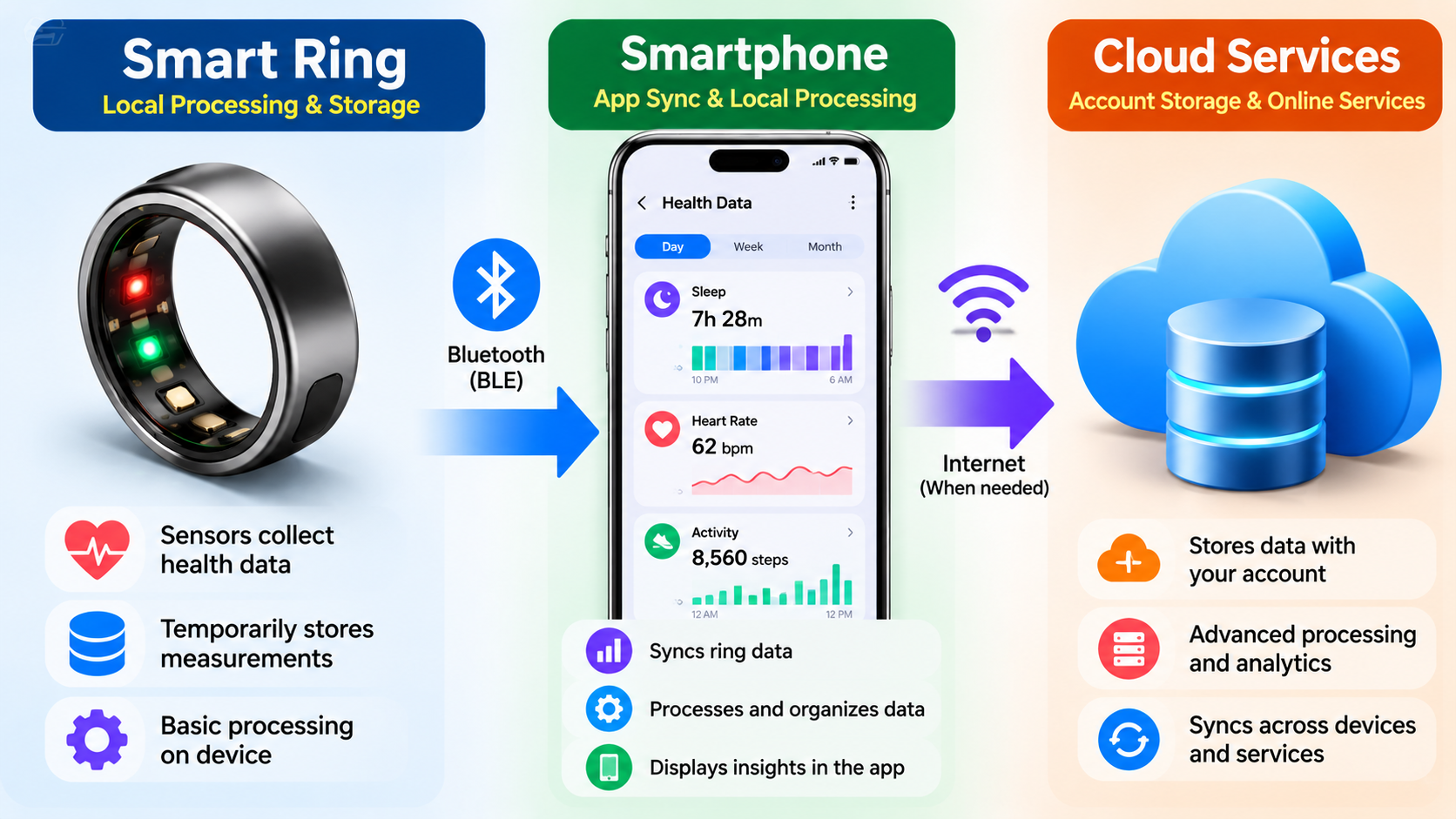
A smart-ring ecosystem can distribute processing across several layers:
| Layer | Possible role |
|---|---|
| Ring | Sensor collection, temporary storage and device-level processing |
| Phone | Synchronization, local processing, visualization and settings |
| Cloud | Account services, remote storage, synchronization and other online functions |
| Health platform | Standardized storage and sharing of selected health information |
The word possible matters here.
A manufacturer does not have to publish every detail of its proprietary algorithms, so an article should not pretend to know exactly where every calculation occurs.
A safer and more useful explanation is:
Smart-ring processing can be distributed between the wearable, companion app and online services, and the exact architecture varies by product.
Samsung, for example, says Galaxy Ring health data is transferred and stored in Samsung Cloud associated with the user’s Samsung account. Its Galaxy Ring documentation also says certain Samsung Health AI features require the ring’s data to be synchronized with Samsung Health.
That demonstrates how an ecosystem can involve multiple layers without proving that every calculation happens in the cloud.
Where Is Smart Ring Data Stored?
The most accurate answer is: potentially in more than one place.
There can be several storage layers, and they should not be confused.
1. Storage inside the ring
The ring may retain measurements temporarily before synchronization.
This is particularly useful when the phone isn’t nearby.
The amount of data retained, retention period and behavior when storage becomes constrained are manufacturer-specific.
2. Storage on the phone
A companion app can maintain data locally as part of its operation.
Health platforms can also maintain on-device records.
Android’s Health Connect architecture is explicitly device-based: the Health Connect APK is available on the user’s device and provides data-management and permission functions there. Android also describes Health Connect as an on-device store for health and fitness data.
Oura’s current Health Connect documentation likewise states that Health Connect stores data on the mobile device rather than in the cloud.
3. Cloud storage
Some manufacturer ecosystems use cloud infrastructure for account-connected data and synchronization.
Samsung provides a clear example. Its Galaxy Ring product documentation says health data from the ring is transferred and stored in Samsung Cloud connected to the user’s Samsung account.
Samsung also documents Samsung Health backup and restore functionality, which requires a network connection and a Samsung account with health data synchronized to the account.
4. Health-platform storage
A ring’s companion app may share selected information with another health platform.
That creates another layer in the data journey.
For example, Oura’s current Health Connect integration supports selected activity, body-measurement, sleep and vital data in the integration, rather than implying that every piece of Oura information automatically moves into Health Connect.
What Happens If Your Phone Is Not Nearby?
This is where the difference between collection and synchronization becomes obvious.
Suppose you go for a walk without your phone.
The ring may continue measuring supported data. If the product has suitable onboard storage, the measurements can remain on the ring until a compatible phone is available.
When the phone and ring reconnect, synchronization can transfer the waiting information.
Oura explicitly documents this behavior: its ring continues collecting and storing data when Bluetooth is disabled, then synchronizes with the app once the connection is restored.
But don’t turn that into a blanket promise for all smart rings.
The more accurate statement is:
Many wearable ecosystems are designed to tolerate periods without an active phone connection, but the amount of offline data they retain and how synchronization works varies by manufacturer and model.
That distinction matters if you’re comparing devices.
Bluetooth Problem or Internet Problem? They Are Not the Same
When a smart ring isn’t updating, the first question should be: which connection is actually failing?
Ring → phone
This is primarily the local wireless connection.
Potential issues include:
- Bluetooth disabled
- ring out of range
- pairing problems
- missing Bluetooth permissions
- nearby-device permissions
- phone battery restrictions
- app problems
- ring battery problems
Oura’s current troubleshooting guidance, for example, tells Android users to check Bluetooth, battery-saver settings, background data and nearby-device permissions when connection problems occur.
Phone → cloud
This is a different stage.
Potential issues include:
- no internet connection
- account authentication problems
- service-side problems
- app synchronization failures
You can therefore have this situation:
Bluetooth works + internet doesn’t
The ring may successfully transfer information to the phone, while cloud-dependent functions cannot complete.
Or:
Internet works + Bluetooth doesn’t
Your phone can browse the web normally, but it cannot retrieve new measurements from the ring.
That is why simply saying “the ring isn’t syncing” doesn’t identify the actual problem.
What Happens When Smart Ring Synchronization Fails?
A failed sync does not automatically mean that the ring recorded nothing.
The first step is to identify where the chain stopped.
If the ring isn’t detected
Check:
- Bluetooth
- device pairing
- required permissions
- proximity
- ring battery
- companion app status
If the ring connects but recent data is missing
Check whether synchronization actually completed.
The device may have collected information that has not yet been transferred.
If the phone has the data but the online account doesn’t
The local ring-to-phone connection may be fine. The problem could instead be the phone-to-cloud stage.
If only a third-party app is missing data
Check the integration permissions and supported data types.
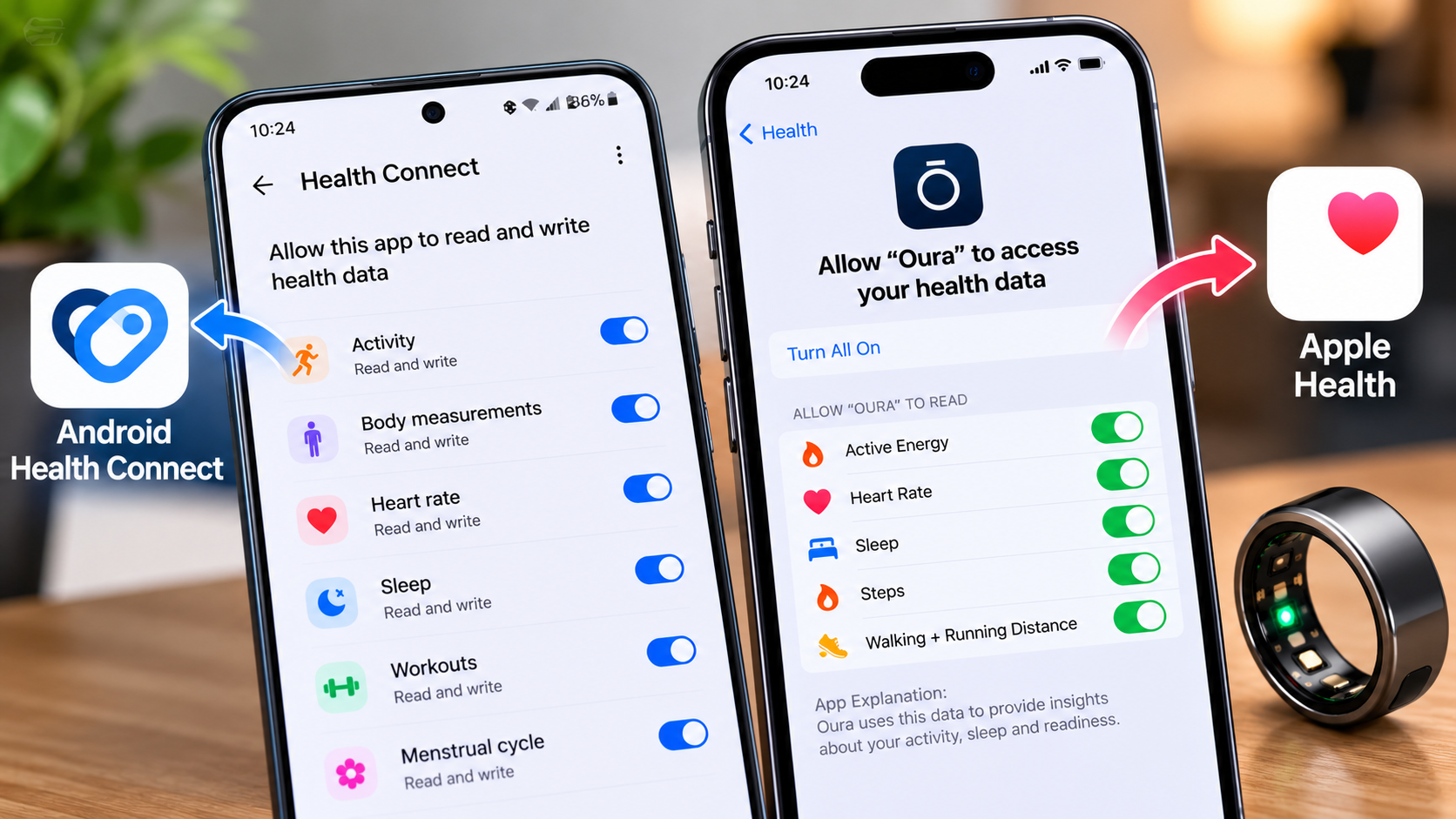
Android’s Health Connect system uses per-app permissions for reading and writing health and fitness information, so an app cannot simply assume it can access every health record on the device.
This is a useful troubleshooting mindset:
Don’t treat “sync” as one connection. Think of it as a chain of connections and permissions.
Smart Rings and Health Platforms: Apple Health, Health Connect, and More
The next step after the manufacturer’s app is often interoperability.
A simplified flow looks like this:
Smart ring → Manufacturer app → Health platform → Other compatible apps
But integrations usually do not mean “everything goes everywhere.”
Oura’s current Health Connect integration, for example, allows selected categories to be exported from Oura, including activity, body measurements, sleep and certain vital data. It also supports selected data flowing in the opposite direction.
Android’s Health Connect architecture is built around permissions and standardized health-data management. Apps must request user permission to read or write health and fitness data.
Apple takes a similar permission-based approach through HealthKit. Apple says access by health and fitness apps and devices requires user permission, with separate permissions controlling different categories of health data.
Why this matters
Suppose you expect your ring’s entire dataset to appear inside another health application.
That may not happen.
The integration could support only:
- sleep
- heart rate
- steps
- workouts
- weight
- selected activity metrics
The exact list depends on the integration.
So before blaming a synchronization problem, check whether the missing metric is actually supported.
A Smart Ring Data Journey, From Sensor to Screen
Here is the entire process in one view:
| Stage | What happens | Typical technology | Internet required? |
|---|---|---|---|
| Sensors | Physical signals are measured | Ring electronics | No |
| Ring storage | Measurements may be retained temporarily | Internal memory | No |
| Bluetooth | Ring transfers information to phone | Bluetooth LE | No |
| Companion app | Data is synchronized, organized and displayed | Mobile software | Not always |
| Cloud services | Account or online services process/store selected information | Internet/cloud | Yes |
| Health platform | Supported data is shared with another health ecosystem | APIs/integrations | Depends on implementation |
| User interface | The user sees trends, measurements or scores | App/web interface | Depends on the feature |
The most important point is that the path is layered.
Your sleep score appearing on a phone does not mean the ring directly uploaded that score to the internet. There may have been several steps in between.
How Privacy Fits Into the Data Journey
Once you understand where the data can travel, the next reasonable question is: who can access it?
The answer depends on the ecosystem and the permissions you grant.
Potential access points include:
- the ring manufacturer
- the manufacturer’s mobile app
- the manufacturer’s cloud service
- health platforms
- third-party applications
- integrations using APIs
- exported files you choose to share
This is why a privacy policy alone isn’t the whole story. Also look at the app’s permission controls, integration settings and data-export options.
Apple Health
Apple says HealthKit access is controlled by user permissions, including separate read/write controls for health-data types. Apple also states that health data can be stored in iCloud, with end-to-end encryption available when the required security conditions are met.
Android Health Connect
Android describes Health Connect as an on-device health-data platform with centralized permission management. Apps must obtain user permission to read and write health data.
Manufacturer data exports
Data portability also varies.
Oura currently provides several ways to export or share data, including reports, account data downloads and an API. Its documentation says users can request their data through the Membership Hub, while API access has additional account and membership requirements for some generations.
The practical lesson is simple:
If control over your data matters to you, check the manufacturer’s export, integration, account-deletion and privacy options before choosing an ecosystem.
Pros and Limitations of Smart Ring Data Synchronization
Pros
- Low-power communication: BLE is designed for devices with strict power requirements.
- Offline collection can be possible: Supported rings can continue collecting data during periods without an active phone connection.
- The phone provides a much richer interface: A small ring can collect information while the app turns it into readable charts and trends.
- Cloud services can extend the ecosystem: Account synchronization and online services can make data accessible beyond the physical ring.
- Health integrations reduce data silos: Supported platforms can bring selected wearable information into a broader health-data ecosystem.
- Data export can improve portability: Some manufacturers provide downloadable reports, files or APIs.
Cons
- Every ecosystem is different: You cannot assume that one ring behaves exactly like another.
- Bluetooth problems can interrupt synchronization: Pairing, permissions, range and battery conditions all matter.
- Onboard storage is not unlimited: Offline collection has practical limits.
- Not every metric transfers to third-party platforms: Integrations often support a defined set of data types.
- Cloud features depend on online services: Some account, backup or synchronization functions require internet access.
- Privacy controls differ: Manufacturers and health platforms have different policies, permissions and export options.
Five Common Misunderstandings About Smart Ring Data
The ring has to stay connected to Bluetooth 24/7.
Not necessarily. Some products can continue collecting and storing information while disconnected. Oura explicitly documents this behavior.
Bluetooth means the ring is connected to the internet.
No. Bluetooth provides a local wireless connection between nearby devices. Internet access is a separate communication layer.
Everything shown in the app was directly measured by the ring.
Not necessarily. Some displayed metrics can be calculated or derived from collected measurements.
If today’s data isn’t visible, the ring didn’t record it.
Not automatically. A synchronization problem can occur after collection, so missing information on the phone does not by itself prove that the ring failed to measure it.
Every smart ring stores health data in the cloud.
That’s too broad. Storage architecture varies. Android Health Connect, for example, uses an on-device storage model, while Samsung documents cloud storage for Galaxy Ring health data associated with a Samsung account.
How to Keep Smart Ring Synchronization Reliable
If you want fewer synchronization headaches, a few habits help:
- Keep the ring charged.
- Keep Bluetooth enabled when synchronization is needed.
- Allow the permissions required by the companion app.
- Check Android battery-saving restrictions if background synchronization stops.
- Keep the companion app updated.
- Install firmware updates when the manufacturer provides them.
- Synchronize periodically rather than leaving the device disconnected indefinitely.
- Check whether the missing metric is actually supported by your health-platform integration.
- Review third-party permissions periodically.
- Use the manufacturer’s export or backup options when available.
For example, Oura’s current troubleshooting documentation specifically recommends checking Bluetooth, battery-saver settings, background data and nearby-device permissions when connection problems occur.
Frequently Asked Questions
Does a smart ring need Bluetooth to collect data?
Not necessarily. The collection process can continue without an active Bluetooth connection on some products. Oura, for example, documents continued data collection and storage while its radio is disabled. The ring later synchronizes the stored information when communication is restored.
How does smart ring data get from the ring to my phone?
A compatible ring can use Bluetooth Low Energy to communicate with the smartphone. The phone discovers and connects to the BLE device, communicates with its available services and characteristics, and transfers data through the connection.
Does a smart ring store data when my phone is not nearby?
Some do. Offline or disconnected collection is supported by certain products, but the amount of data they can retain and how long they can remain disconnected varies by manufacturer and model. Oura explicitly documents temporary collection and storage while disconnected.
Is smart ring data stored on my phone or in the cloud?
It can be stored across multiple layers. A ring may temporarily retain measurements, a phone app may handle local data, and a manufacturer’s cloud service may store account-connected information. Third-party health platforms can introduce another storage layer. Samsung, for example, states that Galaxy Ring health data is transferred and stored in Samsung Cloud, while Android Health Connect uses an on-device storage model.
What happens if my smart ring stops syncing?
Start by determining whether the problem is between the ring and phone or between the phone and an online service. Check Bluetooth, range, battery, app permissions, background restrictions and the companion app. If only a third-party health app is missing information, check the integration’s supported data types and permissions.
Can smart-ring data be transferred to Apple Health or Android Health Connect?
Some smart-ring ecosystems support these integrations, but the available data types vary. Oura currently documents Health Connect integration with selected activity, body-measurement, sleep and vital data, while Apple Health uses permission-controlled HealthKit access.
What to Check Before Choosing a Smart Ring
If you’re evaluating a smart ring, don’t look only at the sensor list or battery-life number.
The data ecosystem can matter just as much.
Before buying, check:
- Which phones are supported?
- Does the ring require a particular app?
- Does it collect data when disconnected?
- How does synchronization work?
- Which health platforms are supported?
- Which metrics can be exported?
- Is an account required?
- Which features require cloud connectivity?
- What are the manufacturer’s privacy controls?
- Can you download your data?
- Is there an API?
- Are third-party integrations limited by subscription or device generation?
Those questions can tell you much more about the long-term usability of a wearable than a specification sheet alone.
Conclusion
A smart ring may look like a simple piece of wearable hardware, but the data journey behind it is surprisingly layered.
The ring collects measurements. Bluetooth can move those measurements to a smartphone. The companion app organizes and presents them. Depending on the ecosystem, selected information can then move to cloud services, Apple Health, Health Connect, Samsung Health or other compatible platforms.
The key is not to think of smart ring data synchronization as one single action.
It is a chain.
Ring → Bluetooth → phone → app → optional cloud/health platforms → the information you see.
And that chain is not identical across every manufacturer. Oura, Samsung, Apple and Android document different parts of their ecosystems and different approaches to storage, permissions and integrations.
So the next time your ring shows you a detailed report from a night when your phone was sitting across the room, you know the basic trick: the ring didn’t need to be talking to your phone every second. It needed to collect the data first and synchronize it when the connection was available.