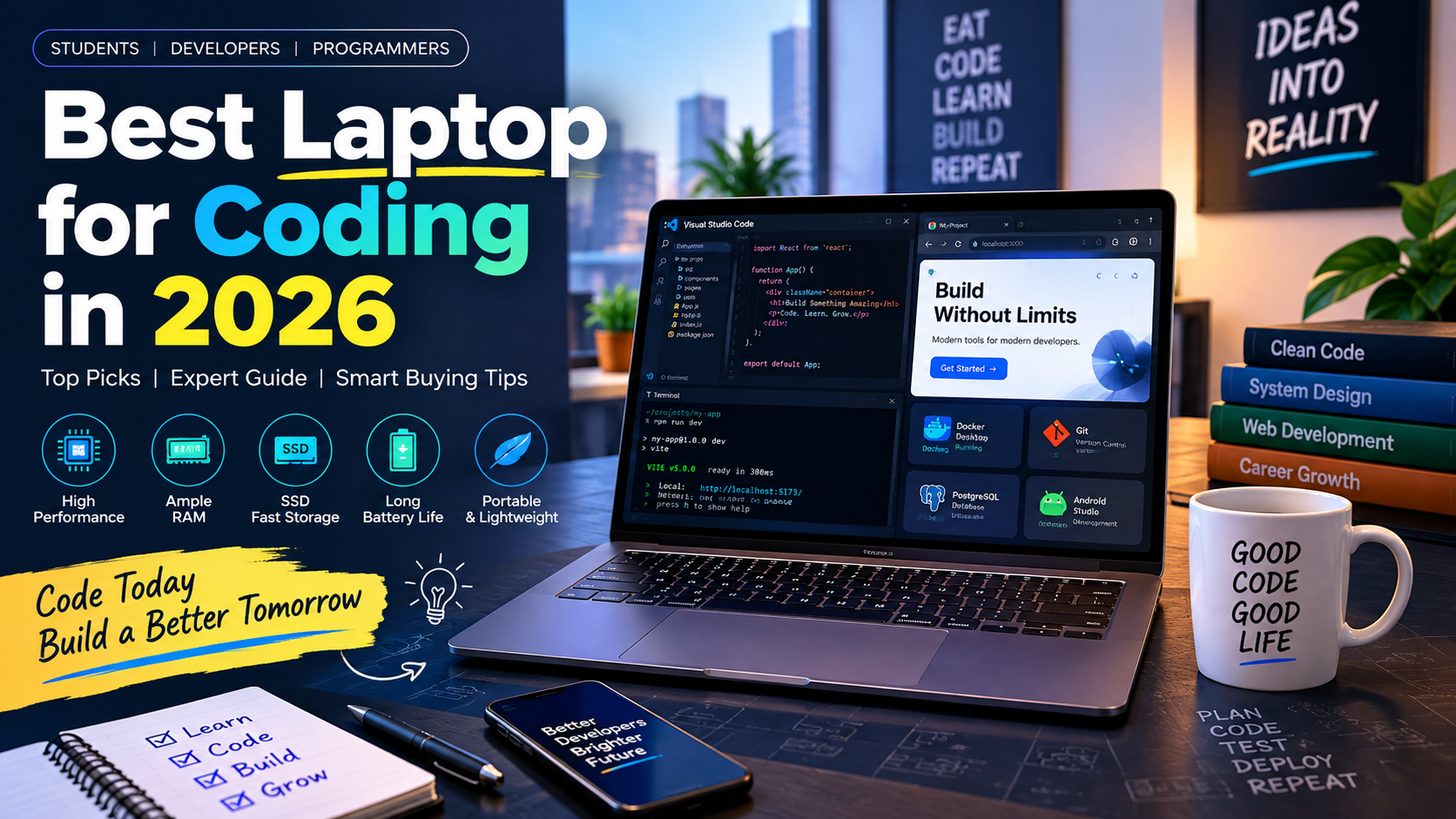
You’ve probably already learned that you can write code on almost any modern laptop, whether you’re using Python, JavaScript, Java, C++, or HTML and CSS. However, the difficult part is choosing a laptop that can handle your complete development environment without overspending, so this guide explains the best laptop for coding in 2026, the specifications that matter, and the best choices for students and developers.
What Is a Good Laptop for Coding?
A good laptop for coding is a computer with enough processing power, memory, storage, and battery life to run development tools smoothly for your programming workload.
First, basic programming does not require an expensive workstation. For example, Visual Studio Code’s official requirements are relatively modest, although your complete development environment can require considerably more resources.
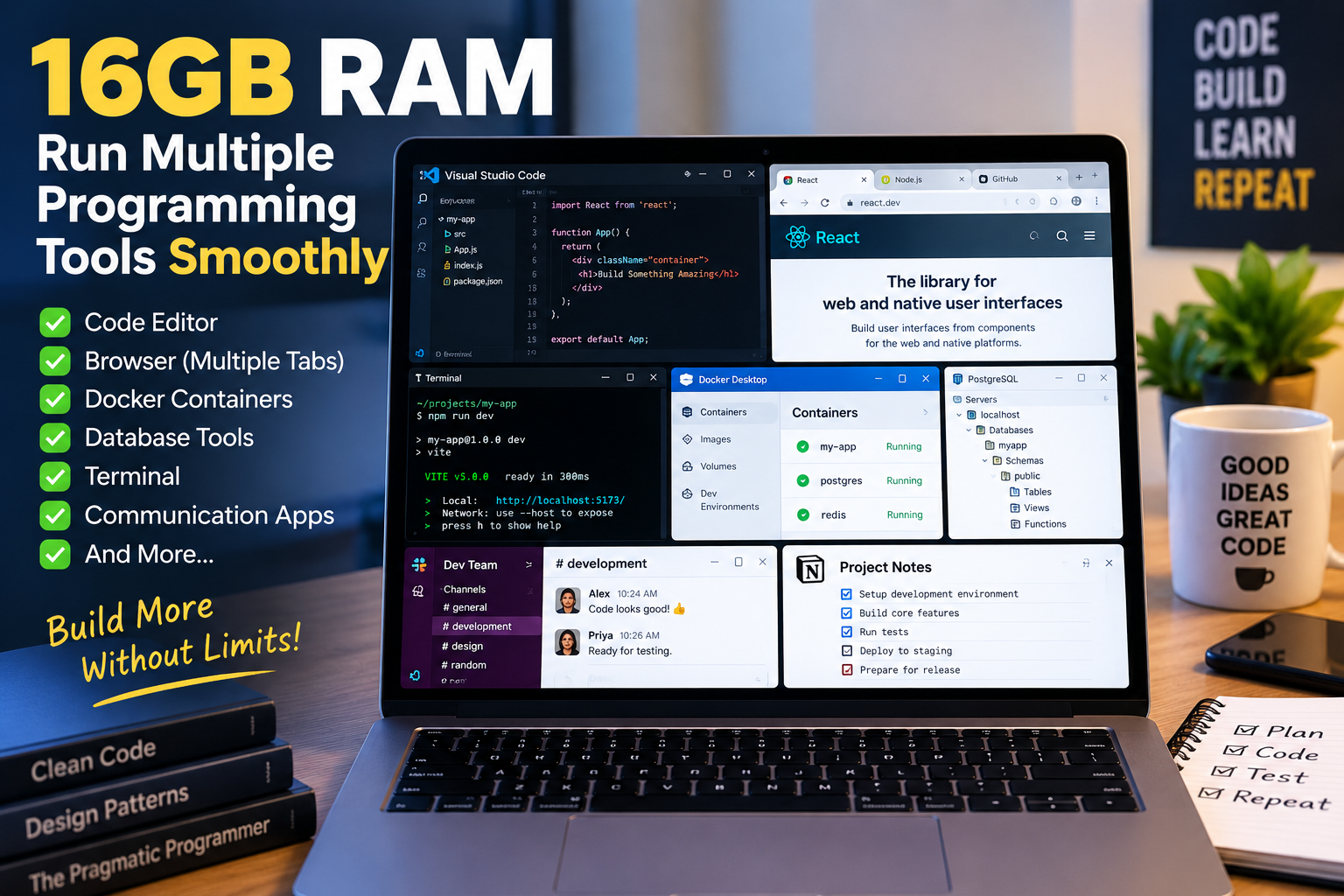
Moreover, modern development often involves much more than a code editor. A developer may run VS Code, Chrome, Git, a local database, Docker containers, Slack, a terminal, and an emulator at the same time.
Therefore, 16GB RAM, a modern processor, and a 512GB SSD are sensible starting specifications for most new coding laptops in 2026.
For example, a student learning Python or JavaScript can comfortably use a 16GB laptop without paying for a dedicated graphics card.
What Makes a Laptop Suitable for Programming?
A programming laptop is suitable when its CPU, RAM, SSD, display, keyboard, battery, operating system, and thermals match the developer’s workload.
Second, CPU performance matters when compiling applications, building projects, running development servers, and performing processor-heavy tasks. A modern Intel Core/Core Ultra or AMD Ryzen processor is generally a better starting point than an entry-level chip intended for basic office work.
At the same time, RAM determines how comfortably you can keep multiple development applications open. For example, opening an IDE, browser with dozens of tabs, Docker, database tools, and an emulator can quickly make 8GB feel restrictive.
Can You Code on a Budget Laptop?
Yes, a budget laptop can be excellent for coding when it has the right configuration.
For example, a laptop with 16GB RAM and a 512GB SSD can handle web development, Python, Java, JavaScript, C++, WordPress development, and many university programming assignments.
However, budget buyers should avoid sacrificing RAM and SSD storage merely to obtain a slightly higher processor tier.
Key Takeaways
- A good coding laptop combines a capable processor, sufficient RAM, fast SSD storage, a comfortable keyboard, and dependable battery life.
- 16GB of RAM is a practical starting point for most programming workloads, while 32GB is better for Android Studio, Docker, virtual machines, and heavier multitasking.
- SSD storage improves boot times, application loading, project access, and overall system responsiveness.
- Students and beginner programmers can prioritize value, portability, battery life, and upgradeability instead of buying unnecessary high-end hardware.
- Professional developers should consider CPU performance, RAM capacity, thermals, keyboard quality, display, operating-system compatibility, and long-term reliability.
- A dedicated GPU is unnecessary for most coding, but it becomes useful for AI/ML, game development, 3D workloads, and GPU-accelerated applications.
- The best laptop for coding depends on your workload, budget, operating system, and development tools, rather than one universal specification.
Why Does Choosing the Right Laptop for Coding Matter?
Choosing the right laptop for coding matters because your hardware affects development speed, multitasking, comfort, portability, and how long the machine remains useful.
First, developers often increase their workload as they gain experience. A beginner might start with a code editor and browser, while a professional may later use Docker, Kubernetes, local databases, virtual machines, Android Studio, or local AI models.
For example, Android Studio’s current documentation recommends 32GB RAM for professional development and lists 16GB as the recommended configuration when Android Studio is used with the emulator.
Moreover, a laptop with additional headroom can prevent an early upgrade when your projects become more demanding.
Why Is RAM Important for Developers?
RAM is important for developers because it provides working memory for applications, development environments, browsers, virtual machines, containers, and other active processes.
For example, 16GB can comfortably support a typical web-development workflow involving VS Code, Chrome, Git, a terminal, and a local development server.
At the same time, Android Studio, emulators, Docker containers, and virtual machines can push memory requirements much higher.
Why Does SSD Storage Matter?
SSD storage matters because development projects constantly read and write source files, dependencies, build files, caches, databases, and application data.
For example, a fast NVMe SSD can make project loading, dependency installation, application launching, and repository operations feel considerably more responsive than older hard-drive-based systems.
Therefore, 512GB should be treated as a practical starting point, while 1TB is better for developers with large projects, Docker images, Android SDKs, virtual machines, or game-development assets.
What Specifications Should You Look for in a Coding Laptop?
The most important coding-laptop specifications are 16GB or more RAM, a modern processor, at least 512GB SSD storage, a comfortable keyboard, a suitable display, and reliable thermal performance.
First, use this table as a practical buying guide:
| Specification | Recommended for Students | Recommended for Developers |
|---|---|---|
| Processor | Modern Core 5/Core Ultra 5/Ryzen 5 | Core Ultra 5/7, Ryzen 5/7, Apple silicon |
| RAM | 16GB | 16GB–32GB |
| Storage | 512GB SSD | 512GB–1TB+ SSD |
| GPU | Integrated GPU | Integrated or dedicated depending on workload |
| Display | Full HD/WUXGA | Full HD/WUXGA or higher |
| Screen size | 14–16 inches | 14–16 inches |
| Keyboard | Comfortable, preferably backlit | Excellent keyboard strongly preferred |
| Battery | Good daily battery | Long battery life |
| OS | Windows/Linux/macOS | Match OS to development stack |
| Upgradeability | Preferred | Very useful |
Second, do not judge a laptop only by its processor name. Cooling, memory configuration, SSD performance, screen quality, keyboard, ports, and battery life can change the real-world experience.
For example, two laptops using processors from the same family can behave differently because one has better cooling and sustained power management.
How Much RAM Do You Need for Coding?
16GB RAM is the best general-purpose starting point for coding in 2026, while 32GB is preferable for heavier development environments.
First, 8GB can still handle lightweight programming. For example, a student writing Python scripts or basic HTML pages may be perfectly comfortable with 8GB.
However, 16GB is the safer choice for a new laptop because it provides more room for browser tabs, IDEs, terminals, databases, and background applications.
Finally, 32GB makes sense when you regularly use Android emulators, Docker, virtual machines, large projects, or local AI applications.
Which Processor Is Best for Programming?
The best processor for programming is a modern CPU with strong everyday responsiveness and enough multi-core performance for your development workload.
For example, Intel Core Ultra, AMD Ryzen, and Apple silicon processors can all provide excellent development performance when paired with enough RAM and fast storage.
Moreover, compiling and large builds can benefit from multiple CPU cores, while everyday coding responsiveness often benefits from strong single-core performance.
Therefore, choose the processor based on the complete laptop configuration rather than simply choosing Core i7, Ryzen 7, or another branding label.
Do You Need a Dedicated GPU for Coding?
A dedicated GPU is not required for most programming, web development, backend development, or general software engineering.
For example, a React developer using VS Code, Chrome, Node.js, Git, and a local database can normally use integrated graphics.
However, a dedicated GPU becomes valuable for machine learning, local AI models, game development, 3D applications, computer vision, and GPU-accelerated workloads.
What Are the Best Laptops for Coding in 2026?
The best laptops for coding in 2026 include balanced models from Lenovo, ASUS, HP, and Apple, but the right choice depends on whether you prioritize price, portability, screen size, macOS, or specialized workloads.
Current 2026 testing also shows that developer laptops span a wide range, from value-focused machines to specialized AI and data-science workstations.
1. Lenovo ThinkPad E14 Gen 7 – Best Overall for Students and Developers
The Lenovo ThinkPad E14 Gen 7 is a strong all-round coding laptop for students and professional developers who prioritize keyboard quality, portability, and balanced performance.
First, Lenovo offers configurations with modern Intel processors, 16GB memory, PCIe SSD storage, a 14-inch display, Wi-Fi 6E, and a backlit keyboard. Lenovo ThinkPad E14 Gen 7 official specifications
Moreover, the ThinkPad keyboard is one of the strongest reasons to consider this series for long coding sessions.
For example, if you spend six or eight hours typing code, a comfortable keyboard can matter more than a small benchmark difference between processors.
Best for: Students, programmers, web developers, software developers.
Recommended configuration: 16GB RAM + 512GB SSD or higher.
Main advantage: Excellent balance between productivity, portability, keyboard comfort, and business-oriented design.
Watch out for: Exact RAM upgradeability and configuration vary by model.
2. Lenovo IdeaPad Slim 5 – Best Value for Students
The Lenovo IdeaPad Slim 5 is a strong value-oriented choice for students who want coding performance without moving immediately into premium laptop pricing.
First, current Indian listings include IdeaPad Slim 5 configurations with modern processors, 16GB RAM, and SSD storage, although exact specifications and prices vary by model. Lenovo IdeaPad Slim 5 official store
Moreover, the combination of a relatively portable design and sufficient memory makes it suitable for programming classes and everyday development.
For example, a student learning JavaScript, Python, Java, PHP, or WordPress development can use a 16GB configuration without needing a dedicated GPU.
Best for: Students, beginner programmers, web developers.
Recommended configuration: 16GB RAM + 512GB/1TB SSD.
Main advantage: Good balance of price, performance, portability, and storage.
Watch out for: Different IdeaPad Slim 5 generations use different processors and memory configurations.
3. ASUS Vivobook 16 – Best Large-Screen Laptop for Coding
The ASUS Vivobook 16 is a good choice for developers who prefer a larger screen for code, documentation, browser windows, and multitasking.
First, the Vivobook 16 family is available in multiple configurations, so buyers should check the exact processor, RAM, SSD, and display combination before purchasing. ASUS Vivobook official specifications
Moreover, a 16-inch display can provide useful workspace when you need to view code and documentation simultaneously.
For example, a frontend developer can place VS Code on one side and a browser preview or documentation window on the other.
Best for: Students, web developers, multitaskers.
Recommended configuration: 16GB RAM + 512GB/1TB SSD.
Main advantage: Larger screen and productivity-focused design.
Watch out for: Larger laptops are generally less portable than 14-inch models.
4. HP OmniBook 3 14 – Best Compact Windows Option
The HP OmniBook 3 14 is a practical compact Windows laptop for students and developers who prioritize portability.
First, HP currently lists a 14-inch OmniBook 3 configuration with an Intel Core 5 120U, 16GB RAM, 512GB SSD, and a 2K 1920 × 1200 display at ₹89,999 on its Indian store at the time of checking.
Moreover, the 14-inch form factor is convenient for carrying between college, home, office, and coworking spaces.
For example, a student can use it for programming classes during the day and web development projects at home without carrying a larger gaming laptop.
Best for: Students, mobile developers, office users.
Recommended configuration: 16GB RAM + 512GB SSD.
Main advantage: Compact design with a useful 16:10-style productivity display.
Watch out for: The OmniBook 3 family includes lower-memory configurations, so check the exact SKU before buying.
Reference: HP OmniBook 3 official India store
5. Apple MacBook Air M5 – Best Premium Laptop for Coding
The MacBook Air M5 is a strong premium coding laptop for developers who prefer macOS, portability, and Apple’s development ecosystem.
First, Apple’s current MacBook Air specifications list the M5 chip, 16GB unified memory as a standard configuration, and storage options starting at 512GB on the listed configurations. Apple MacBook Air specifications
Moreover, Apple rates the MacBook Air for long battery life, making it attractive to developers who work away from a power outlet.
For example, a web developer can use macOS’s Unix-based environment with Git, Node.js, Python, VS Code, terminals, browsers, and development frameworks.
However, macOS is not automatically the best operating system for every developer. Developers who depend on Windows-only applications or certain NVIDIA/CUDA workflows may prefer Windows.
Best for: Web developers, software developers, iOS/macOS developers, professionals.
Recommended configuration: 16GB RAM + 512GB SSD minimum; consider more unified memory for heavier workloads.
Main advantage: Excellent combination of performance, portability, battery life, and development environment.
Watch out for: RAM and storage are not user-upgradeable, so choose your configuration carefully.
6. HP Victus 15 – Best for Coding Plus Gaming and GPU Workloads
The HP Victus 15 is better suited to developers who combine programming with gaming, game development, AI/ML experiments, or other GPU-heavy workloads.
First, current Victus configurations include models with dedicated NVIDIA graphics, although the exact processor, GPU, RAM, and storage depend on the SKU. HP India laptop store
Moreover, a dedicated GPU can provide capabilities that integrated graphics cannot match for certain development workloads.
For example, game developers working in Unreal Engine or developers experimenting with local machine-learning workloads can benefit from dedicated GPU hardware.
Best for: Game development, AI/ML, 3D development, gaming programmers.
Recommended configuration: 16GB RAM + 512GB/1TB SSD + dedicated GPU.
Main advantage: GPU performance for specialized development.
Watch out for: Gaming laptops are generally heavier and less battery-efficient than thin-and-light systems.
Which Coding Laptop Should You Choose?
The right coding laptop depends on your programming workload rather than the highest specification available.
| Your Need | Recommended Choice | Minimum Target |
|---|---|---|
| Beginner programming | Lenovo IdeaPad Slim 5 | 16GB + 512GB SSD |
| College student | ThinkPad E14 / IdeaPad Slim 5 | 16GB + 512GB SSD |
| Web development | ThinkPad E14 / Vivobook 16 | 16GB + 512GB SSD |
| Professional development | ThinkPad E14 / MacBook Air | 16GB–32GB |
| Android development | Higher-memory laptop | 32GB preferred |
| AI/ML | GPU-equipped laptop | 32GB + dedicated GPU |
| Game development | HP Victus-class laptop | 16GB–32GB + dedicated GPU |
| macOS development | MacBook Air/Pro | 16GB+ |
| Linux development | Compatible Intel/AMD laptop | 16GB+ |
First, students should generally prioritize value, portability, keyboard quality, battery life, and 16GB RAM.
Second, professional developers should prioritize RAM capacity, CPU performance, SSD capacity, thermals, keyboard, ports, and operating-system compatibility.
Finally, specialized developers should spend more of their budget on the hardware that directly affects their workload.
Is 16GB RAM Enough for Coding in 2026?
Yes, 16GB RAM is enough for most programming, web development, scripting, and general software-development workflows in 2026.
First, 16GB provides a practical balance between price and multitasking capability.
For example, a typical web developer can run VS Code, Chrome, Git, a terminal, Node.js, a local database, and communication applications on a 16GB machine.
However, 32GB is the better choice for heavier development involving Android Studio, multiple Docker containers, virtual machines, large projects, or local AI tools.
Android Studio’s documentation specifically recommends 32GB for professional development, making memory capacity particularly important for Android developers.
Is Windows or macOS Better for Programming?
Windows and macOS are both excellent programming platforms, and the better operating system depends on your development ecosystem and software requirements.
First, Windows provides broad hardware choice and is particularly attractive if you want a budget laptop, gaming GPU, or specialized NVIDIA hardware.
Second, macOS provides a Unix-based development environment and is essential for native Apple-platform development.
For example, an iOS developer needs Apple’s development ecosystem, while a developer who relies heavily on Windows-specific applications may prefer Windows.
Moreover, Linux is also an excellent choice for developers who want a highly customizable Unix-like environment and extensive command-line tooling.
What Are the Best Tools for Coding on a Laptop?
The best coding tools include VS Code, JetBrains IDEs, Git, Docker, Android Studio, terminals, browsers, and local databases, with the exact combination depending on your development stack.
Visual Studio Code
VS Code is a lightweight source-code editor that supports Windows, macOS, and Linux. Its official documentation provides relatively modest baseline hardware requirements, but real-world development workloads require additional resources.
Reference: Visual Studio Code requirements
Android Studio
Android Studio is the primary IDE for Android development, and its current requirements show why developers should consider RAM carefully. The documentation recommends 32GB for professional development.
Reference: Android Studio system requirements
Docker
Docker is useful for running isolated development environments, databases, APIs, and application services.
For example, a full-stack developer can run a frontend, backend, database, and cache as separate containers while editing the source code in VS Code.
Reference: Docker Desktop installation requirements
Git and GitHub
Git provides version control for coding projects, while GitHub can be used for remote repositories, collaboration, code review, and project management.
For example, a developer can create a feature branch, make changes, test the application, commit the work, and push it to a remote repository.
How Do You Choose the Right Laptop for Coding?
Choosing the right laptop for coding involves matching the hardware to your programming workload, budget, software, and expected usage over the next several years.
First, follow this checklist before purchasing.
1. Identify Your Programming Workload
Determine whether you primarily use:
- HTML, CSS, and JavaScript
- Python
- Java or C++
- React or Next.js
- Node.js
- PHP and WordPress
- Android Studio
- Docker
- Virtual machines
- Game engines
- AI/ML frameworks
For example, a WordPress developer does not need the same hardware as a machine-learning developer.
2. Choose 16GB RAM or More
Choose 16GB as the practical baseline for a new coding laptop.
For example, 16GB is appropriate for most students and web developers.
If you know that you’ll use Android Studio, Docker, VMs, or local AI tools extensively, consider 32GB.
3. Choose 512GB SSD or More
Choose at least 512GB SSD storage for a new programming laptop whenever your budget allows.
For example, a development machine may store the operating system, IDEs, source repositories, dependencies, SDKs, Docker images, databases, and personal files.
If your budget permits, 1TB provides significantly more flexibility.
4. Check the Keyboard
A coding laptop should have a comfortable keyboard because developers can spend hours typing source code every day.
For example, ThinkPad models are particularly attractive to developers who value keyboard ergonomics.
5. Check the Display
Choose a display that allows you to read text comfortably for long periods.
A 14-inch screen is excellent for portability, while a 16-inch screen provides more workspace.
For example, a 16-inch 16:10 display can show more lines of code vertically than many traditional 16:9 displays.
6. Check Upgradeability
Upgradeability can extend the useful life of a laptop.
However, modern laptops vary widely. Some use soldered memory while others provide upgradeable memory or storage.
Therefore, always check the exact model number and configuration rather than assuming that every laptop in a product family is upgradeable.
What Mistakes Should You Avoid When Buying a Coding Laptop?
The most common coding-laptop mistakes are buying too little RAM, focusing only on processor branding, paying for an unnecessary GPU, ignoring keyboard quality, and choosing insufficient storage.
First, avoid buying an 8GB model if you already know that your workload includes Android Studio, Docker, or virtual machines.
Second, do not assume that a Core i7 or Ryzen 7 automatically makes a laptop better for coding.
Third, do not spend most of your budget on a dedicated GPU if you primarily develop websites and backend applications.
Finally, do not ignore the keyboard and display because developers interact with these components for hours every day.
What’s Next After Choosing a Coding Laptop?
After choosing a coding laptop, the next step is to verify the exact configuration, compare current prices, check warranty coverage, and confirm compatibility with your development tools.
First, record the exact model or SKU before purchasing because the same laptop family can contain different CPUs, RAM capacities, displays, and SSDs.
Second, compare the configuration against your workload:
- Basic programming: 16GB RAM + 512GB SSD.
- Web development: 16GB RAM + 512GB/1TB SSD.
- Professional software development: 16GB–32GB RAM + 1TB SSD.
- Android development: 32GB RAM is preferable for heavier professional workloads.
- AI/ML: 32GB RAM plus a suitable dedicated GPU for local workloads.
- Game development: 16GB–32GB RAM plus a capable dedicated GPU.
Third, check the official manufacturer’s specifications before purchasing because prices, configurations, and availability can change.
Finally, install your actual development tools and build a real project. The best laptop for coding is the one that makes your real development workflow faster, more comfortable, and more reliable.
Conclusion
The best laptop for coding in 2026 is not necessarily the most expensive laptop; it is the laptop whose CPU, RAM, SSD, operating system, keyboard, display, and thermal design match your programming workload.
First, most students and beginner programmers should look for a modern processor, 16GB RAM, and a 512GB SSD. This combination provides a strong foundation for Python, Java, JavaScript, C++, web development, and general programming.
Second, professional developers should consider 32GB RAM when their workflow includes Android Studio, Docker, virtual machines, large codebases, or local AI workloads.
Third, specialized developers should spend more on the hardware that directly affects their work. A game developer may benefit from a dedicated GPU, while a web developer may get more value from RAM, SSD storage, keyboard quality, and battery life.
Among the current options, the Lenovo ThinkPad E14 Gen 7 stands out as a balanced choice for students and developers, while the Lenovo IdeaPad Slim 5 is attractive for value-focused buyers. The ASUS Vivobook 16 is useful for people who want more screen space, the HP OmniBook 3 14 offers a compact Windows option, and the MacBook Air M5 is a strong premium choice for developers who prefer macOS. GPU-focused machines such as the HP Victus 15 make more sense when your programming work overlaps with gaming, AI/ML, or 3D development.
Most importantly, buy for your workload rather than buying the biggest specification number.
If you’re learning programming today, you do not need a ₹2 lakh workstation to write your first application. Start with the software you actually plan to use, choose enough RAM and storage for your workflow, and then spend the remaining budget on the features you will use every day.