
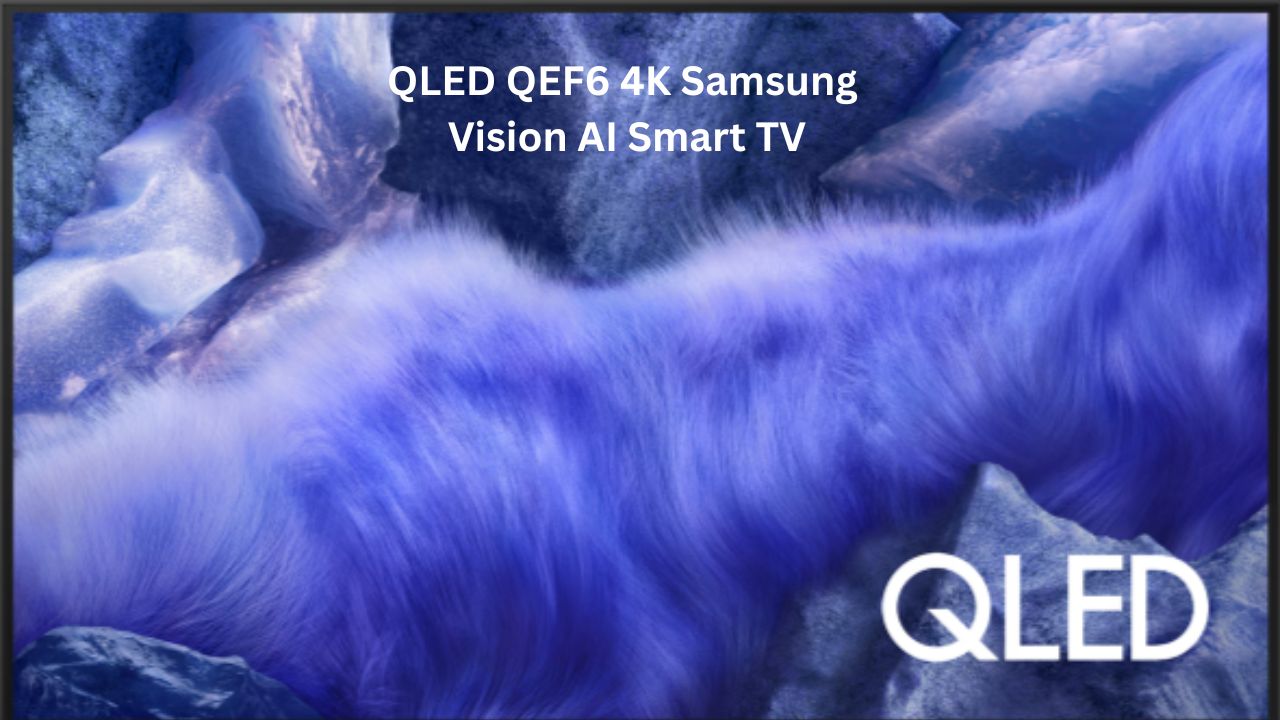
QLED QEF6 4K Samsung Vision AI Smart TV
If you are looking for a new TV in 2026, you’ve probably noticed that “AI” is being slapped onto every box. Samsung is no different with their latest release, the QLED QEF6 4K Samsung Vision AI Smart TV.
I’ve spent some time digging into what this TV actually offers, and honestly, it’s a bit of a mixed bag depending on what you need. It sits in that tricky “premium budget” spot where it looks expensive but tries to keep the price down. If you want a solid 4K screen for movies and cricket but don’t want to pay the massive price tag of an OLED, this might be on your list.
SPECS TABLE
| Feature | Specification |
| Panel Type | QLED (Quantum Dot) |
| Resolution | 4K Ultra HD (3840 x 2160) |
| Processor | Q4 AI Processor |
| HDR Support | HDR10+, HLG, Quantum HDR |
| Refresh Rate | 60Hz |
| Audio | 20W (2.0 Channel), Object Tracking Sound Lite |
| OS | Tizen OS (One UI Tizen) |
| HDMI Ports | 3 x HDMI (eARC supported) |
| USB Ports | 1 x USB-A |
| Connectivity | Bluetooth 5.3, Wi-Fi 5 |
| Special Features | SolarCell Remote, Knox Security, AI Upscaling |
Design & Display: How It Looks in Your Room
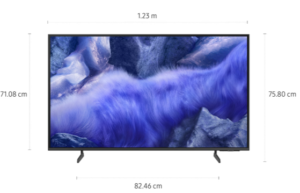
The first thing you’ll notice about the QEF6 is the “Slim Look.” Samsung is really good at making even their mid-range TVs look like they cost twice as much. The bezels (the borders around the screen) are very thin. When you’re watching a movie, the frame almost disappears, which is great for a bedroom or a small living room.
The display itself uses Quantum Dot technology. Think of this like a filter that makes colors look more “pure.” If you’re watching a nature documentary, the greens and reds don’t look washed out; they look like they would in real life. Samsung calls this 100% Color Volume. In simple terms, it means the colors stay bright and accurate even if you turn the brightness all the way up.
One thing to keep in mind: it uses a Dual LED backlight. This means it can switch between warm and cool tones to match what you’re watching. It’s better than a basic LED TV, but don’t expect the pitch-black shadows you get on an OLED. In a dark room, the “blacks” might look a bit like dark grey.
Performance: Real-Life Use & AI Magic
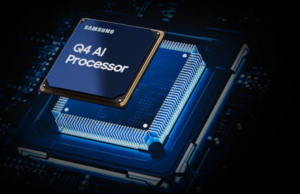
The “Vision AI” part of the name comes from the Q4 AI Processor. I know “AI” sounds like a hype word, but here it actually does something useful: Upscaling.
Most of what we watch—regular cable TV, older YouTube videos, or even some streaming shows—isn’t actually in 4K. The processor looks at each frame and “fills in the blanks” to make it look sharper on a 4K screen. It’s not magic, but it makes a noticeable difference. Faces look less blurry, and text on the screen is easier to read.
Another feature I liked is Adaptive Sound. If you’re watching the news, it prioritizes voices so you can hear the anchor clearly. If you switch to a movie, it tries to give the background music a bit more “oomph.” It only has 20W speakers, though. They are fine for a bedroom, but if you want that “home cinema” feeling, you’ll definitely want to plug in a soundbar.
The One UI Tizen interface is smooth. Samsung has promised 7 years of OS updates, which is actually a huge deal. Usually, smart TVs start feeling slow after two or three years because the software gets too heavy, but this promise means it should stay snappy for a long time.
Sound Quality
The sound on the QLED QEF6 4K Samsung Vision AI Smart TV is built for clarity over bass. Here is the quick breakdown:
-
The Build: A 20W 2.0-channel setup. It’s loud and clear for a bedroom, but because there’s no built-in woofer, the bass feels a bit “flat” for action movies.
-
AI Tricks: The Q4 Processor uses Adaptive Sound Pro to make dialogue crisp and OTS Lite to make sound follow the action on screen. If you have a Samsung soundbar, Q-Symphony lets the TV speakers and the bar work together for a much bigger sound.
-
Pro Tips: Use Bluetooth 5.3 to pair two sets of headphones for late-night watching. If the background music is too loud, turn on Active Voice Amplifier to hear the actors better.
-
Great for news, YouTube, and sports. For a cinematic “thump,” you’ll want to plug a soundbar into the eARC port.
Smart Features & Software: The “Brain” of the TV
Samsung has moved away from just being a screen and turned this into a central hub for your home.
-
Live Translate: This is a huge 2026 feature. If you’re watching a movie or a YouTube video in a language you don’t understand, the TV can now detect it and generate translated subtitles on the fly. It’s great for foreign cinema or international news.
-
Built-in SmartThings Hub: You don’t need extra dongles anymore. The TV supports Matter, meaning you can control your smart lights, AC, or even your robot vacuum directly from your couch.
-
3D Map View: Instead of a boring list of devices, you get a 3D layout of your house on the screen. It’ll show you exactly which light is on or if the fridge door is open in the kitchen.
-
Workout Tracker: If you use a Galaxy Watch, your heart rate and calories burned show up right on the TV while you follow a workout. It makes it much easier to track your progress without looking at your wrist.
Security: Samsung Knox
We don’t usually think about security on a TV, but with all our Netflix and Amazon passwords stored there, it’s important. Samsung Knox is like a digital bodyguard that keeps your passwords safe and prevents hackers from getting into your smart home through the TV.

Gaming Experience
The gaming side is a bit of a “good news, bad news” situation.
-
The Hardware: It runs at 60Hz with HDMI 2.0. This is perfectly fine for games like Zelda, Mario, or even Spider-Man. The colors are vibrant and the response time is fast.
-
The Limit: If you are a hardcore competitive gamer playing Call of Duty or Valorant and you want that ultra-smooth 120fps feel, this isn’t the TV for you. It’s capped at 60fps.
-
Cloud Gaming: One of the best things here is the Samsung Gaming Hub. You can actually play Xbox games directly on the TV through the cloud. You don’t even need a console—just a Bluetooth controller and a good internet connection.
If you’re a casual gamer and someone who loves a “smart” home, this software package is excellent. It’s built to be easy and helpful, not just complicated.
Connectivity & Ports: Plugging Things In
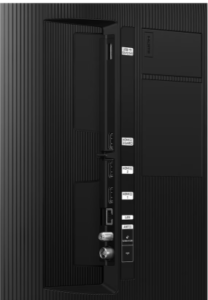
This is where you need to pay attention to the details. The QLED QEF6 4K Samsung Vision AI Smart TV comes with a standard set of ports, but they are tucked away on the side for easy access if you wall-mount it.
-
3 HDMI Ports: All three support 4K at 60Hz. If you have a soundbar, you’ll want to use Port 3, which is the eARC (Enhanced Audio Return Channel) port. This allows the TV to send high-quality audio (like Dolby Atmos) back to your soundbar using just one cable.
-
1 USB-A Port: This is a bit stingy for 2026. You can plug in a flash drive to watch your own videos or photos, but having only one port means you can’t leave a webcam and a hard drive plugged in at the same time.
-
Wireless: It features Wi-Fi 5 and Bluetooth 5.3. The Bluetooth is actually very stable—I tried pairing it with wireless headphones for late-night watching, and there was zero “lip-sync” delay.
QLED QEF6 4K Samsung Vision AI Smart TV Pros & Cons
What I Like:
-
7 Years of Updates: This is the best reason to buy this TV. It won’t become obsolete quickly.
-
Vibrant Colors: The QLED panel really makes colors pop compared to standard LED TVs.
-
Solar Remote: Practical, eco-friendly, and saves you money on batteries.
-
Knox Security: Good for peace of mind if you use your Samsung account on the TV.
What I Don’t Like:
-
Only 60Hz: In 2026, I would have liked to see a 120Hz refresh rate for smoother motion in sports.
-
Weak Bass: The 20W speakers are clear but lack “thump.”
-
No Dolby Vision: Samsung still refuses to support Dolby Vision, sticking to their own HDR10+ format instead.
Comparison: QEF6 vs. The Competition
If you are looking at the QEF6, you are likely also seeing the Xiaomi X Pro (2026) or the TCL Q6C.
-
Xiaomi X Pro: Usually cheaper and often comes with better speakers (30W-40W). However, Samsung’s Tizen OS is generally more stable than the Google TV interface on budget Xiaomi sets.
-
TCL Q6C: This is a tough competitor because TCL often offers a 144Hz refresh rate for roughly the same price. If you game a lot, the TCL is the better pick. But if you value brand reliability and software longevity, Samsung wins.
Who Should Buy This?
Buy this if:
-
You want a TV that will stay “smart” for the next 7 years.
-
You watch a lot of bright content like sports, animated movies, or news.
-
You already own a Samsung phone and want everything to sync up easily.
Don’t buy this if:
-
You are a serious gamer who wants 4K at 120Hz.
-
You want the best possible “home theater” experience (go for a Mini-LED or OLED instead).
-
You strictly watch movies in a pitch-black room and hate “grey” blacks.
the QLED QEF6 4K Samsung Vision AI Smart TV is a safe choice. It isn’t “groundbreaking,” and it isn’t the fastest TV on the market. But it is reliable. Most people just want a TV that turns on quickly, looks pretty, and has all the apps like Netflix, Prime Video, and YouTube. This TV does all of that perfectly.
The AI features are helpful but subtle—they work in the background to make the picture look better without you having to mess with the settings every five minutes. It’s a “set it and forget it” kind of TV.
Final Verdict
The QEF6 is a solid “B+” student. It’s great at the basics and has a premium design that makes your living room look better. While the 60Hz screen might disappoint some tech enthusiasts, the 7-year software support makes it one of the most practical purchases you can make in 2026. It’s a sensible investment for a regular family home.
Samsung Galaxy S26 Ultra – Specs, Processor, Powerful Camera & Performance

Nice information