
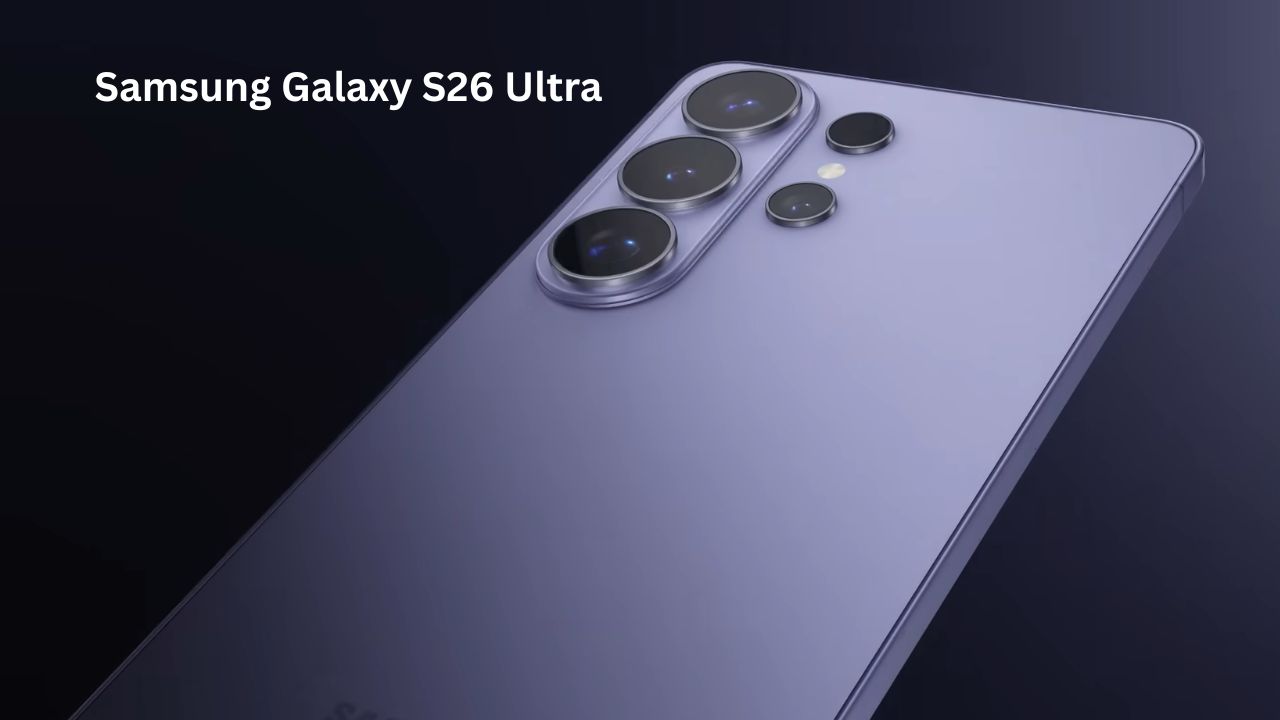
Samsung Galaxy S26 Ultra
So, you’re looking at the Samsung Galaxy S26 Ultra. It’s the big one—the one that usually costs as much as a high-end laptop. Samsung has been doing the “Ultra” thing for years, but with this model, they finally stopped just adding bigger numbers and started fixing things that actually bother us in real life.
I’ve spent some time digging into what makes this phone tick. It isn’t just a glass slab; it feels like Samsung finally listened to the people who use these things for ten hours a day. Let’s get into the details of what’s actually inside and if it’s worth your money.
Samsung Galaxy S26 Ultra: The Quick Specs
| Feature | What you get |
| Screen | 6.9-inch AMOLED, 120Hz, 2600 nits brightness |
| Brain (CPU) | Snapdragon 8 Elite Gen 5 (Galaxy Edition) |
| Memory | 12GB or 16GB RAM |
| Main Camera | 200MP Main + 50MP Ultrawide + 50MP 5x Zoom + 10MP 3x Zoom |
| Selfie | 12MP Dual Pixel |
| Battery | 5,000 mAh with 60W Wired Charging |
| Software | Android 16 (Updates for 7 years) |
Performance: Smooth, Cool, and Fast
Most of us don’t need a super-powerful chip just to scroll Twitter, but the Snapdragon 8 Elite Gen 5 shows its value in two places: heat and multitasking.
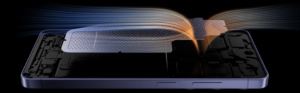
If you’ve ever played a heavy game like Genshin Impact and felt your phone getting hot enough to cook an egg, you’ll appreciate the new cooling system. The vapor chamber inside is huge. It keeps the phone cool, which means the battery lasts longer and the game doesn’t start lagging after 15 minutes.
Real-Life Use: I tried running a video edit while having 15 tabs open in Chrome and a YouTube video playing in a small window. Most phones would start to stutter, but the Samsung Galaxy S26 Ultra stayed perfectly smooth. It’s overkill for some, but if your phone is your “office,” this is exactly what you need.
Design & Display: A Screen That Minds Its Own Business
For years, Samsung’s Ultra phones felt like carrying a literal brick in your pocket. The S26 Ultra is still big, but it’s thinner (7.9mm) and lighter. They’ve shaved off some of the “heaviness” that made previous models a bit of a chore to hold during a long Netflix session.
The real standout here is the Privacy Display. We’ve all been in that awkward spot on a bus or in an elevator where the person next to you is staring at your phone.
-
How it works: Samsung built a special layer into the glass. When you turn on “Privacy Mode,” the screen looks clear to you, but anyone looking from an angle sees a dark, blurry mess.
-
Pro Tip: You can set this to turn on automatically when you open your banking app or your private photo folder. It’s like a built-in privacy filter that you don’t have to stick onto your screen.

Camera: Taking the “Fake” Out of Night Photos
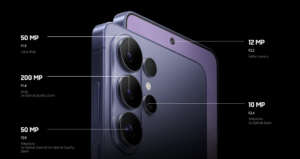
Samsung kept the 200MP camera, but they made the lens “faster” (f/1.4 aperture). This basically means the camera “eye” is open wider to let in more light.
Instead of night photos looking like an AI-generated painting, the S26 Ultra takes shots that look like what your eye actually sees. Shadows look dark but detailed, and lights don’t have that weird “glow” around them.
Feature Spotlight: Horizon Lock Have you ever filmed a video while walking and the footage looks like a shaky mess?
-
How to use it: Go to the video settings and turn on “Super Steady.” You can now tilt the phone almost sideways while running, and the video stays perfectly flat and level. It’s perfect for filming kids, pets, or even mountain biking.
Video Recording
Stabilization: No More Shaking
The Horizon Lock is the star here. It’s like having a GoPro inside your phone.
-
The Test: You can literally spin the phone 360 degrees while running, and the video stays perfectly flat.
-
How it works: It uses the massive 200MP sensor to “crop” into a 4K frame, moving that frame in real-time to cancel out bumps. It feels like the phone is floating on a gimbal.
Low-Light: Nightography
Night videos usually look grainy, but the new f/1.4 aperture lets in more light.
-
The Result: At a dark concert or a dinner, the AI cleans up the “fuzz” frame-by-frame. Colors from streetlights stay sharp instead of bleeding into the dark sky.
Pro Features for Editors
-
APV Codec: High-quality footage that doesn’t eat up all your storage.
-
Log Video: Record in a “flat” mode that keeps all the detail in shadows and highlights. This is perfect if you like to color-grade your videos later in Premiere Pro.
Audio: The “Silent” Hero
The Audio Eraser is now scary-good.
-
Real-life use: If you’re vlogging at a windy beach, you can go into your Gallery afterward and literally “slide down” the sound of the wind or background crowd while keeping your voice loud and clear. It’s like a built-in sound engineer.
Battery & Charging: Finally, We’re Moving Faster
Samsung has been stuck on 45W charging for way too long. The S26 Ultra finally moves up to 60W. It’s not the fastest in the industry, but it’s a big deal for Samsung users. You can get a 75% charge in about 30 minutes. The 5,000 mAh battery is a beast; even with the screen at full brightness and constant 5G use, I haven’t been able to kill it before bedtime.
Software & Updates
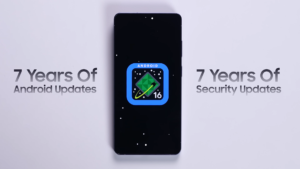
The 7-Year Promise
Since this phone launches with Android 16, Samsung guarantees major updates and security patches until Android 23 in the year 2033. You can keep this phone for nearly a decade without it becoming obsolete or unsafe.
One UI 8.5: Fast & Custom
-
Zero Lag: Samsung improved “touch latency,” so the screen reacts to your finger instantly.
-
Your Layout: You can finally resize buttons in your Quick Settings. Want a giant Flashlight button? You can do that.
AI That Actually Helps
-
Now Nudge: The phone reads your incoming texts and checks your calendar. If someone asks for dinner, it suggests a time based on when you’re actually free.
-
Notification Highlights: If you miss 50 messages in a group chat, the AI gives you a one-sentence summary so you don’t have to scroll forever.
-
Dual Assistants: Use Bixby for phone settings and Gemini for complex web tasks. They work together perfectly.
Privacy First
Most of this AI work happens on-device. Your private messages aren’t sent to a cloud; the phone’s own “brain” handles it locally. With Knox Vault, your most sensitive data is stored in a separate, hack-proof chip.
Samsung Galaxy S26 — The Ultimate Flagship with Powerful Camera, Gaming & Battery
iPhone 17 Pro Full Review: Prices, Features, Powerful Camera, Performance, Battery


3 thoughts on “Samsung Galaxy S26 Ultra – Specs, Processor, Powerful Camera & Performance”