
Asus TUF Gaming A14: A Small Gaming Laptop That Actually Makes Sense
Design & Display: Professional on the Outside
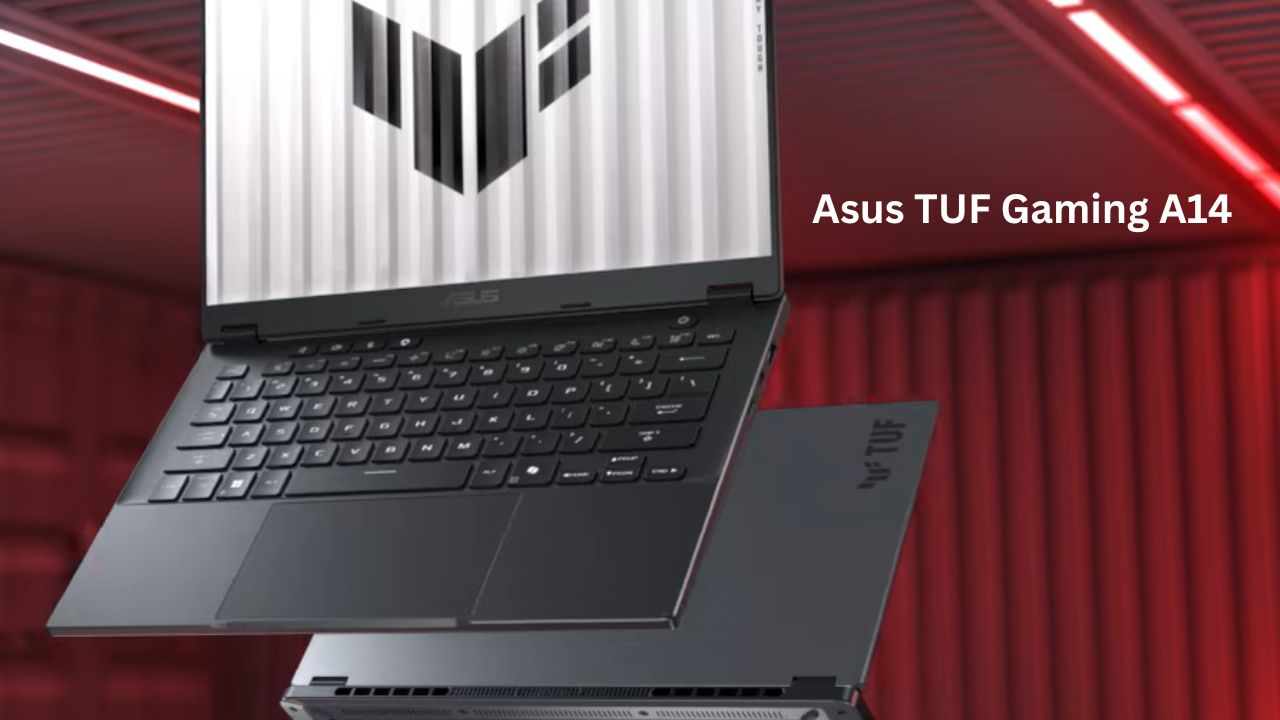
Most gaming laptops scream “I play games” with flashing RGB lights and aggressive plastic fins. The Asus TUF Gaming A14 is surprisingly subtle. It comes in a “Jaeger Gray” finish that looks clean enough for a boardroom. The chassis is a mix of metal and high-quality plastic, giving it a solid, durable feel without the 2.5kg weight of traditional gaming rigs. At 1.46kg, it’s lighter than many non-gaming 14-inch laptops from a few years ago.
The Screen Experience The display is a 2.5K resolution panel with a 16:10 aspect ratio. That “16:10” part is important—it means the screen is slightly taller than a standard widescreen. For a 14-inch laptop, that extra vertical space is a lifesaver when you’re scrolling through long documents or editing video.
With a 165Hz refresh rate, everything feels buttery smooth. If you’re coming from a standard 60Hz screen, the difference in just moving your mouse cursor is noticeable. The 400 nits of brightness is decent; it’s enough for a brightly lit room, though you might struggle under direct sunlight at a park.
Ports & Connectivity: Small Frame, Big Utility
Many 14-inch laptops force you to carry a bag full of dongles, but the Asus TUF Gaming A14 is a refreshing exception. It keeps a versatile mix of old and new ports that actually make sense for daily use.
The Port Layout
-
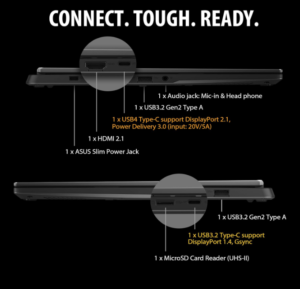
1x USB4 (Type-C): The “do-it-all” port. It supports 40Gbps speeds, external monitors (DisplayPort 2.1), and power delivery.
-
1x USB 3.2 Gen 2 (Type-C): Perfect for high-speed external SSDs or a second monitor.
-
2x USB 3.2 Gen 2 (Type-A): This is a huge win. You can plug in a standard mouse and a flash drive without needing an adapter.
-
1x HDMI 2.1: The latest standard for connecting to 4K TVs or high-refresh gaming monitors.
-
1x MicroSD Card Reader (UHS-II): A great addition for creators. You can transfer camera or drone footage at up to 312MB/s.
-
1x 3.5mm Combo Jack: For your favorite wired headphones.
Wireless Tech
It features Wi-Fi 6E, which acts like a “fast lane” for your internet if you have a modern router, reducing lag in online games. Bluetooth 5.3 ensures your wireless controllers and earbuds stay connected without dropping out.
How to Use These Ports Effectively
-
Clean Desk Setup: Use a USB-C dock in the USB4 port to connect your monitor and peripherals with just one cable.
-
Pro Gaming: Plug your mouse into the USB-A port on the right side so the cable doesn’t get in the way of the power cord on the left.
-
Fast Editing: Always use the Type-C ports for file backups; they are significantly faster than the traditional Type-A ports.
Keyboard & Touchpad: The Daily Interaction
On a compact 14-inch laptop, the typing experience can often feel cramped, but the Asus TUF Gaming A14 manages to feel surprisingly spacious. It skips the flashy “gamer” look for a layout that works just as well in an office as it does in a gaming den.
The Keyboard
Since this is a smaller chassis, there is no dedicated Numpad, but the main keys are full-sized and well-spaced.
-
Key Travel: The keys have 1.7mm of travel. This means they feel “clicky” and deep rather than mushy, which is great for long typing sessions or quick gaming reflexes.
-
Durability: Rated for 20 million presses, it’s built to survive heavy use over several years.
-
Backlighting: Instead of distracting rainbow colors, you get a clean white backlight. It’s professional and makes late-night work easy on the eyes.
-
Dedicated Hotkeys: Four keys at the top let you quickly change volume or mute your mic without fumbling through menus.
The Touchpad
This is a standout feature for this price range. Most affordable gaming laptops use plastic, but the Asus TUF Gaming A14 uses a glass-coated touchpad.
-
Feel: It’s incredibly smooth, so your fingers don’t “stutter” while moving the cursor.
-
Size: It’s oversized for a 14-inch laptop, giving you plenty of room for gestures like pinching to zoom or three-finger swiping.
-
Accuracy: It uses Windows Precision drivers, making it sharp enough for photo editing or detailed work without needing an external mouse.
Performance: What’s Under the Hood?
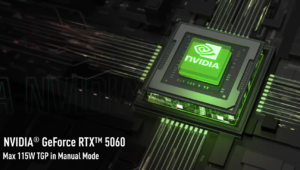
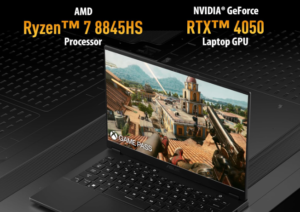
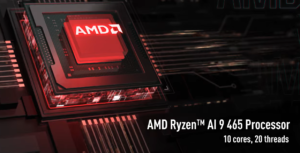
The real magic of the Asus TUF Gaming A14 is how it handles heat and power. It uses the new AMD Ryzen™ AI 300 series chips, which are designed to be efficient. In simple terms: it doesn’t need to suck as much battery to give you high performance.
Real-World Use:
-
Gaming: On an RTX 4060, you can play games like Cyberpunk 2077 or Call of Duty at high settings comfortably. You won’t get “pro-level” 4K performance, but at the laptop’s native 2.5K resolution, it’s very playable.
-
Content Creation: If you edit 4K video or do 3D modeling, the 12-core CPU is a workhorse. It handles rendering much faster than a standard thin-and-light laptop.
-
AI Tasks: The “AI” in the name isn’t just marketing. It helps with things like background noise cancellation during calls and better power management.
Usually, 14-inch laptops solder everything down. Here, if you run out of space for your games, you can just pop the back off and add a second drive. That’s a huge win for longevity.
Battery Life: Can It Last a Full Day?
Gaming laptops are famous for dying after 2 hours. However, thanks to the efficient AMD chip, the Asus TUF Gaming A14 is different. In “Silent” or “Eco” mode, doing basic tasks like browsing the web or writing emails, you can expect around 7 to 9 hours.
If you start gaming on battery, that number drops to about 1.5 to 2 hours. That’s just the reality of high-end graphics; they need a lot of juice. The good news is that it charges from 0% to 50% in about 30 minutes, so a quick coffee break is enough to get back to work
Pros & Cons
The Good:
-
Portability: It’s actually light. You won’t feel like you’re carrying a brick.
-
Display: 2.5K resolution at 14 inches is incredibly sharp.
-
Upgradability: Two SSD slots in a 14-inch frame is rare and very welcome.
-
Battery Life: One of the best for a gaming laptop in this class.
The Not-So-Good:
-
Soldered RAM: You cannot upgrade the RAM later. If you buy the 16GB version, you are stuck with it. Get the 32GB version if you plan to keep it for 4+ years.
-
Heat: Because it’s small, the back of the laptop can get quite hot during long gaming sessions.
-
Plastic Bottom: While the lid is sturdy, the bottom is plastic. It feels durable, but not “luxury.”
Comparison: TUF A14 vs. ROG Zephyrus G14
Asus essentially competes with itself here. The Zephyrus G14 is the “premium” cousin.
-
The Zephyrus G14 has a flashier design, an OLED screen (better blacks and colors), and better speakers. However, it’s significantly more expensive.
-
The TUF A14 gives you almost the same gaming performance and the same CPU power but for a much lower price. You’re trading the OLED screen and “premium” build for a better value.
For most people, the TUF A14 is the smarter financial choice unless you absolutely need an OLED screen for professional color grading.
Who Should Buy This?
Buy it if:
-
You are a student or professional who needs one laptop for everything.
-
You travel a lot and want to play games in hotels or on trains.
-
You want a gaming laptop that doesn’t look like a toy.
Don’t buy it if:
-
You want the absolute highest frame rates (you’ll need a bigger 16-inch or 18-inch laptop with an RTX 4080/4090).
-
You do high-end professional HDR color work (the IPS screen is great, but OLED is better for that).
the Asus TUF Gaming A14 is the most practical laptop Asus has released in the TUF line. For years, “TUF” meant “big, bulky, and affordable.” By moving into the 14-inch space, they’ve made a machine that people will actually want to carry every day.
It feels like a “sleeper” laptop. It looks like a standard productivity tool, but it can crush a round of Valorant or edit a 4K vlog without breaking a sweat. The fact that they kept two SSD slots is a huge respect to the users who actually like to maintain their hardware.
Final Verdict
The Asus TUF Gaming A14 isn’t trying to be the most powerful laptop in the world. It’s trying to be the most useful one. It balances size, power, and price better than almost any other 14-inch gaming laptop on the market right now. If you can live with the non-upgradable RAM, it’s a fantastic investment for anyone who needs power on the move.
QLED QEF6 4K Samsung Vision AI Smart TV – Specs, sound, Best 43-Inch QLED TV

Nice laptop information