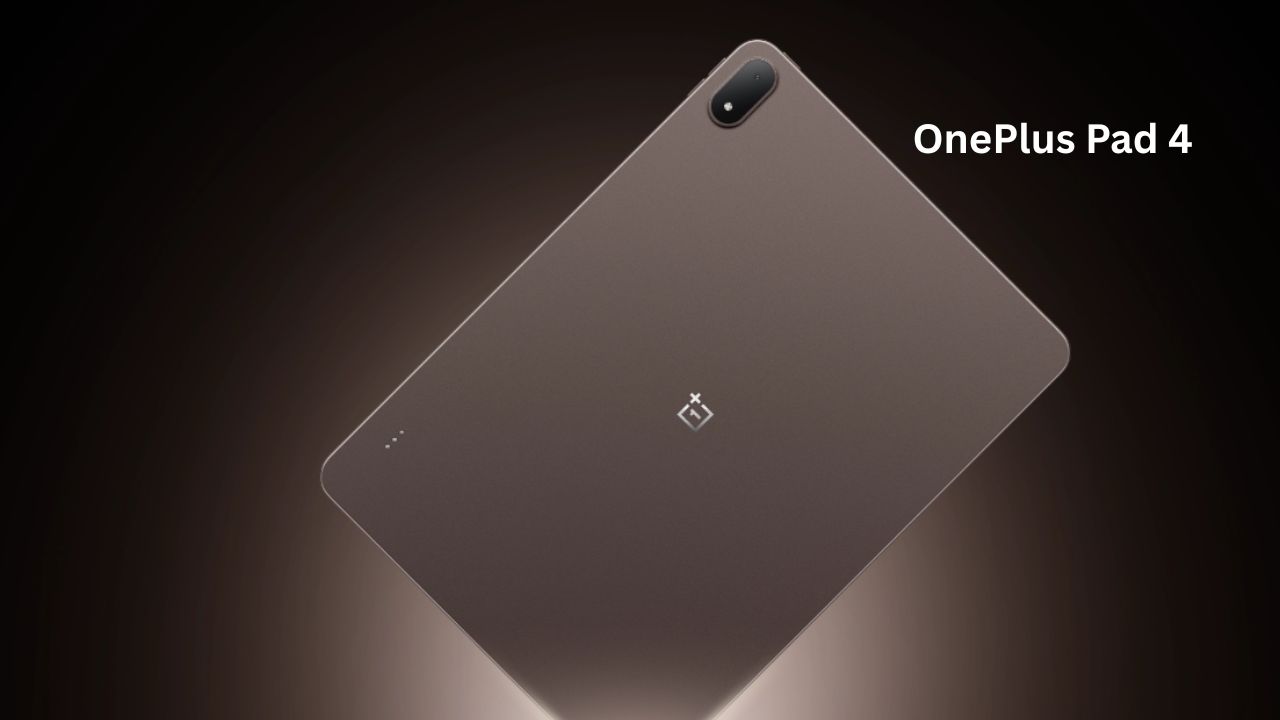
The tablet market has long been dominated by a few giants, but there is always room for a challenger that actually understands what users want. Enter the OnePlus Pad 4. After spending a week with this device, it feels like OnePlus didn’t just want to build another “big phone” tablet; they wanted to build a machine that could realistically sit on your desk in place of a laptop.
If you are a student, a creative professional, or just someone who is tired of lugging a heavy laptop everywhere, the OnePlus Pad 4 might just be the device you have been waiting for. But does it live up to the hype? Let’s dive into the details.
Quick Specs Overview
Before we get into the nitty-gritty, here is the breakdown of what makes the OnePlus Pad 4 tick.
| Feature | Specification |
| Display | 13.2-inch 3.4K (3392×2400) LCD, 144Hz |
| Processor | Qualcomm Snapdragon 8 Elite Gen 5 |
| RAM/Storage | 8GB/12GB LPDDR5X |
| Battery | 13,380 mAh |
| Charging | 80W SUPERVOOC |
| OS | OxygenOS 16 (Android 16) |
| Cameras | 13MP Rear, 8MP Front |
Design & Build: Premium in the Palm of Your Hand
The moment you pull the OnePlus Pad 4 out of the box, it feels expensive. It sports a sleek, metal unibody design that is remarkably thin at just 5.94mm. Despite its large 13.2-inch footprint, it weighs in at about 672g, which is balanced enough that my wrists didn’t get tired even after an hour of reading in bed.
One detail I appreciated is the finish. It’s not a fingerprint magnet, which is a rare treat for metal devices. Whether you’re holding it in landscape mode to watch a show or carrying it to a meeting, it feels sturdy and well-engineered.
Display: A Visual Powerhouse
The OnePlus Pad 4 features a massive 13.2-inch LCD display that prioritizes clarity and immersive detail. It is engineered to bridge the gap between media consumption and professional workflows.
-
Resolution and Clarity: With a 3.4K resolution (3392 x 2400 pixels), it delivers a sharp pixel density of 315 PPI. This makes fine text, detailed graphics, and high-resolution images look incredibly crisp.
-
7:5 “ReadFit” Aspect Ratio: Unlike typical widescreen tablets (16:10), the 7:5 ratio is closer to a standard A4 sheet of paper. This provides more vertical room, making it much more comfortable for reading documents, multitasking in split-screen, and managing presentations.
-
Fluidity and Color: It supports an adaptive 144Hz refresh rate, ensuring that scrolling and animations are ultra-smooth. With a 12-bit color depth and Delta E ≈ 0.7 color accuracy, the display is color-calibrated to a professional standard, making it reliable for photo editing or creative design.
-
Brightness: It offers a typical brightness of 700 nits, which peaks at 1000 nits in High Brightness Mode, ensuring visibility even in well-lit indoor environments.
Performance: Flagship-Level Speed
At its core, the OnePlus Pad 4 is built for heavy lifting, utilizing hardware usually reserved for top-tier smartphones.
-
Snapdragon 8 Elite Gen 5: This is one of the most powerful mobile processors available. It provides significant performance gains over previous generations, allowing the tablet to breeze through demanding applications, mobile gaming, and intensive multitasking without stuttering.
-
Memory and Storage: It is paired with LPDDR5X RAM (up to 12GB) and UFS 4.1 storage, ensuring that apps launch instantly and large files transfer at high speeds.
-
When you’re pushing a tablet this hard, heat is usually the enemy. That’s why the OnePlus Pad 4 uses a massive, 40,760mm² vapor chamber cooling system. In plain English? It’s designed to keep the internal parts cool so you don’t run into that annoying stuttering or lag when you’re in the middle of a marathon gaming session or trying to export a high-quality video project. It’s the kind of tech that keeps the performance smooth and consistent, even when you’re asking the device to do some heavy lifting.
Then there’s the multitasking experience. Running OxygenOS 16, the software feels like it was actually built for productivity rather than just being a “stretched-out” phone interface. You get full control over your windows—you can resize them, layer them, or run apps in floating windows exactly how you would on a traditional PC. Plus, it’s got some handy AI tricks baked in, like AI Summary to digest long documents quickly and AI Writer to help you draft emails or notes on the fly.
Put it all together—the raw power of the Snapdragon 8 Elite chip and that reliable cooling system—and you’ve got a machine that genuinely holds its own. For anyone who needs a portable device that can handle serious work without breaking a sweat, this is easily one of the most capable Android tablets out there right now.
Camera: The Utility Tool
Let’s be honest: you probably won’t be using a 13-inch tablet as your primary camera. However, the OnePlus Pad 4 handles the basics perfectly.
-
Rear Camera (13MP): Great for scanning documents or snapping a quick picture of a whiteboard during a meeting. The text clarity is sharp, which is essential for students.
-
Front Camera (8MP): This is positioned perfectly for landscape video calls. In daylight, the video quality is crisp and natural. In low-light environments, the AI-enhanced “Clear Call” features really help suppress background noise and brighten up your video, making it excellent for remote work.
Battery & Charging
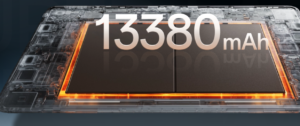
With a massive 13,380 mAh battery, the OnePlus Pad 4 is built to last. During my “workday” test—starting at 9 AM with constant emails, some video streaming, and document editing—I still had about 20% left by 8 PM.
When you do need to top up, the 80W SUPERVOOC charging is a lifesaver. You can go from nearly dead to a solid charge in the time it takes to grab a coffee, which is exactly what you need when you are on the move.
My Experience: The Real-World Verdict
After using the OnePlus Pad 4 as my daily driver, I have a few personal takeaways:
-
Gaming: It handles high settings easily, but it is heavy to hold for long sessions. I highly recommend pairing it with a stand.
-
Heating: Even during intense multitasking, the “Cryo-velocity” cooling system kept the device surprisingly cool. It didn’t get “hot,” just comfortably warm.
-
The Ecosystem: If you already own a OnePlus phone, the ability to transfer files instantly and sync your clipboard is a game-changer. It makes the “tablet-to-phone” workflow feel seamless.
Pros & Cons
Pros:
-
Gorgeous 144Hz display with a perfect 7:5 ratio.
-
Flagship-level performance thanks to the Snapdragon 8 Elite Gen 5.
-
Massive battery life that actually lasts a full day.
-
Extremely fast 80W charging.
Cons:
-
No SIM support for cellular data.
-
The keyboard and stylus are sold separately (though often bundled at launch).
-
It is quite large; not as portable as an 11-inch tablet.
1. OnePlus Pad 4 vs. Samsung Galaxy Tab S11 Ultra
-
The Display Philosophy: The Samsung Galaxy Tab S11 Ultra uses a massive 14.6-inch AMOLED screen. If you are a digital artist, color grader, or someone who watches HDR movies in the dark, the deep blacks and infinite contrast of the OLED panel are technically superior to the LCD panel on the OnePlus Pad 4. However, the OnePlus Pad 4 uses a 7:5 aspect ratio, which is significantly more comfortable for reading PDFs, typing, and split-screen multitasking than Samsung’s ultra-wide 16:10 ratio.
-
Software & AI: Samsung’s “Galaxy AI” and Dex interface are very mature. If you need a tablet that is a true desktop-like environment, Samsung is king. However, OnePlus’ OxygenOS 16 is much more lightweight and fluid, which makes the device feel snappier, especially with the Snapdragon 8 Elite Gen 5 chip.
-
The Price Gap: The Samsung tablet is a luxury investment. You are paying a huge premium for the screen tech and the S-Pen integration. Unless you need a professional-grade OLED monitor, the OnePlus Pad 4 offers 90% of that productivity experience for less than half the price.
2. OnePlus Pad 4 vs. Apple iPad Pro 13-inch (M4)
-
The Ecosystem Lock: The biggest factor here is software. The iPad Pro runs iPadOS, which is arguably the most polished, app-rich tablet OS on the planet. If you are already using an iPhone or MacBook, the “Universal Control” and “Sidecar” features make the iPad an extension of your computer.
-
Performance: The Apple M4 chip is an absolute powerhouse. In benchmarks, it is incredibly efficient. However, in the real world, the Snapdragon 8 Elite Gen 5 in the OnePlus Pad 4 is more than enough for anything you’ll throw at it, from high-end gaming to video editing.
-
Value: Apple charges heavily for accessories (Magic Keyboard, Apple Pencil) and storage upgrades. The OnePlus Pad 4 comes with a massive battery (13,380 mAh) and fast 80W charging out of the box. You aren’t just buying the tablet; you’re buying a package that doesn’t feel like it’s nickel-and-diming you for basic usability.
Comparison at a Glance
| Feature | OnePlus Pad 4 | Samsung Tab S11 Ultra | Apple iPad Pro 13″ (M4) |
| Best For | Value-conscious pros | Media & Creatives | Ecosystem users |
| Multitasking | Great (7:5 ratio) | Excellent (Dex mode) | Good (Stage Manager) |
| Battery Life | Industry-leading | Average | Strong |
| Charging | 80W (Very Fast) | 45W | Standard |
| Connectivity | Wi-Fi Only | 5G Available | 5G Available |
Practical Insights: What to Consider Before You Buy
-
The “No SIM” Reality: It is important to note that the OnePlus Pad 4 is Wi-Fi only. If your primary use case is working from coffee shops or while commuting, you will need to rely on a mobile hotspot from your phone. If you must have cellular connectivity built-in, you will need to look at the higher-end Samsung or Apple options.
-
Weight & Ergonomics: The OnePlus Pad 4 is quite large (13.2 inches) and weighs 672g. It feels premium, but it is not a “one-handed” device. If you plan to read e-books for hours while lying down, it might feel heavy.
-
The Accessory Factor: The OnePlus Stylo Pro and Smart Keyboard are excellent, but ensure you factor their price into your total budget if they aren’t part of a launch bundle in your region.
Who Should Buy and Who Should Avoid
Buy it if:
-
You want a high-performance tablet for work and study without paying an “Apple tax.”
-
You are already in the OnePlus ecosystem.
-
You need a tablet that can legitimately handle multitasking.
Avoid it if:
-
You require a cellular connection (no SIM support).
-
You need the absolute best OLED screen on the market for professional design work.
-
You want something smaller and more compact for travel.
Frequently Asked Questions (FAQ)
1. Does the OnePlus Pad 4 come with the stylus in the box? Right now, OnePlus is running a pretty great launch promotion where they’re bundling the Stylo Pro for free. Just a heads-up, though—this is a limited-time deal. It’s definitely worth checking the official website or your local shop to see if they’re still throwing it in when you checkout.
2. Can this actually replace my laptop? For the vast majority of people, the answer is a solid “yes.” If your day-to-day involves answering emails, writing documents, doing online research, and jumping on video calls, you’ll be perfectly happy. That said, if your job relies on heavy-duty software like professional-grade video editing suites or complex CAD programs, you’ll still want a dedicated Windows machine or a MacBook for those specific tasks.
3. Can I plug in an external hard drive or USB stick? Absolutely. The USB-C 3.2 port supports OTG (On-The-Go) connectivity. You can easily plug in a flash drive or an external SSD to move your files around, which is a massive help if you’re a photographer or student who needs to manage lots of data.
4. Is the OnePlus Pad 4 water-resistant? It’s best to be careful with this one. The device doesn’t have an official IP rating for water or dust protection. Think of it more like a high-end camera—don’t take it near the pool or keep it right next to your coffee mug where a spill could happen.
Final Verdict
The OnePlus Pad 4 feels like a real step forward for the brand. It’s an ambitious device that doesn’t just try to be a bigger screen for your phone apps; it tries to be a genuine productivity partner. By balancing that incredibly high-performance processor with a display that truly makes your work “pop,” OnePlus has managed to craft something that feels like a legitimate “Pro” tool.
Sure, it lacks cellular data support, which might be a dealbreaker if you work on the road constantly. But for everyone else, the trade-off in price versus raw performance makes this a complete no-brainer. It is an easy recommendation for anyone who wants to stop fighting with a clunky laptop and start getting things done on a screen that actually feels good to use.
If you’re looking for that sweet spot between a high-end media tablet and a serious workhorse, the OnePlus Pad 4 deserves the top spot on your shopping list.