Whether you’re a student trying to survive finals or a creative professional looking for a “digital canvas” that doesn’t cost as much as a used car, the iPad Air has always been that “sweet spot” device.
In early 2026, Apple refreshed this lineup with the iPad Air M4. It’s a bit of a sleeper hit. On the outside, it looks identical to the previous version, but under the hood, it’s borrowed the brain of the higher-end laptops and Pro tablets. The big question is: do you actually need that much power in an “Air” model, or is it just marketing? I’ve spent some time looking at how this holds up in the real world, and here is the honest breakdown.
iPad Air M4: Quick Specs Table
| Feature | 11-inch Model | 13-inch Model |
| Display | 11″ Liquid Retina (IPS LCD) | 13″ Liquid Retina (IPS LCD) |
| Resolution | 2360 x 1640 (264 ppi) | 2732 x 2048 (264 ppi) |
| Brightness | 500 nits (Typical) | 600 nits (Typical) |
| Refresh Rate | 60Hz | 60Hz |
| Processor | Apple M4 Chip (8-core CPU / 9-core GPU) | Apple M4 Chip (8-core CPU / 9-core GPU) |
| Neural Engine | 16-core (Optimized for AI) | 16-core (Optimized for AI) |
| RAM | 12GB Unified Memory | 12GB Unified Memory |
| Storage | 128GB, 256GB, 512GB, 1TB | 128GB, 256GB, 512GB, 1TB |
| Front Camera | 12MP Landscape Ultra Wide | 12MP Landscape Ultra Wide |
| Rear Camera | 12MP Wide (f/1.8), 4K @ 60fps | 12MP Wide (f/1.8), 4K @ 60fps |
| Audio | Landscape Stereo Speakers | Landscape Stereo (with 2x Bass) |
| Wireless | Wi-Fi 7, Bluetooth 6.0, Thread | Wi-Fi 7, Bluetooth 6.0, Thread |
| Cellular | 5G (eSIM only), C1X Modem | 5G (eSIM only), C1X Modem |
| Battery | 28.93-watt-hour (10 hours) | 36.59-watt-hour (10 hours) |
| Dimensions | 247.6 x 178.5 x 6.1 mm | 280.6 x 214.9 x 6.1 mm |
| Weight | 462g (1.02 lbs) | 617g (1.36 lbs) |
| Biometrics | Touch ID (Top Power Button) | Touch ID (Top Power Button) |
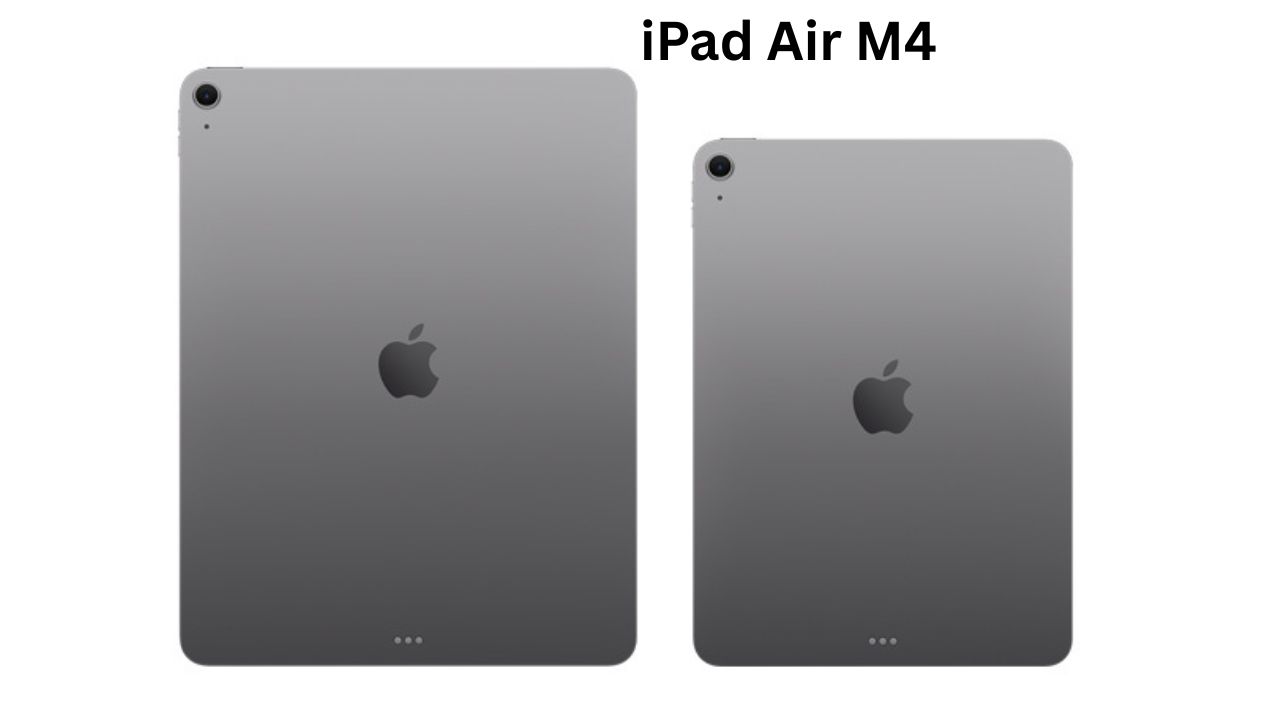
For the iPad Air M4 (2026), the exterior feels like a familiar friend, while the display remains the biggest point of debate. Here is the breakdown of the design and screen.
1. Design: The “If it Ain’t Broke” Chassis
Apple has kept the same overall design language from the previous generation, focusing on a premium, industrial feel.
-
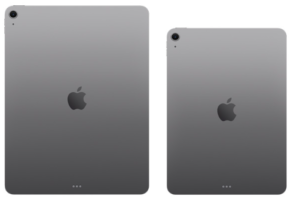
Build: It features the signature 100% recycled aluminum flat-edge chassis. It’s incredibly thin at just 6.1mm for both sizes.
-
Dimensions & Weight:
-
11-inch: 464g (approx. 1.02 lbs).
-
13-inch: 616g (approx. 1.36 lbs).
-
-
Color Palette: Available in four finishes: Space Grey, Starlight, Purple, and Blue.
-
Biometrics: It still uses Touch ID built into the top power button rather than moving to Face ID.
-
The Landscape Shift: The most important design change is the front camera placement. It is now centered on the long (landscape) edge, making it much more natural for video calls when used with a keyboard.
2. Display: Vibrant, Sharp, but 60Hz
The screen is a high-quality Liquid Retina IPS LCD panel. While it doesn’t get the OLED tech of the Pro models, it’s still one of the best LCDs on the market.
Technical Specs:
-
Resolution: * 11-inch: 2360 x 1640 (264 ppi).
-
13-inch: 2732 x 2048 (264 ppi).
-
-
Brightness: 11-inch: 500 nits peak.
-
13-inch: 600 nits peak.
-
-
Color Accuracy: Full support for the P3 Wide Color gamut and True Tone technology for color shifting based on ambient light.
-
Lamination: The display is fully laminated with an anti-reflective coating, which reduces the air gap and makes it feel like you are touching the pixels directly.
Performance: The M4 Powerhouse
This is where the iPad Air M4 justifies its existence. Apple moved from 8GB of RAM to 12GB in this model. That might sound like a small jump, but in “iPad years,” it’s huge.
How to use these specs in real life:
-
Multitasking: With 12GB of RAM, you can have five or six “Stage Manager” windows open without the apps refreshing or crashing.
-
AI & Creator Studio: The M4 chip is built for Apple Intelligence. If you use the new “Image Wand” to turn sketches into art or use “Clean Up” in Photos to remove a photobomber, the M4 handles it instantly without heating up.
-
Gaming: If you play Genshin Impact or Resident Evil, the hardware-accelerated ray tracing makes lighting and shadows look realistic—closer to a console than a mobile device.
Camera
While the iPad Air M4 won’t replace your phone for photography, Apple has finally focused on how people actually use tablets: video calls and productivity.
1. Front Camera: The Landscape Win
The biggest upgrade is the move to the landscape edge. No more looking sideways during Zoom calls; the camera is now right where it should be when the iPad is docked to a keyboard.
-
Center Stage: This 12MP Ultra Wide lens uses the M4 chip to digitally follow you as you move, keeping you perfectly framed.
-
Smart HDR 4: Keeps your face clear and well-lit, even if you have a bright window behind you.
2. Rear Camera: The Scanner
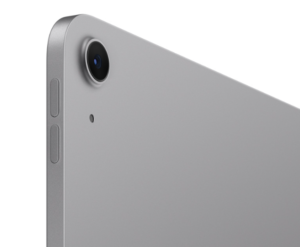
The back features a 12MP Wide sensor (f/1.8). It lacks the Pro’s LiDAR, but it’s a powerhouse for practical tasks.
-
Document Specialist: With “Focus Pixels,” it locks onto text instantly. Combined with the M4 chip, “Live Text” lets you scan a document and immediately copy-paste the words into an email.
-
Augmented Reality: It’s powerful enough for AR room planning or 3D educational apps without lagging.
3. Video & Audio
-
4K Recording: It can hit 4K at 60 fps with solid stabilization, making it a decent B-cam for creators.
-
Slo-Mo: High-speed 240 fps recording for capturing motion.
-
Dual Mics: They do a great job of isolating your voice and cutting out background noise during calls or voice memos.

Battery Specs
-
11-inch: 28.93 watt-hour battery.
-
13-inch: 36.59 watt-hour battery. The larger model has a bigger battery, but it also has more screen to light up, so both versions end up giving you roughly the same real-world usage time.
Charging & Pro Tips
-
Speed: It officially supports 30W fast charging. While a 20W plug is standard, using a 30W MacBook or GaN charger will top it up significantly faster.
-
Convenience: If you use the Magic Keyboard, use its built-in USB-C port for charging. This leaves the iPad’s main port open for an SD card reader or external hard drive.
The iPad Air M4 finally breaks free from software “handcuffs.” Thanks to the M4 chip and 12GB of RAM, iPadOS 26 runs without compromises, making the Air feel less like a tablet and more like a computer.
Software
1. Apple Intelligence (AI)
The M4’s Neural Engine handles heavy AI tasks directly on the device:
-
Writing Tools: Instantly rewrite, proofread, or summarize text in any app.
-
Image Wand: Turns your rough Apple Pencil sketches into polished artwork in Notes.
-
Clean Up: Effortlessly remove unwanted objects or people from your photos with a tap.
2. Pro Multitasking
-
Stage Manager 2.0: You can finally resize and overlap windows just like a Mac.
-
12GB RAM Advantage: Unlike older models, apps don’t “sleep” or reload when you switch between them; they stay live and ready.
-
External Displays: Plug into a 4K monitor to extend your workspace rather than just mirroring the screen.
3. “Liquid Glass” Design
iPadOS 26 introduces a cleaner, more translucent look. When you dock it to a Magic Keyboard, a new Mac-like menu bar appears, giving you desktop-style shortcuts at the top of your apps.
4. Desktop-Class Apps
The Air now handles features previously reserved for the Pro:
-
Final Cut Pro: Use “Scene Removal” to cut out video backgrounds without a green screen.
-
Logic Pro: Use “Stem Splitter” to automatically separate a song into individual tracks like vocals and drums.
Pros & Cons
The Good
-
M4 Chip: Absolutely screaming fast; it won’t lag for years.
-
12GB RAM: Makes multitasking actually usable.
-
Landscape Camera: Finally makes sense for video calls.
-
Apple Pencil Pro Support: The “squeeze” and “barrel roll” features are a game-changer for artists.
The Bad
-
60Hz Screen: Feels a bit dated for a “premium” device in 2026.
-
Accessories are Pricey: By the time you buy the Magic Keyboard and Pencil, you’re at the price of a MacBook Air.
-
No Face ID: You’re still reaching for the power button for Touch ID.
Comparison: iPad Air M4 vs. Samsung Galaxy Tab S10+
If you aren’t locked into Apple’s ecosystem, the Samsung Galaxy Tab S10+ is the biggest rival.
| Feature | iPad Air M4 | Samsung Galaxy Tab S10+ |
| Display | 60Hz LCD (IPS) | 120Hz AMOLED |
| Processor | Apple M4 (King of speed) | Dimensity 9300+ (Great, but not M4) |
| Stylus | Sold separately ($129) | Included in the box |
| Ecosystem | iMessage, iCloud, Final Cut | DeX Mode, Google Integration |
My Take: If you want the best screen for movies, go Samsung. If you want the best apps and a tablet that lasts 7 years without slowing down, stay with the iPad Air M4.
Who Should Buy It?
Buy it if…
-
You’re a student who wants a tablet to last through your entire degree.
-
You do “Pro-lite” work like photo editing or heavy note-taking.
-
You want the 13-inch screen size but don’t want to pay $1,200 for the Pro model.
Don’t buy it if…
-
You only use your tablet for Netflix and Email (get the base iPad instead).
-
You are a professional video editor who needs the “Tandem OLED” and 120Hz ProMotion of the iPad Pro.
-
You hate the feeling of 60Hz screens.
I think the iPad Air M4 is the “responsible” choice.
It’s easy to get distracted by the flashy OLED screen on the iPad Pro, but for most people, the Air gives you 90% of the experience for hundreds of dollars less. The jump to 12GB of RAM is the real hero here; it makes the device feel much more like a computer and less like a giant phone. However, I do wish Apple would stop being stingy and give us at least a 90Hz display.
Final Verdict
The iPad Air M4 is a beast in a boring suit. It doesn’t look new, but it performs like a supercar. If you’re looking for a reliable, powerful tablet that handles AI tasks and heavy multitasking without breaking the bank (relatively speaking), this is the one to get. It’s the safest “buy it and forget it” tech purchase of the year.