Finding a tablet that doesn’t feel like a giant, laggy smartphone is harder than it looks. Most budget tablets promise the world but end up stuttering the moment you open more than three tabs in Chrome. That is exactly where the realme Pad 2 enters the conversation.
Whether you are a student trying to manage endless PDFs or someone who just wants a beautiful screen for Netflix binges without breaking the bank, this tablet tries to bridge that gap. After spending two weeks with it as my primary “couch device,” I’ve realized that the realme Pad 2 isn’t just a minor refresh; it’s a serious contender for the best value-for-money tablet this year.
realme Pad 2 Specifications at a Glance
| Feature | Specifications |
| Display | 11.5-inch 2K (2000×1200) LCD, 120Hz Refresh Rate |
| Processor | MediaTek Helio G99 (6nm) |
| RAM | 6GB / 8GB (Up to 8GB Virtual RAM) |
| Storage | 128GB / 256GB (Expandable up to 1TB) |
| Rear Camera | 8MP AI Camera |
| Front Camera | 5MP / 8MP (Region dependent) |
| Battery | 8360mAh |
| Charging | 33W SUPERVOOC Fast Charging |
| Audio | Dolby Atmos Quad Speakers |
| OS | realme UI 4.0 for Pad (Based on Android 13/14) |
| Connectivity | 4G LTE Support, Wi-Fi 5, Bluetooth 5.2 |
Design and Build: Slim, Metallic, and Premium
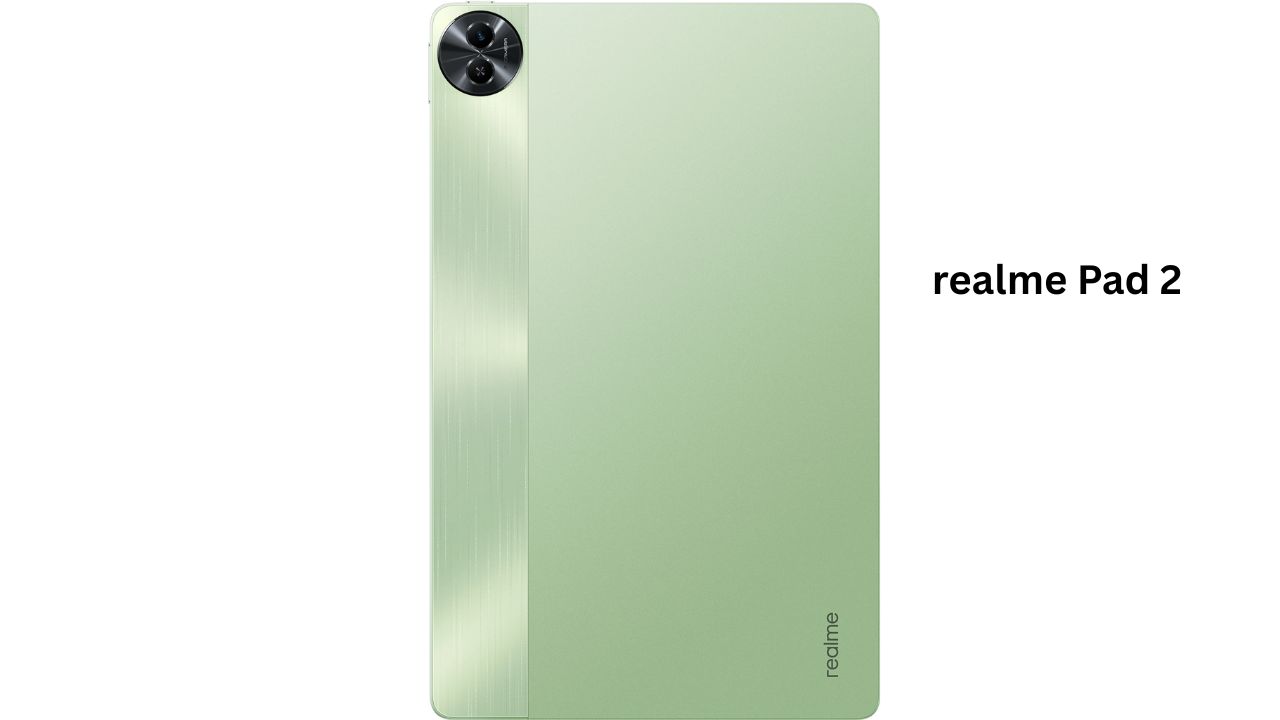
The first thing you’ll notice when you pick up the realme Pad 2 is how “un-budget” it feels. It sports a sleek, 7.2mm ultra-slim body that feels incredibly sturdy in the hand. Unlike many plastic competitors, the metallic finish gives it a cool-to-the-touch premium vibe.
The back has a dual-tone finish—a glowing matte section paired with a slightly textured strip. It does a great job of hiding fingerprints. I carried it around in my backpack without a sleeve for a few days, and it held up surprisingly well against scratches. It’s light enough (around 518g) that your wrists won’t ache after a 40-minute reading session.
Display: A 120Hz 2K Visual Treat
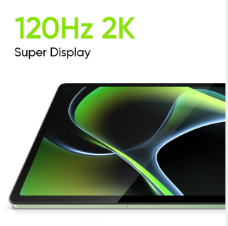
If you are buying the realme Pad 2, you are likely doing it for the screen. The 11.5-inch 2K display is, quite frankly, gorgeous for the price. Moving from a standard 60Hz tablet to this 120Hz panel is like putting on glasses for the first time—everything is just butter-smooth.
-
Real-world experience: I spent hours watching Dune and various 4K nature documentaries. The colors are punchy, and the 85.2% screen-to-body ratio makes the bezels disappear when you’re immersed.
-
Sunlight Usage: With 450 nits of peak brightness, it’s great for indoor use. However, if you’re sitting directly under the afternoon sun on a balcony, you might find yourself squinting a bit.
Performance: Can It Handle Gaming?
Under the hood, the realme Pad 2 uses the Helio G99 chipset. While this isn’t a flagship “Pro” chip, it is a reliable workhorse.
-
Multitasking: I regularly used the “Split Screen” feature to keep YouTube open on one side and Notes on the other. With 8GB of physical RAM, it didn’t reload apps or stutter.

-
Gaming: I tested Call of Duty: Mobile and BGMI. On “Medium” graphics and “High” frame rates, the game ran smoothly. I didn’t experience any major frame drops until about 45 minutes in, when the back started to feel slightly warm. It’s not a gaming beast, but for casual sessions, it’s more than enough.
Camera: More Than Just a Video Call Tool
Let’s be honest: nobody buys a tablet for professional photography. However, the realme Pad 2 cameras are surprisingly functional.
The Hardware
The device features an 8MP AI Rear Camera and a 5MP/8MP Front Camera (depending on your specific model variant).
-
Daylight Photography: In bright light, the 8MP rear camera takes decent shots of documents or whiteboard notes. Colors are natural, though fine details can get a bit mushy if you zoom in.
-
Low Light: This is where the struggle starts. In dim indoor lighting, grain (noise) becomes visible. It’s fine for a quick “look what I found” photo, but don’t expect night mode magic.
-
Selfies & Video Calls: The front camera is positioned on the long edge (landscape), which is perfect. During Zoom calls, I looked clear, and the dual-mic noise cancellation did a solid job of filtering out my ceiling fan’s hum.
-
Video: It records up to 1080p @ 30fps. It’s steady enough for a quick vlog or a video message, but lack of 4K is expected at this price.
Battery and Charging: The Road Trip Companion
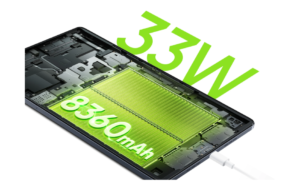
The 8360mAh battery in the realme Pad 2 is a tank. In my “stress test”—which involved 2 hours of Netflix, 1 hour of gaming, and plenty of web browsing—I ended the day with 40% still in the tank.
-
Charging: The 33W SUPERVOOC charger takes about 1 hour and 45 minutes to go from 0 to 100%. While that sounds slow compared to phones, for a battery this size, it’s actually quite competitive.
-
Pro Tip: It supports Reverse Charging, meaning you can use the tablet as a power bank to charge your phone via a Type-C cable in an emergency!
My Personal Experience
After using the realme Pad 2 for a while, what stands out isn’t just the specs, but the Dolby Atmos Quad Speakers. They are loud, crisp, and actually have a bit of “thump” to them. I stopped using my Bluetooth speakers for casual music listening because the tablet sounded better.
One thing to note: It does warm up slightly during heavy multitasking while charging. It’s never “hot,” but you’ll notice it. Also, the lack of a 3.5mm headphone jack is a bummer for those who still love wired earphones.
Pros and Cons
Pros
-
Stunning 120Hz 2K Display: Best in its class for media consumption.
-
Premium Metal Build: Feels expensive and durable.
-
Massive Battery: Easily lasts 2 days with moderate use.
-
Excellent Quad Speakers: Immersive audio for movies and games.
-
LTE Support: Stay connected even without Wi-Fi.
Cons
-
No Headphone Jack: You’ll need a dongle or Bluetooth buds.
-
Average Cameras: Just okay for documents and video calls.
-
Large Footprint: Might feel a bit bulky for very small hands.
realme Pad 2 vs. The Competition: A Deep Dive Comparison
When choosing a tablet in the mid-range segment, the realme Pad 2 often goes head-to-head with heavyweights like the Redmi Pad and the Samsung Galaxy Tab A9. While they might share similar processors, the user experience differs significantly based on your priorities—whether that’s raw display size, software ecosystem, or portability.
Here is a detailed breakdown of how the realme Pad 2 stacks up against its closest rivals.
Detailed Comparison Table
| Feature | realme Pad 2 | Redmi Pad | Samsung Galaxy Tab A9 |
| Display | 11.5-inch 2K LCD (120Hz) | 10.6-inch 2K LCD (90Hz) | 8.7-inch HD+ TFT (60Hz) |
| Peak Brightness | 450 nits | 400 nits | ~330 nits |
| Processor | MediaTek Helio G99 | MediaTek Helio G99 | MediaTek Helio G99 |
| RAM/Storage | Up to 8GB / 256GB | Up to 6GB / 128GB | Up to 4GB / 64GB |
| Battery Size | 8360mAh | 8000mAh | 5100mAh |
| Charging Speed | 33W SUPERVOOC | 18W Fast Charging | 15W Adaptive Charging |
| Speakers | Quad Speakers (Dolby Atmos) | Quad Speakers (Dolby Atmos) | Dual Speakers |
| Software | realme UI 4.0 for Pad | MIUI for Pad / HyperOS | One UI 5.1 / 6.0 |
| Connectivity | 4G LTE + Wi-Fi | Wi-Fi only (standard) | 4G LTE + Wi-Fi |
1. Display: The Battle of Visuals
This is where the realme Pad 2 truly pulls ahead. It offers an 11.5-inch panel with a 120Hz refresh rate. In comparison, the Redmi Pad stops at 90Hz, and the Samsung A9 is stuck at a standard 60Hz.
-
The realme Advantage: The 120Hz refresh rate makes a massive difference in daily scrolling and system animations. It feels significantly faster than the Samsung A9.
-
The Samsung trade-off: The Galaxy Tab A9 is much smaller. While the screen quality is lower (TFT vs IPS LCD), it is the only one here that is truly “one-handed” friendly.
2. Performance and Multitasking
Interestingly, all three devices use the Helio G99 chipset. However, the realme Pad 2 provides a smoother multitasking experience simply because it offers higher RAM variants (up to 8GB physical + 8GB virtual).
-
Software Experience: Samsung’s One UI is arguably the most polished, offering features like “Samsung Flow” and better integration with other Samsung devices.
-
Multitasking: realme UI 4.0 for Pad includes “Dual Windows” and “Flexible Windows,” which work beautifully on the larger 11.5-inch canvas compared to the cramped 8.7-inch screen of the A9.
3. Battery Life and Charging: The Endurance Test
A tablet is only as good as its uptime. The realme Pad 2 packs the largest battery at 8360mAh.
-
Charging Speeds: The realme Pad 2 wins comfortably with 33W charging. It takes nearly 2 hours to charge, but the Redmi Pad (18W) and Samsung A9 (15W) take significantly longer—sometimes over 3 hours—which can be frustrating if you’re in a hurry.
-
Usage: On a full charge, the realme Pad 2 can easily handle 10-12 hours of continuous video playback, whereas the Samsung A9 might struggle to cross the 7-hour mark due to its much smaller cell.
4. Audio and Entertainment
If you plan on watching movies without headphones, the realme Pad 2 and Redmi Pad are evenly matched with their Quad-speaker setups. They provide a “surround sound” feel that the Samsung A9’s dual speakers simply cannot replicate. The realme Pad 2’s speakers specifically have a slightly deeper bass profile, making it a superior portable cinema.
Final Comparison Verdict: Which one is for you?
-
Choose the realme Pad 2 if: You want the best possible screen for the money. The 120Hz 2K display and 33W fast charging make it the best all-rounder for students and movie lovers.
-
Choose the Redmi Pad if: You want a slightly more compact 10-inch form factor and prefer the Xiaomi ecosystem. It’s a very close second to the realme.
-
Choose the Samsung Galaxy Tab A9 if: Portability is your #1 priority. It fits in a jacket pocket and offers the most stable software, but it lags behind in display quality and battery life.
Who Should Buy the realme Pad 2?
-
Students: Excellent for reading ebooks and attending online classes.
-
Binge-Watchers: The 2K screen and Dolby speakers are a dream for Netflix.
-
Remote Workers: Great as a secondary screen or for managing emails on the go.
Who Should Avoid It?
-
Pro Gamers: If you want to play Genshin Impact on “Ultra” settings, you’ll need a more powerful (and expensive) tablet.
-
Hardcore Photographers: Use your phone instead.
Frequently Asked Questions (FAQs)
1. Does the realme Pad 2 support a stylus?
It supports basic capacitive styluses, but it doesn’t have a dedicated “active” pen with pressure sensitivity like the iPad or Galaxy Tab S series.
2. Can I make phone calls on the realme Pad 2?
Yes, if you buy the LTE version and insert a SIM card, you can make calls and use 4G data.
3. Is the realme Pad 2 good for office work?
Absolutely. With a Bluetooth keyboard and mouse, the “Flexible Windows” feature makes it feel like a mini-laptop for document editing and emails.
Final Verdict
The realme Pad 2 is a masterclass in balance. It doesn’t try to be a laptop replacement, but it excels at being the best possible entertainment and productivity tablet for under $250/₹20,000. Between the 120Hz 2K display and the booming quad speakers, you’re getting a media experience that punches way above its weight class.
If you want a reliable, beautiful, and long-lasting tablet for your daily life, the realme Pad 2 is an easy recommendation.