
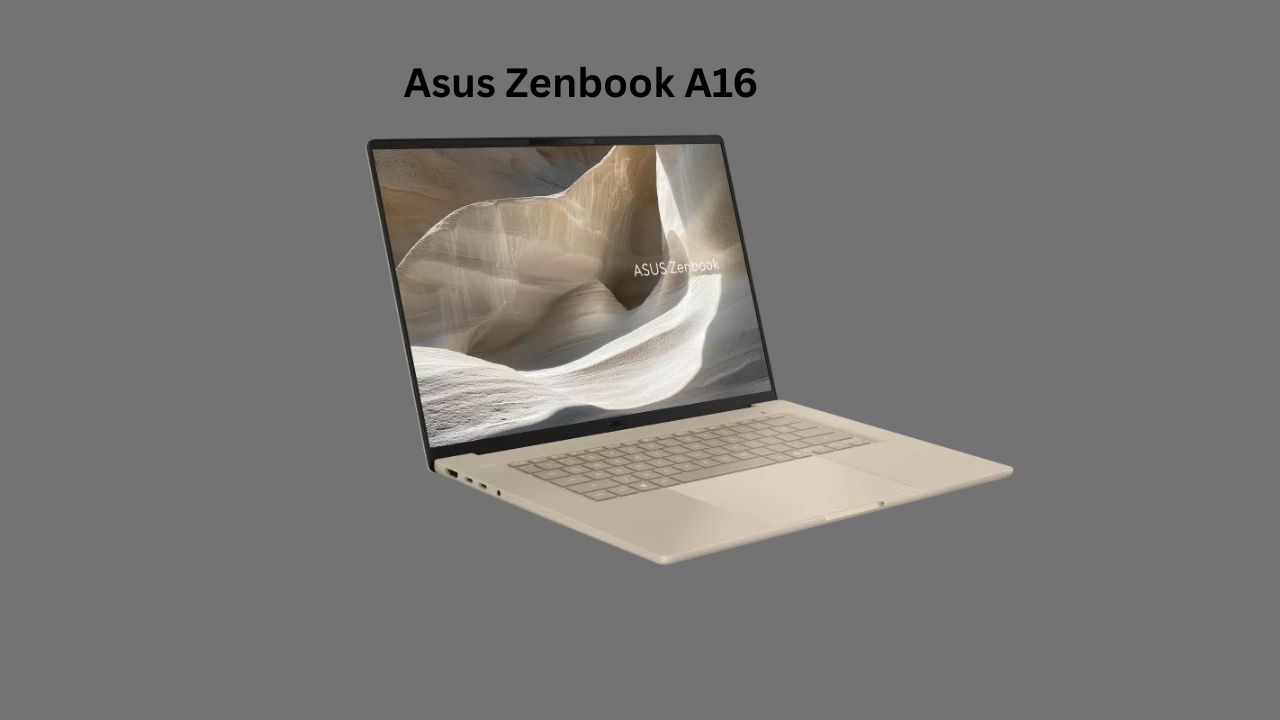
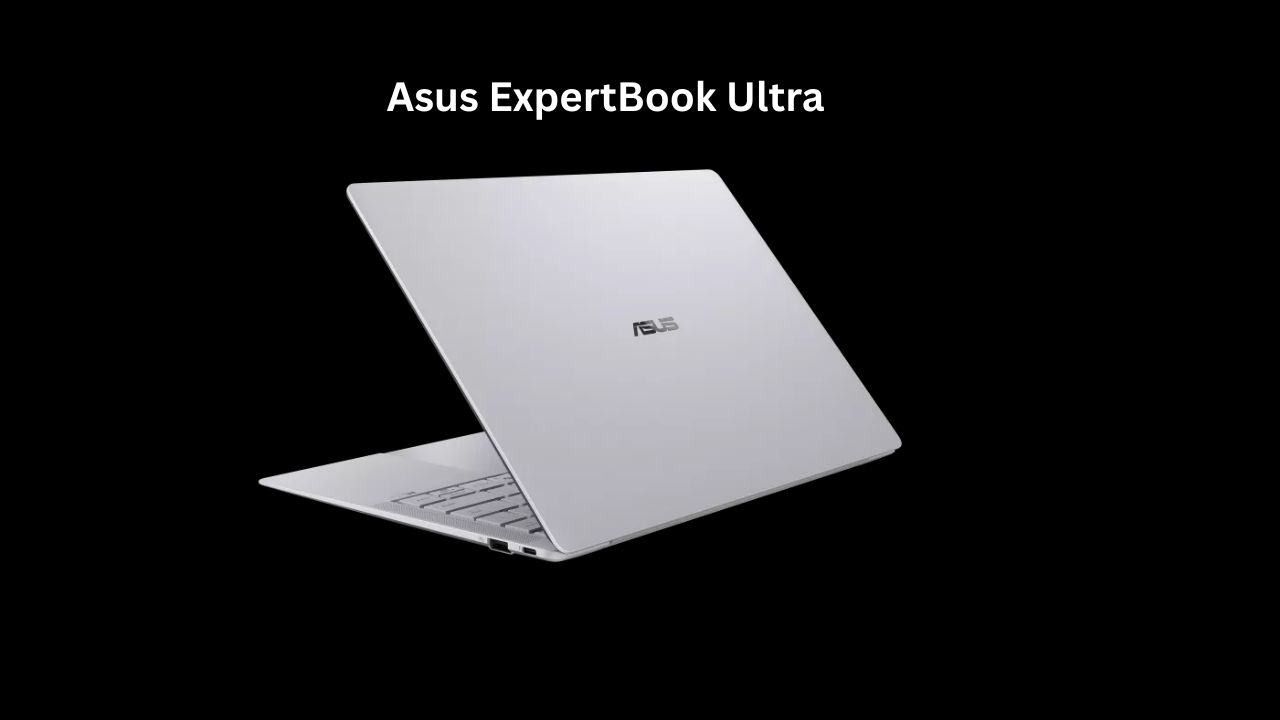
Asus Zenbook A16 : A Powerful and Ultra-Light Premium Laptop
Whether you are a student, a remote worker, or someone who just likes a fast laptop that doesn’t weigh down your bag, you’ve likely looked at the Asus Zenbook series. Recently, Asus released the Zenbook A16 (2026).
The “why” behind this laptop is simple: Asus is trying to bridge the gap between high-end professional workstations and ultra-portable “coffee shop” laptops. It’s meant for people who need enough power to edit 4K video or run complex code, but also want a battery that won’t die three hours into a flight.
Quick Specs Overview
| Feature | Specification |
| Processor | AMD Ryzen AI 9 HX Series (Latest Zen 5 Architecture) |
| Graphics | Integrated Radeon 880M + Dedicated NVIDIA RTX 4060 (optional) |
| Memory (RAM) | 16GB / 32GB LPDDR5X |
| Storage | 1TB / 2TB PCIe Gen4 SSD |
| Display | 16-inch 3.2K (3200 x 2000) OLED, 120Hz |
| Battery | 75Wh Lithium-polymer |
| Weight | 1.50 kg (Approx. 3.3 lbs) |
| Ports | 2x USB-C (USB4), 1x USB-A 3.2, HDMI 2.1, SD Card Reader |
Asus Zenbook A16 Ports and Connectivity: No Dongles Required
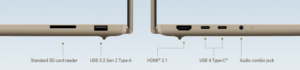
One of the most frustrating trends in modern laptops is the “disappearing port” act. Many brands have moved to a “USB-C only” design, which means you have to carry a bag full of adapters just to plug in a thumb drive or a monitor.
The Asus Zenbook S16 (and the A-series 2026 updates) pushes back against this. Despite being incredibly thin—just about 1.1 cm—Asus managed to fit a “full-size” selection of ports. Here is how they are laid out and why they matter for your daily work.
The Port Layout
-
2x USB4® Type-C: These are the “do-it-all” ports. They support data speeds up to 40Gbps, can charge your laptop, and can send a video signal to an external 4K or 8K monitor.
-
1x USB 3.2 Gen 2 Type-A: This is the “old school” rectangular port. It’s a lifesaver for connecting a wireless mouse dongle, an older external hard drive, or a printer without hunting for an adapter.
-
1x HDMI 2.1: If you need to give a presentation or connect to your TV at home, you can use a standard HDMI cable. No special cables are needed.
-
1x SD 4.0 Card Reader: This is rare on thin laptops today. If you are a photographer or a drone hobbyist, you can pop your memory card directly into the side of the laptop to transfer photos.
-
1x 3.5mm Combo Audio Jack: For those who still prefer the reliability and zero-latency of wired headphones.
Asus Zenbook A16 Wireless Connectivity: Future-Proofing
The Zenbook S16 is equipped with Wi-Fi 7 (802.11be). Even if your current home router doesn’t support Wi-Fi 7 yet, having this spec means your laptop is ready for the next 5 years of internet speed upgrades.
What does Wi-Fi 7 actually do?
-
Lower Latency: If you play games online or do a lot of video calls, Wi-Fi 7 reduces the “jitter” or lag you sometimes feel.
-
Stability: It uses “Multi-Link Operation” (MLO), which allows the laptop to connect to multiple frequency bands (like 5GHz and 6GHz) at the same time. If one gets crowded, it stays connected to the other smoothly.
-
Bluetooth 5.4: This is the latest standard. It provides a more stable connection for your wireless earbuds and is much more power-efficient, so it won’t drain your battery as fast when using Bluetooth accessories.
Asus Zenbook A16 Camera and Audio
Most laptop webcams are an afterthought. The A16 uses an FHD (1080p) IR camera.
-
Windows Hello: It recognizes your face to log you in. You don’t have to type a password every time you wake it up.
-
Visual Quality: In a dimly lit room, the camera does a decent job of brightening your face without making you look like a blocky mess of pixels.
Audio: The speakers are tuned by Harman Kardon. They are loud enough to fill a small bedroom, but like all thin laptops, they lack deep bass. If you are a music producer, you’ll still want headphones, but for YouTube and Netflix, they are excellent.
Asus Zenbook A16 Battery Life: The Realistic Expectation
Asus claims “all-day battery.” In the real world, “all-day” depends on what you do.
-
Office Work (Word, Email, Web): You can expect about 9 to 11 hours. This is enough to leave your charger at home for a workday.
-
Heavy Tasks (Video Editing/Gaming): The battery will drop to about 2 to 3 hours.
The good news is the USB-C Charging. Since it charges via USB-C, you can use a high-wattage power bank or a phone charger (if it’s powerful enough) to get some extra juice in an emergency.
Asus Zenbook A16 Pros and Cons
What I Like (Pros)
-
The Weight: It is remarkably easy to carry for a 16-inch device.
-
Port Selection: Unlike some competitors who only give you USB-C, Asus kept the USB-A port and a full-size HDMI. You won’t need to carry as many “dongles.”
-
Keyboard: The keys have 1.4mm of key travel. It feels tactile and “clicky,” which is great for fast typists.
What Could Be Better (Cons)
-
Glossy Screen: While OLED looks great, it’s reflective. If you sit with a window behind you, the glare can be annoying.
-
Soldered RAM: You cannot upgrade the RAM later. If you buy 16GB, you are stuck with 16GB. I highly recommend getting the 32GB version if you plan to keep the laptop for more than three years.
-
Price: It’s a premium device, so it sits in a higher price bracket than the Asus Vivobook or Dell Inspiron series.
Comparison: Zenbook A16 vs. MacBook Air 15 (M3)
This is the biggest rivalry in this category.
| Feature | Zenbook A16 | MacBook Air 15 |
| Display | OLED (Vibrant, 120Hz) | LCD (Natural colors, 60Hz) |
| Ports | HDMI, USB-A, USB-C | Only USB-C |
| Software | Windows 11 (Better for gaming/specialized apps) | macOS (Better for iPhone ecosystem) |
| Fans | Has fans (can get audible under load) | Fanless (Silent, but can get warm) |
The Takeaway: If you prefer a better screen and need to plug in various devices without adapters, the Zenbook wins. If you want absolute silence and a slightly better trackpad, the MacBook is the choice.
Who Should Buy the Asus Zenbook A16?
You should buy this if:
-
You are a creator: The color accuracy on the OLED screen is perfect for photo editing and color grading.
-
You travel often: You want a big screen for work but don’t want the weight of a traditional “Desktop Replacement” laptop.
-
You value aesthetics: You want a professional-looking machine that doesn’t look like a glowing “gamer” device in a boardroom.
You should NOT buy this Asus Zenbook A16 if:
-
You are on a tight budget: You can get similar “power” in a heavier, plastic laptop for $400 less.
-
You only do basic tasks: If you only use a browser and Netflix, the Zenbook A16 is “overkill.” A cheaper Vivobook or Chromebook would serve you just as well.
Verdict:
The Zenbook A16 is for the “Pro-sumer.” It feels like a tool. It doesn’t try to be too thin to the point where it loses ports, and it doesn’t try to be so powerful that it becomes loud and hot. The choice to use AMD’s latest chips was smart because they tend to handle heat better than Intel’s high-end chips in thin chassis.
The only thing that gives pause is the 16-inch size. It is large. Before buying, make sure your favorite backpack can actually fit a 16-inch frame. If it does, the screen real estate is a massive upgrade over a 13-inch or 14-inch laptop. You can actually have two windows open side-by-side and read both clearly.
Motorola Edge 70 Fusion Launched in India With 50MP Sony Camera and Massive 7,000mAh Battery

1 thought on “Asus Zenbook A16 : Powerful Performance, Stunning OLED Display and Long Battery Life”