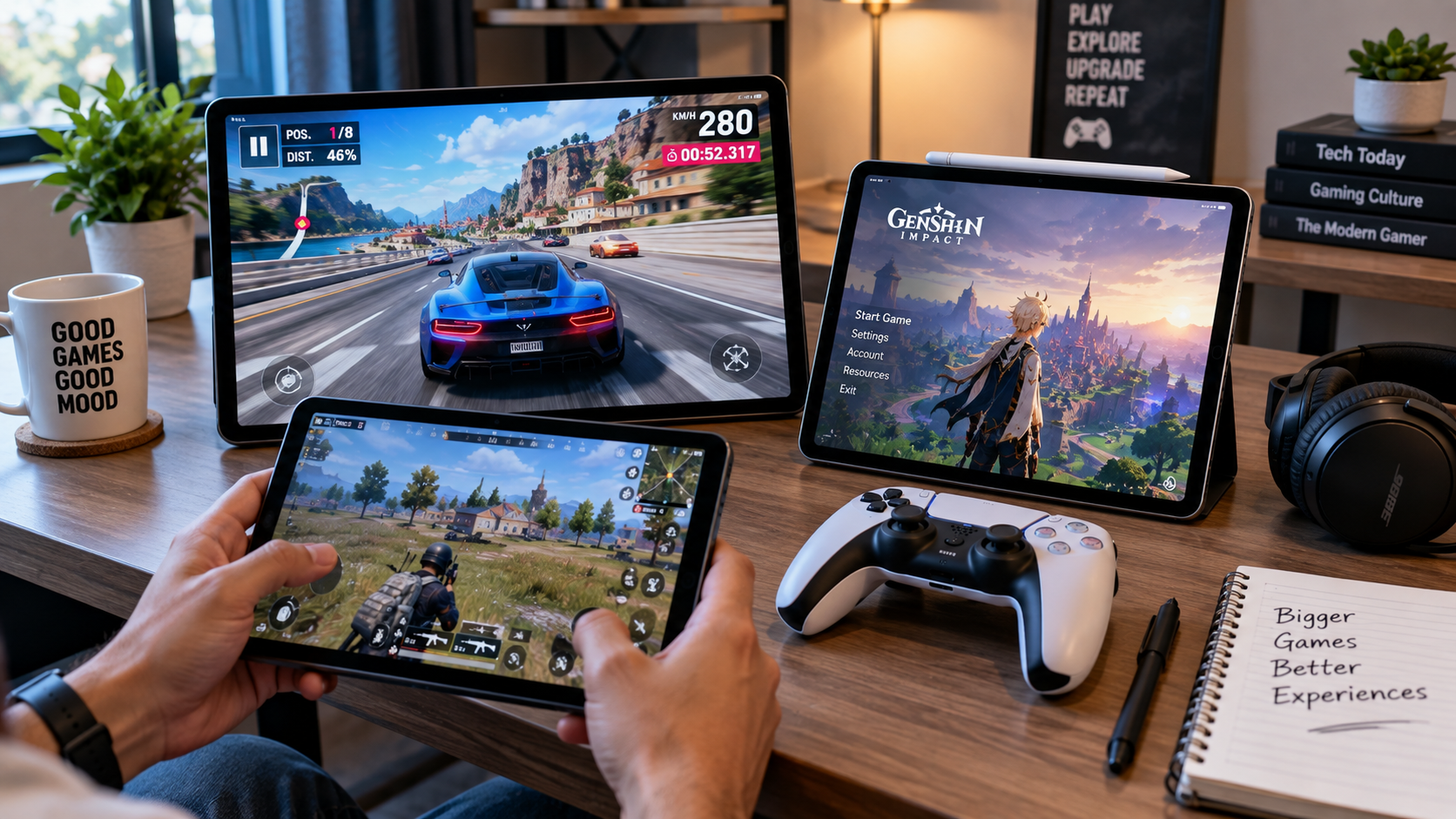
The best tablet for gaming in India isn’t necessarily the one with the fastest processor or the biggest benchmark score. Once you start playing for an hour or two, things such as sustained performance, cooling, touch response, display quality, battery life and even the tablet’s size become much more important.
That became clear while comparing the current options. A compact gaming-focused tablet such as the Lenovo Legion Tab approaches the problem very differently from a huge premium tablet such as the Samsung Galaxy Tab S11 Ultra. Meanwhile, the OnePlus Pad 3 aims for flagship Android performance, the Xiaomi Pad 8 brings high-end hardware at a lower price point, and Apple’s iPad Pro takes a completely different route with the M5 chip.
So instead of simply ranking tablets by specifications, I looked at what each one actually makes sense for.
Quick answer: For most Android gamers who want a combination of flagship performance, a large 144Hz display and a big battery, the OnePlus Pad 3 is one of the strongest choices. If you want a smaller gaming-focused design, the Lenovo Legion Tab is more interesting. For value, the Xiaomi Pad 8 deserves serious attention, while the iPad Pro M5 is the premium option for buyers who prefer Apple’s ecosystem.
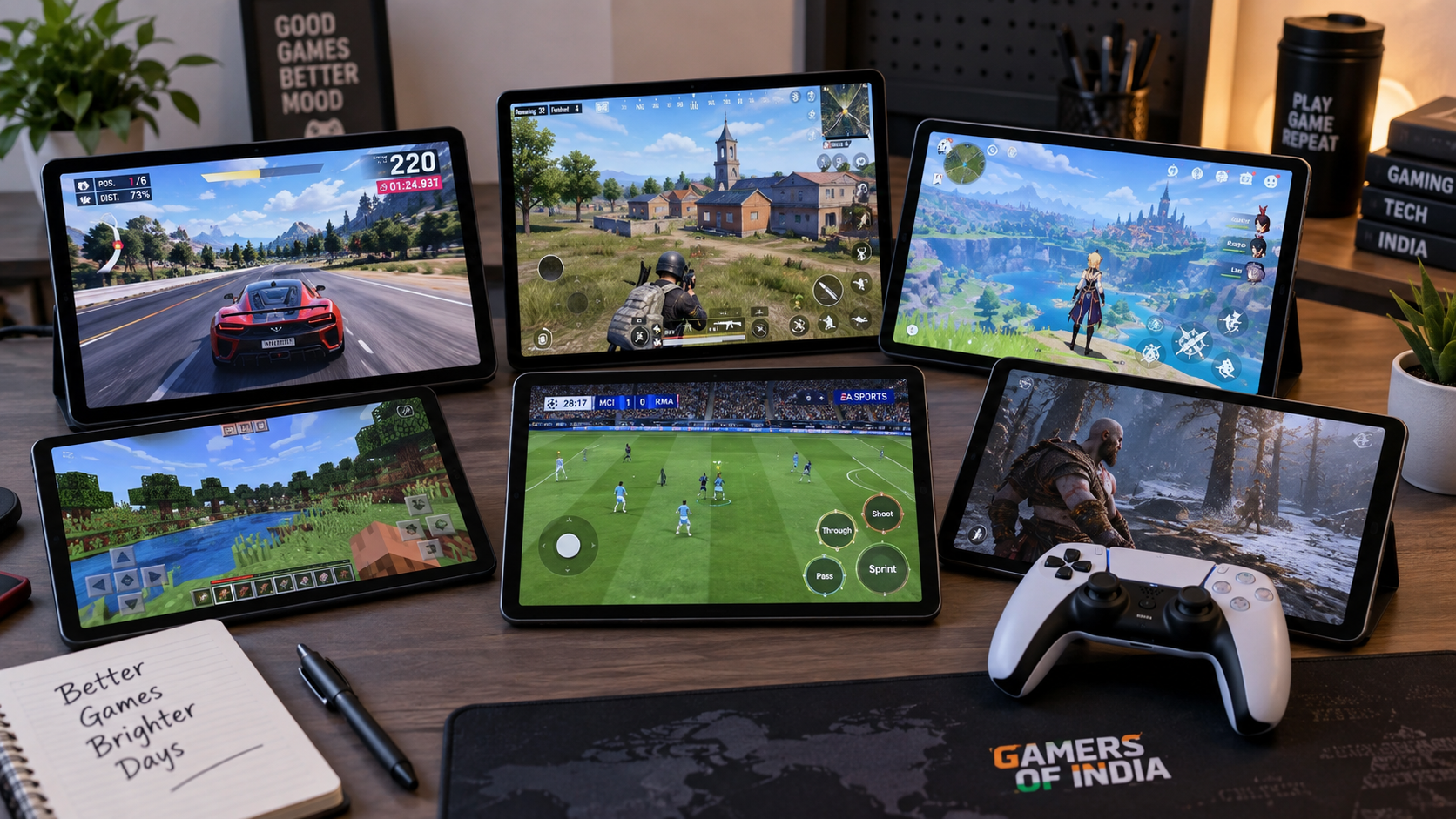
Table of Contents
ToggleThe gaming tablet shortlist
I wouldn’t treat every tablet on this list as a direct competitor. They solve different problems.
| Tablet | Best for | Key hardware | Display | Battery | What stands out |
|---|---|---|---|---|---|
| OnePlus Pad 3 | Large-screen flagship Android gaming | Snapdragon 8 Elite | 13.2-inch, 144Hz | 12,140mAh | Performance + large display |
| Lenovo Legion Tab | Compact competitive gaming | Snapdragon 8+ platform | 8.8-inch QHD+, 144Hz | 6,550mAh | Gaming-focused design + cooling |
| Xiaomi Pad 8 | Value-focused performance | Snapdragon 8s Gen 4 | 11.2-inch, up to 144Hz | 9,200mAh | Flagship-class performance for less |
| iPad Pro M5 | Premium iPad gaming | Apple M5 | 11/13-inch OLED, up to 120Hz | – | Exceptional performance + OLED |
| Galaxy Tab S11 Ultra | Immersive large-screen gaming | High-end Samsung platform | 14.6-inch Dynamic AMOLED 2X | 11,600mAh | Huge AMOLED display |
| realme Pad 3 | Mid-range gaming | Dimensity 7300-Max | 11.61-inch, 120Hz | 12,200mAh | Large battery + value |
The specifications above come from current manufacturer information where available. Prices and promotions can change, so treat the price as a snapshot rather than a permanent figure. Xiaomi’s current India store, for example, lists the Pad 7 at a discounted price while the newer Pad 8 is now part of Xiaomi’s Indian lineup.
1. OnePlus Pad 3: The strongest all – round Android gaming choice
If I were narrowing this list down for someone who wants one powerful Android tablet for gaming, streaming and general use, the OnePlus Pad 3 would be near the top of my list.
The reason isn’t just its Snapdragon 8 Elite processor. The combination is what makes it interesting: a 13.2-inch 3.4K display with up to 144Hz refresh rate, 12,140mAh battery and 80W charging. OnePlus also advertises up to six hours of graphically intensive AAA gaming under its stated test conditions.
That enormous screen is a major advantage if you prefer gaming with a controller or like having more room for games with complicated interfaces.
But there is a trade-off.
At around 675g, the Pad 3 is not a tiny handheld gaming device. The same large display that makes games look excellent can become tiring if you are holding the tablet in your hands for a long session.
The India launch pricing was ₹47,999 for the 12GB/256GB model and ₹52,999 for 16GB/512GB; current selling prices can differ because of discounts and retailer offers.
Why I’d consider it
- Snapdragon 8 Elite
- 13.2-inch 3.4K display
- Up to 144Hz refresh rate
- 12,140mAh battery
- 80W charging
- Large screen for controller gaming
- Strong Android performance
What I’d think about first
- Large physical size
- 675g weight
- Wi-Fi-only positioning
- Accessories can add to the total cost
- 144Hz doesn’t mean every game will actually render at 144fps
Best for: Gamers who want a powerful Android tablet that can double as a serious entertainment and productivity device.
2. Lenovo Legion Tab: The interesting choice for competitive gamers
The Legion Tab takes almost the opposite approach.
Instead of giving you a huge 13-inch panel, Lenovo uses an 8.8-inch QHD+ display. Its official specifications list a 2560 × 1600 resolution, gaming-focused 144Hz touch sampling, a 6,550mAh battery and bypass charging. Lenovo also describes its Legion Cold Front vapor thermal system as being designed to maintain sustained performance during longer gaming sessions.
That makes much more sense for someone who wants a tablet they can actually hold while playing.
There is another interesting feature: bypass charging.
When supported correctly, bypass charging can power the device more directly during gaming rather than continuously cycling the battery in the same way as normal charging. That’s useful for someone who spends long sessions plugged in.
The current Lenovo India store also shows an unusually aggressive promotional price on one 12GB/256GB listing – ₹21,999 at the time of checking – against a displayed MRP of ₹65,001. Another store listing showed ₹36,000, which is a good reminder that stock, seller and promotional pricing need to be checked before publication or purchase.
Why it stands out
- Compact 8.8-inch gaming format
- QHD+ resolution
- 144Hz gaming display
- Gaming-oriented cooling
- Bypass charging
- Wi-Fi 6E
- Dedicated gaming features
The catch
The smaller display is excellent for handheld gaming but isn’t as immersive as a 13- or 14-inch tablet for movies or controller gaming.
And because Lenovo’s current India listings can show substantially different promotional prices, don’t use one temporary deal as the permanent price in an evergreen article.
Best for: Competitive Android gamers who value portability and gaming ergonomics more than having the biggest possible screen.
3. Xiaomi Pad 8: The value option I would watch closely
The Xiaomi Pad 8 changes the value equation.
It uses the Snapdragon 8s Gen 4, offers 8GB/128GB or 12GB/256GB configurations, a 3.2K 11.2 – inch display with up to 144Hz refresh rate, and a 9,200mAh battery with 45W charging. The tablet weighs about 485g in the standard version.
That combination is compelling because you don’t have to jump straight into the ₹50,000-plus category to get high-performance Android hardware.
The display also supports touch sampling up to 360Hz, while Xiaomi lists a much higher instantaneous touch sampling figure under specified conditions. Those figures shouldn’t be interpreted as a guarantee of game performance, but they do show that Xiaomi isn’t treating the screen as an afterthought.
The current Xiaomi India store lists the Pad 8 8GB/128GB at ₹38,999, although offers and stock can change.
Why it makes sense
- Snapdragon 8s Gen 4
- 144Hz display
- 3.2K resolution
- 9,200mAh battery
- 485g standard weight
- UFS 4.1 on the 256GB version
- Android 16/HyperOS 3 according to Xiaomi’s current specification page
Where I’d be cautious
The Pad 8 is still an LCD tablet rather than an OLED flagship. And while the Snapdragon 8s Gen 4 is powerful, buyers shouldn’t automatically assume that it will deliver exactly the same sustained performance as a full flagship platform in every workload.
Best for: Buyers who want high gaming performance without spending flagship-tablet money.
4. iPad Pro M5: For buyers who want maximum premium performance
The iPad Pro M5 belongs in a different category.
Apple’s current iPad Pro uses the M5 chip and comes in 11 – inch and 13-inch versions. Both use a Tandem OLED Ultra Retina XDR display with ProMotion adaptive refresh rates up to 120Hz. The 11-inch Wi-Fi model starts at ₹99,990 in India, while the 13-inch Wi-Fi version starts at ₹1,29,900.
That is a lot of money for a gaming tablet.
So why consider it?
Because some buyers aren’t looking for a dedicated gaming tablet. They want a premium tablet for creative work, entertainment, productivity and gaming, and they want all of those things in one device.
The OLED display is particularly attractive for games with dark environments and HDR content. The M5 also gives the iPad Pro substantial headroom for demanding applications.
But there is an important distinction: powerful hardware doesn’t automatically make every game better on iPad.
Game availability, controller support, pricing, iPadOS behavior and whether a particular title takes advantage of the hardware all matter.
Why I’d buy it
- Apple M5
- Tandem OLED display
- Up to 120Hz ProMotion
- Excellent premium display characteristics
- 11-inch and 13-inch options
- Strong performance beyond gaming
Why I wouldn’t buy it purely for gaming
- Very high starting price
- Accessories can increase the total cost
- 120Hz rather than 144Hz
- iPadOS has its own limitations
- You may not need M5-level performance for the games you play
Best for: Someone who wants an extremely powerful premium tablet that happens to be excellent for gaming – not someone buying a tablet solely to play games.
5. Samsung Galaxy Tab S11 Ultra: The giant-screen gaming experience
If your idea of gaming is “give me the biggest beautiful screen possible”, the Galaxy Tab S11 Ultra deserves attention.
Samsung lists a 36.99cm Dynamic AMOLED 2X display, 2960 × 1848 resolution, 12GB/256GB and other memory/storage configurations, a 11,600mAh battery and a weight of roughly 692–695g depending on connectivity. It also supports microSD expansion up to 2TB.
This is not the tablet I’d pick for someone who wants to hold a small device during competitive matches.
It is the tablet I’d consider for someone who wants gaming to feel more like a living-room entertainment experience.
The large AMOLED panel should also make it particularly attractive for games where visual immersion matters.
And unlike a gaming-focused tablet, the Tab S11 Ultra is designed as a broader premium device, with Samsung DeX, S Pen support and a strong productivity ecosystem.
Why it stands out
- Huge 14.6-inch-class display
- Dynamic AMOLED 2X
- Premium design
- 11,600mAh battery
- microSD expansion
- S Pen support
- Samsung DeX
- Excellent all-round premium positioning
The obvious compromise
It’s big.
A 14.6-inch tablet is fantastic on a stand or table. It is a different story when you’re trying to hold it above your face in bed while playing a game.
Best for: Gamers who prioritize screen size and visual immersion and want a premium tablet for work and entertainment too.
6. realme Pad 3: A sensible mid-range alternative
The realme Pad 3 is the reminder that not every gamer needs flagship silicon.
It uses the Dimensity 7300-Max, has an 11.61-inch 2.8K display with a 120Hz refresh rate, a 12,200mAh battery and 45W charging. realme also lists up to 256GB storage and microSD support up to 2TB.
Interestingly, realme specifically advertises BGMI at 90FPS on its product page. That is a useful detail for Indian gamers, although it should still be distinguished from independently verified long-session performance.
This is where the tablet becomes interesting for someone who plays popular competitive titles but doesn’t want to spend ₹40,000–₹50,000.
Why it deserves consideration
- Dimensity 7300-Max
- 120Hz display
- 12,200mAh battery
- 45W charging
- microSD support
- 5G option
- realme specifically advertises BGMI 90FPS
What it isn’t
It isn’t a direct replacement for a flagship Snapdragon tablet.
If you’re planning to push demanding games at maximum graphics settings for long sessions, I’d look higher up the list.
Best for: Mid-range buyers who want a large high-refresh display and long battery life without chasing flagship specifications.
What actually matters when choosing a gaming tablet?
Here’s the part I think is more useful than any ranking.
A tablet can have an impressive processor and still be a mediocre gaming device.
Processor and GPU come first – but they aren’t the whole story
The processor determines how much performance the tablet has available, while the GPU handles much of the graphics workload.
For demanding games, flagship-class silicon generally gives you more headroom.
But there’s a catch.
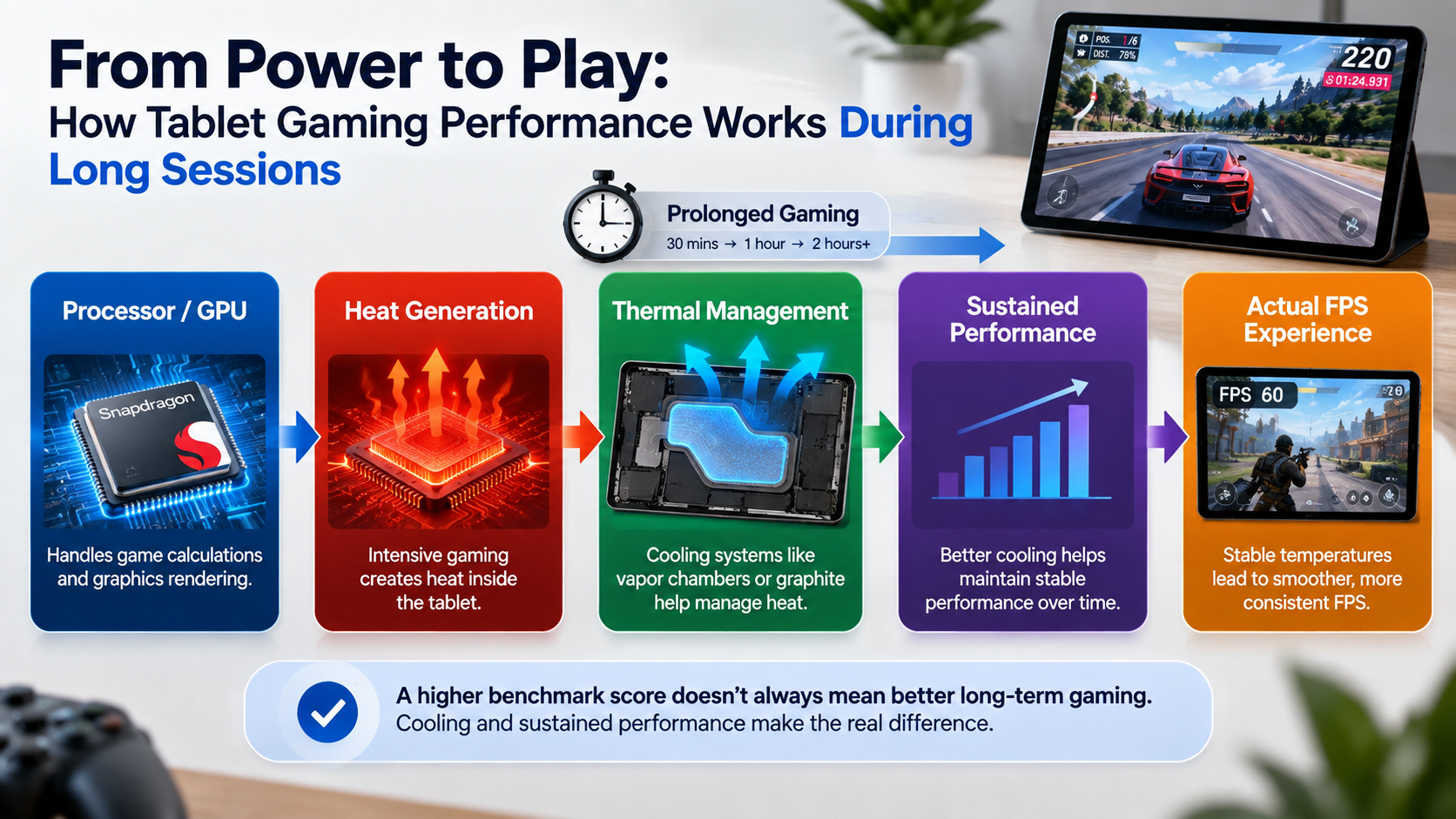
A benchmark measures a particular workload at a particular moment. Gaming is different because you might play for 30 minutes, 60 minutes or several hours.
That makes sustained performance more relevant than one impressive benchmark number.
A gaming tablet is not defined by its processor alone; sustained performance, cooling, display response and battery life also affect the real gaming experience.
Cooling becomes important during long sessions
This is where gaming-focused hardware can make a difference.
The Lenovo Legion Tab, for example, uses a vapor-based thermal system and bypass charging as part of its gaming design.
That doesn’t automatically make it faster than every other tablet.
It means Lenovo is explicitly addressing a problem gamers actually encounter: maintaining performance while the device is producing heat.
Is 120Hz or 144Hz better for gaming?
A higher refresh rate can make supported games and interfaces look smoother, but refresh rate and frame rate are not the same thing.
A 144Hz tablet can refresh its display up to 144 times per second. That does not mean a particular game will render at 144 frames per second.
The game, chipset, graphics settings and software support all matter.
Xiaomi’s Pad 8, for example, supports up to 144Hz, but Xiaomi also notes that some applications support the higher refresh rate rather than implying every app will operate at the maximum.
The same principle applies to gaming.
A 144Hz tablet display does not mean every game will run at 144 frames per second.
So, would you actually notice the difference between 120Hz and 144Hz?
Possibly – but I wouldn’t make that the deciding factor between two tablets unless the games you play can actually take advantage of it.
What about touch response?
Touch response becomes particularly relevant in:
- Competitive shooters
- Fast action games
- Rhythm games
- Games requiring rapid camera movement
This is one reason the Legion Tab is interesting. Lenovo lists gaming touch sampling behavior specifically for its 8.8 – inch display.
But again, don’t confuse a manufacturer’s maximum touch-sampling number with guaranteed lower input latency in every game.
The complete input chain matters:
Touchscreen → operating system → game engine → frame rendering → display
Android tablet or iPad for gaming?
There isn’t a universal winner.
Choose Android if you want:
- More hardware choices
- Wider price range
- More screen-size options
- Greater hardware flexibility
- Expandable storage on selected models
- Gaming-focused devices such as the Legion Tab
Choose iPad if you want:
- Premium hardware
- M-series performance
- OLED on the iPad Pro
- A strong premium tablet ecosystem
- A device that also works well for creative and professional applications
The better choice depends heavily on the games you actually play.
If you already use an iPhone, Mac and Apple accessories, the iPad may make more sense than its raw gaming value suggests.
If you want a gaming-focused Android tablet, the hardware variety is much broader.
Which tablet makes sense for different types of gamers?
For BGMI
I’d prioritize:
- Stable sustained performance
- Supported high – FPS modes
- Touch response
- Cooling
- Comfortable size
The realme Pad 3 is particularly interesting here because realme explicitly advertises BGMI at 90FPS, while the Legion Tab’s compact form and gaming-oriented features make it attractive for competitive play.
For COD Mobile
Look for:
- High sustained FPS
- Good touch response
- High-refresh display
- Comfortable controls
Don’t assume a 144Hz screen automatically gives you a 144FPS gaming experience.
For Genshin Impact and demanding games
Here I’d put more emphasis on:
- GPU performance
- Sustained performance
- Cooling
- Battery
- Display quality
This is where the OnePlus Pad 3, Xiaomi Pad 8 and iPad Pro become particularly interesting.
For casual gaming
Don’t overspend.
If you’re mainly playing lighter games, streaming and occasionally opening a demanding title, a mid-range tablet can make much more financial sense.
How much should you spend?
There isn’t one magic gaming-tablet budget, but the current market broadly breaks down like this:
| Budget | What to expect | Who it suits |
|---|---|---|
| Under ₹25,000 | Mid-range hardware, high-refresh options | Casual/competitive mobile gaming |
| ₹25,000–₹40,000 | Strong performance/value | Most value-focused gamers |
| ₹40,000–₹60,000 | Flagship or near-flagship hardware | Serious gamers |
| ₹60,000+ | Premium displays/ecosystems | Enthusiasts and power users |
These aren’t strict rules.
For example, Xiaomi’s Pad 8 sits in an interesting performance/value position, while OnePlus Pad 3 occupies the more premium Android segment. Current retail and promotional pricing should always be checked before publishing or buying. Xiaomi’s official Indian store currently lists the Pad 8 at ₹38,999 for the 8GB/128GB model.
Features gamers shouldn’t automatically pay extra for
This is where buying guides often become too specification-focused.
More RAM isn’t always better
If you’re choosing between 12GB and 16GB, don’t assume the 16GB model will automatically give you better gaming FPS.
RAM helps with multitasking and memory headroom. It doesn’t replace a capable GPU.
144Hz isn’t automatically better than 120Hz
If your game is capped at 60FPS, the theoretical difference isn’t going to transform the experience.
Higher resolution isn’t always better for gaming
A higher-resolution display looks sharper, but rendering more pixels can also increase the graphics workload.
For gaming, the balance between resolution and performance matters.
5G may be unnecessary
If you mostly play at home on Wi-Fi, spending extra on a cellular version may not improve your gaming experience at all.
Don’t buy a keyboard for a gaming requirement
A keyboard can be useful if you also want productivity features.
But if your primary goal is gaming, it’s an accessory – not a performance upgrade.
Gaming tablets: the advantages and compromises
Pros
- Larger displays than gaming phones
- Better visibility in many games
- Larger batteries on many models
- High-refresh displays are increasingly common
- Better speakers on premium tablets
- Controller gaming works well
- Can double as entertainment and productivity devices
Cons
- Larger tablets can be uncomfortable to hold for long periods
- Premium models can become expensive quickly
- Some games don’t use the full tablet display efficiently
- High-refresh gaming can consume more power
- Accessories can significantly increase total cost
- The fastest processor doesn’t guarantee the best sustained gaming experience
The biggest question is simple: are you buying a tablet specifically for gaming, or a tablet that you also want to use for gaming?
That distinction can save you a lot of money.
Gaming tablet buying mistakes I would avoid
1. Buying based only on benchmark scores
A benchmark is useful. It isn’t a gaming review.
2. Assuming 144Hz means 144FPS
It doesn’t.
3. Ignoring heat
A device that performs well for ten minutes isn’t necessarily the best device for a two-hour gaming session.
4. Buying more RAM than you need
Don’t spend heavily on memory just because the number looks impressive.
5. Forgetting storage
Modern games can occupy substantial storage, especially once updates and additional game assets accumulate.
6. Ignoring physical size
Would you rather hold an 8.8-inch tablet or play on a 13.2-inch screen with a controller?
There isn’t a universally correct answer.
7. Forgetting game compatibility
A powerful tablet is not useful if the game you care about has poor support or doesn’t take advantage of the hardware.
8. Comparing launch prices with today’s prices
Tablet prices move. Bank offers, sales and bundles can change the value proposition dramatically.
What should you check before buying?
Use this checklist before you press the Buy button:
- Processor
- GPU
- Sustained performance
- Cooling system
- Display refresh rate
- Touch response
- Display size
- Battery capacity
- Charging speed
- RAM
- Storage
- Game compatibility
- Controller support
- Weight
- Wi-Fi performance
- Current Indian price
- Warranty
And here’s one final practical test:
Imagine your normal gaming session.
Are you sitting at a desk with a controller?
A large OnePlus or Samsung tablet makes more sense.
Are you holding the tablet directly?
A compact Legion Tab becomes much more interesting.
Want strong performance without spending flagship money?
Look closely at Xiaomi.
Want an expensive tablet that can also handle professional work?
The iPad Pro makes more sense.
My shortlist by gaming priority
| If your priority is… | My pick | Why |
|---|---|---|
| Best overall Android balance | OnePlus Pad 3 | Flagship performance, 144Hz display and huge battery |
| Compact competitive gaming | Lenovo Legion Tab | Smaller gaming-friendly form factor and cooling features |
| Best performance/value balance | Xiaomi Pad 8 | Snapdragon 8s Gen 4 and 144Hz display |
| Premium Apple gaming | iPad Pro M5 | M5 performance and Tandem OLED |
| Huge-screen gaming | Galaxy Tab S11 Ultra | 14.6-inch Dynamic AMOLED 2X |
| Mid-range gaming | realme Pad 3 | 120Hz display, large battery and BGMI 90FPS claim |
This is a use-case shortlist, not a claim that one tablet is objectively better for every gamer.
Frequently Asked Questions
Which is the best tablet for gaming in India?
For an Android buyer looking for a strong balance of performance, display size and battery, the OnePlus Pad 3 is one of the strongest options in this comparison. The Lenovo Legion Tab makes more sense if compact gaming is the priority, while the Xiaomi Pad 8 is particularly attractive for value-focused buyers.
Is 120Hz or 144Hz better for gaming?
144Hz can provide smoother motion than 120Hz when a game and device actually support higher frame rates. However, a 144Hz display does not mean every game will run at 144FPS.
How much RAM is enough for gaming on a tablet?
For many users, 8GB or 12GB can be sufficient depending on the games and multitasking requirements. More RAM can provide additional headroom, but it does not automatically increase gaming FPS.
Is an iPad better than an Android tablet for gaming?
Neither platform is universally better. iPad Pro models offer extremely powerful Apple silicon and premium displays, while Android gives buyers more hardware choices, price ranges and gaming-focused form factors.
What processor should a gaming tablet have?
For demanding games, a modern upper-mid-range or flagship processor is preferable. However, the chipset should be evaluated alongside cooling, sustained performance, display and software optimization.
Are gaming tablets better than gaming phones?
Gaming tablets offer larger displays and often larger batteries, but gaming phones are usually easier to hold and carry. A compact tablet such as the Legion Tab sits somewhere between the two approaches.
What I’d do before buying
Don’t start by choosing a brand.
Start with how you play.
If you want a tablet that can sit on a desk and deliver flagship Android performance, I’d look at the OnePlus Pad 3.
If you want something closer to a giant gaming handheld, the Lenovo Legion Tab is the more interesting design.
If your budget is tighter but you still want serious Android performance, the Xiaomi Pad 8 deserves a close look.
If you want a premium tablet for gaming plus professional or creative work, the iPad Pro M5 is in another league—but its price reflects that.
And if your priority is simply a massive, beautiful screen for games, movies and general use, the Galaxy Tab S11 Ultra is hard to ignore.
Conclusion
Finding the best tablet for gaming in India is less about finding the biggest specification and more about matching the hardware to the way you actually play.
The OnePlus Pad 3 stands out as a powerful all-round Android option, combining Snapdragon 8 Elite performance with a 13.2-inch 144Hz display and a 12,140mAh battery. The Lenovo Legion Tab takes a more focused approach, using a compact 8.8-inch gaming display, cooling features and bypass charging. Xiaomi’s Pad 8 is the value play, while the iPad Pro M5 and Galaxy Tab S11 Ultra make more sense when premium hardware and broader tablet use matter as much as gaming.
The important thing is not to buy a 144Hz display simply because the number sounds impressive, or choose 16GB RAM because it looks better on a specification sheet.
Buy for your games, your playing style and your budget.
That is what separates a genuinely good gaming tablet from an expensive tablet that merely happens to have a fast processor.