
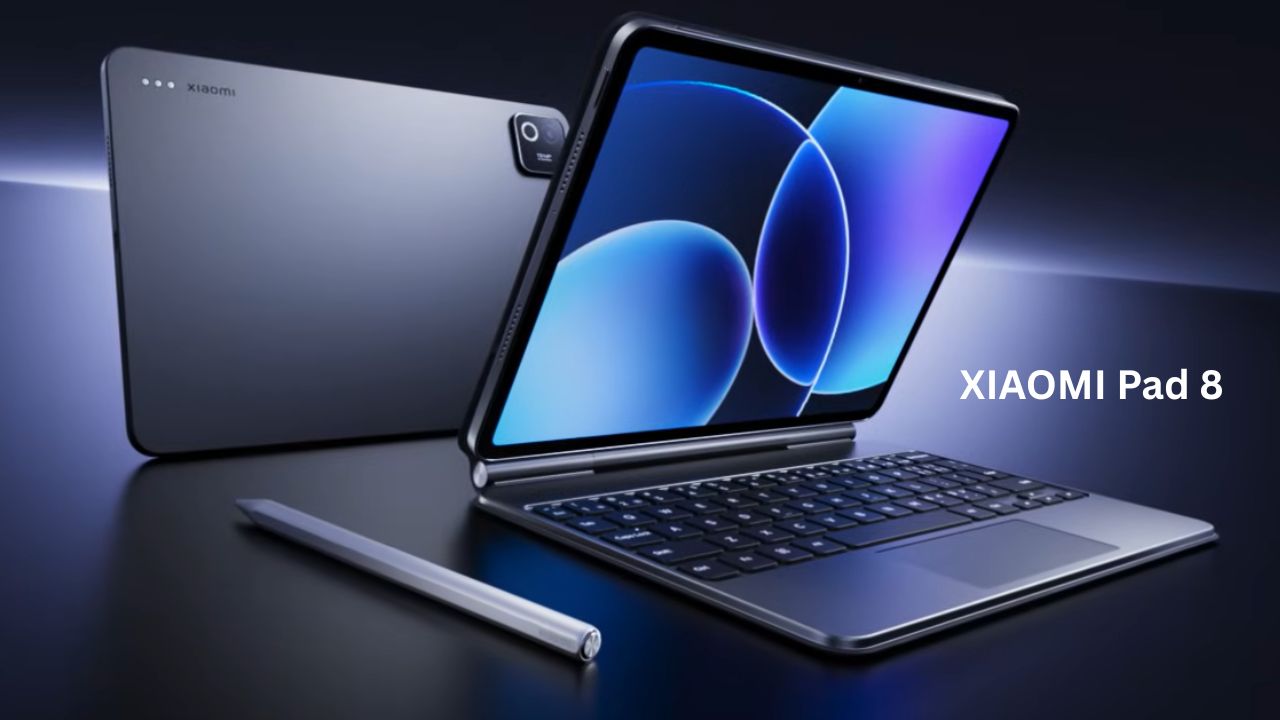
Everything You Need to Know About the XIAOMI Pad 8
If you are looking for a new tablet in 2026, the Xiaomi Pad 8 is likely one of the first names that popped up. Tablet shopping used to be simple—you either bought an iPad or a cheap Android slab that stuttered after three months. But things have changed. Xiaomi has been on a roll lately, and the Pad 8 is their attempt to bridge the gap between a fun media device and a serious work tool.
XIAOMI Pad 8 : Feature & Specifications
| Feature | Technical Specification (The “Hardware”) |
| Processor | Snapdragon 8s Gen 4 (4nm process) |
| CPU / GPU | Octa-core (1x 3.2GHz X4 + 3x 3.0GHz A720 + 2x 2.8GHz A720 + 2x 2.0GHz A720) / Adreno 825 |
| AnTuTu Score | 2,238,168 (v11 Total Score) |
| Display | 11.2-inch 3.2K LCD (3200 x 2136 resolution) |
| Refresh Rate | 144Hz Adaptive (7-level variable: 30/48/50/60/90/120/144Hz) |
| Brightness | 800 nits (HBM) / 600 nits (Typical) |
| Color Depth | 12-bit (68 Billion colors), DCI-P3, Dolby Vision, HDR10 |
| RAM | 8GB (LPDDR5X) or 12GB (LPDDR5T) |
| Storage | 128GB (UFS 3.1) or 256GB (UFS 4.1) |
| Battery | 9200mAh (High-density battery) |
| Charging | 45W Turbo Charging (Compatible with PD 3.0, QC 3.0) |
| Build | Full-metal unibody / 5.75mm thickness / 485g weight |
| Rear Camera | 13MP (f/2.2), PDAF, 4K @ 30fps Video |
| Front Camera | 8MP (f/2.28) with Centered Frame, 1080p @ 30fps |
| Audio | Quad Speakers, Dolby Atmos, Hi-Res & Hi-Res Wireless |
| Microphones | 4-Mic Array with directional noise reduction |
| USB Port | USB 3.2 Gen 1 (Supports up to 5Gbps data transfer) |
| Connectivity | Wi-Fi 7, Bluetooth 6.0, IR Blaster |
| Software | HyperOS 3 (Based on Android 16) |
| Special Option | Nano-Texture Display (Anti-glare, anti-reflective version) |
When you look at a spec sheet, it’s easy to get lost in numbers. Let’s talk about what these parts actually do for you in real life.
1. XIAOMI Pad 8: Snapdragon 8s Gen 4
This is the “brain” of the tablet, and Xiaomi didn’t cut corners here. The Snapdragon 8s Gen 4 is built on a 4nm process, which is just a fancy way of saying it’s incredibly efficient and powerful.
-
It uses a high-clocked “Prime Core” (Cortex-X4) hitting 3.2GHz. It’s paired with either 8GB or 12GB of RAM. If you get the 12GB version, it actually uses LPDDR5T memory, which is currently some of the fastest mobile RAM available.
-
You know that annoying micro-stutter when you swipe up to go home? That doesn’t happen here. Whether you are switching between 15 Chrome tabs, editing a 4K video for social media, or playing Genshin Impact on high settings, everything feels “instant.” It’s designed to handle heavy multi-tasking without getting uncomfortably hot.
2. XIAOMI Pad 8 Display: 11.2-inch 3.2K LCD (144Hz)
Xiaomi stuck with an LCD panel rather than OLED for the standard model, which might disappoint “display nerds,” but this is a top-tier LCD.
-
We’re talking about a 3200 x 2136 resolution (that’s the “3.2K” part) with a pixel density of 345 PPI. It hits 800 nits of peak brightness and supports 12-bit color, meaning it can show over 68 billion colors. It also has an adaptive refresh rate that can jump between 30Hz and 144Hz.
-
The 144Hz means scrolling through Twitter or Reddit looks like butter. It’s so smooth that going back to a regular 60Hz phone feels broken. The high resolution makes text look incredibly sharp—perfect if you read a lot of eBooks or digital comics. Plus, with the 3:2 aspect ratio, you actually see more of a document or webpage compared to standard widescreen tablets.
3. XIAOMI Pad 8 Battery & Charging: 9200mAh + 45W
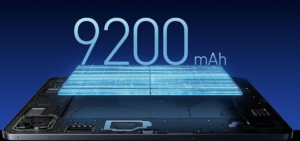
They managed to cram a massive 9200mAh battery into a body that’s only 5.75mm thick. To put that in perspective, this tablet is thinner than most flagship smartphones.
-
Despite the slim profile, the battery is huge. It supports 45W HyperCharge and is compatible with multiple standards like PD 3.0 and QC 3.0.
-
On a full charge, you can get through about 17 hours of continuous video streaming. If you’re a student using it for notes and light browsing, you can easily go two days without touching a charger. When you do need to plug in, the 45W charging takes it from 0% to 100% in roughly 80 to 90 minutes.
The “Nano Texture” Display Option
This is one of my favorite features. You can choose a version of the tablet with a matte, “nano-etched” screen.
-
How to use it: If you do a lot of digital art or note-taking with a stylus, this is a game-changer. It feels like writing on high-quality paper rather than sliding a plastic tip across a sheet of glass.
-
The Reality: It kills 99% of reflections. If you often work in cafes or near windows, you won’t see your own face staring back at you in the glare. Plus, it has TÜV Rheinland Low Blue Light certification, so if you’re pulling an all-nighter for an assignment, your eyes won’t feel like they’re burning by 2:00 AM.
HyperOS 3 & Workstation Mode
The tablet runs on HyperOS 3 (based on Android 16). The biggest highlight here is the “Workstation Mode,” which has been upgraded to be even more efficient.
-
How to use it: When you turn this on, the tablet stops looking like a giant phone and starts looking like a desktop. You get an expanded dock at the bottom for more quick-access apps.
-
The Productivity Twist: You can now use a 1:9 split-screen ratio. This means you can keep a tiny window for a music player or a chat app while your main document takes up the rest of the screen. The PC-level browser is also a huge win—it supports right-click menus and mouse-hover previews, so Google Docs or WordPress actually work like they do on a computer.
Focus Pen Pro & Focus Keyboard
Xiaomi updated the accessories to match the high-end hardware. The new Focus Pen Pro is a serious tool.
-
Real-life use: It features <1ms ultra-low latency and over 16,000 levels of pressure sensitivity. For a student, this means marking up PDFs feels instant.
-
Innovative Shortcuts: The pen has a buttonless design but supports “pinching” gestures. You can pinch the pen to switch between a brush and an eraser or double-tap it to open the color wheel.
-
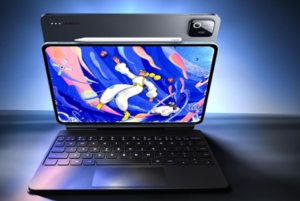
The Keyboard: The Focus Keyboard has a 124° stepless adjustment, so it doesn’t just flop over when you’re typing on your lap. The trackpad now supports “light-touch” sensitivity, making it much more responsive than the older, clicky versions.
Connectivity: USB 3.2 Gen 1 & Wi-Fi 7
Most people overlook the ports, but the Xiaomi Pad 8 uses a USB 3.2 Gen 1 port.
-
Why it matters: This supports data speeds up to 5Gbps. If you are a photographer or content creator, you can plug in a fast SSD or an SD card reader and move gigabytes of footage in seconds. It also supports Wired Reverse Charging, so you can use your tablet’s massive battery to charge your phone in an emergency.
-
Future Proofing: With Wi-Fi 7, you are ready for the next generation of internet speeds. Even if your home router isn’t there yet, this tablet will still be fast five years from now.
Cameras and AI Tools
Let’s be honest: nobody buys a tablet for the cameras. However, the 13MP rear and 8MP front setup on the Pad 8 is actually useful for work.
-
AI Focus Frame: During video calls, the camera uses AI to keep you centered. If you move around while talking, the “frame” follows you.
-
AI Writing & Subtitles: HyperOS 3 includes AI Live Subtitles, which can transcribe and translate meetings in real-time. If you’re in a call with someone speaking a different language, the tablet can show you bilingual subtitles right on the screen.
Detailed Comparison: Xiaomi Pad 8 vs. The Competition
To give you a better idea of where the Xiaomi Pad 8 stands, let’s look at it next to its predecessor and its main rival.
| Feature | Xiaomi Pad 8 | Xiaomi Pad 7 | OnePlus Pad 3 (Competitor) |
| Chipset | Snapdragon 8s Gen 4 | Snapdragon 7+ Gen 3 | Snapdragon 8 Elite |
| Battery | 9200mAh | 8850mAh | 9500mAh |
| Display | 11.2″ 3.2K LCD | 11.2″ 3.2K LCD | 12.1″ 3K LCD |
| Charging | 45W | 45W | 67W |
| Weight | 485g | 500g | 520g |
| Software | HyperOS 3 (Android 16) | HyperOS 2 (Android 15) | OxygenOS 15 |
The Takeaway: Compared to the Pad 7, the Pad 8 is basically a “performance and battery” refresh. It looks the same, but it’s faster and lasts longer. Compared to the OnePlus Pad 3, the Xiaomi is slightly more compact and easier to hold, though OnePlus usually offers faster charging.
Who Should Buy This? (My Honest Opinion)
I don’t think every piece of tech is for everyone. Here is who I think will actually love the Xiaomi Pad 8.
Buy it if…
-
You are a student: The combination of the Nano Texture screen and the Focus Pen is perfect for long study sessions. It’s easier on the eyes than a standard glossy screen.
-
You travel a lot: At 5.75mm thick, it disappears into a backpack. It’s the ultimate “airplane companion” for watching movies or getting light work done.
-
You are a casual gamer: The Snapdragon 8s Gen 4 can handle almost any game on high settings. The quad speakers are also surprisingly loud and clear for gaming.
Skip it if…
-
You already own a Xiaomi Pad 7: Honestly, the jump isn’t big enough. Unless your Pad 7 is broken or you absolutely need the slight performance boost for heavy gaming, keep your money.
-
You want a “Laptop Replacement”: While Workstation Mode is great, it’s still Android. You can’t run full desktop apps like the “real” version of Photoshop or complex coding software. It’s a laptop helper, not a laptop killer.
Pros and Cons: The Big Picture
Pros:
-
The Build Quality: It’s a full metal unibody. It feels expensive and sturdy, not like a plastic toy.
-
The Screen: 144Hz is a treat for the eyes. Everything is snappy and responsive.
-
The Battery: 9200mAh is huge for a tablet this thin. You won’t be hunting for a charger halfway through the day.
-
Ecosystem Features: If you have a Xiaomi phone, you can drag and drop files between the two or even use the phone’s camera as a webcam for the tablet.
Cons:
-
No OLED: At this price point, some competitors are starting to offer OLED screens which have deeper blacks. The LCD here is great, but it’s still an LCD.
-
No Charger in Box: In some regions, Xiaomi has stopped including the 45W brick. You might have to spend extra if you don’t have a compatible fast charger already.
-
Stylus/Keyboard Sold Separately: To get the “full” experience, you have to buy the pen and keyboard, which adds a significant chunk to the total price.
The Xiaomi Pad 8 is a very “safe” upgrade. It doesn’t take many risks, but it perfects what a mid-to-high-range tablet should be. It’s fast, the battery lasts forever, and the design is top-notch.
If you’re coming from an older tablet (like a Pad 5 or an entry-level Samsung Tab), you will be blown away by how fast and thin this feels. Just make sure you actually need the power of the 8s Gen 4 before pulling the trigger.
iQOO Z11x First Impressions: Big Battery, Performance & Features Explained

1 thought on “Xiaomi Pad 8 Review: Specs, Features, Best Battery & Display (2026)”