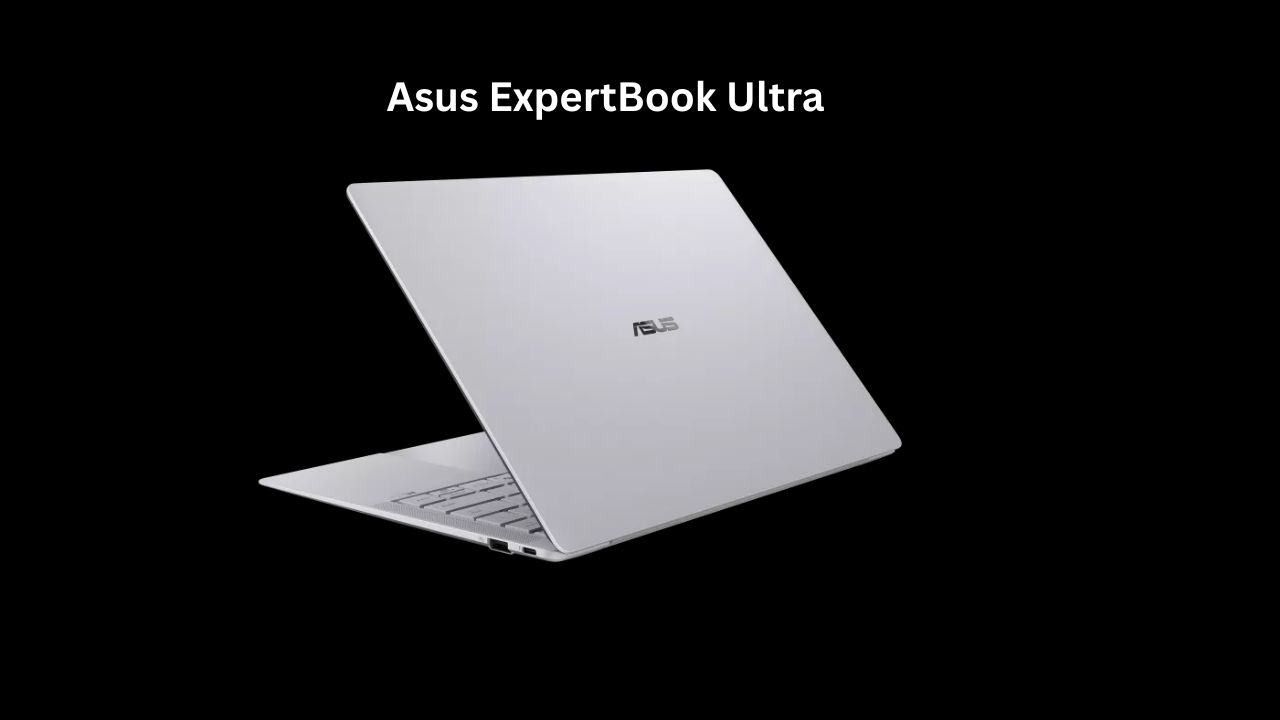
The Ultimate Professional Companion: My Honest Review of the ASUS ExpertBook Ultra
If you are someone who spends half your life in coffee shops, boardrooms, or airports, you know that the “perfect” laptop is a bit like a unicorn—everyone talks about it, but finding one that actually ticks every box is rare. Recently, I got my hands on the ASUS ExpertBook Ultra, and I have to say, it has been an interesting few weeks.
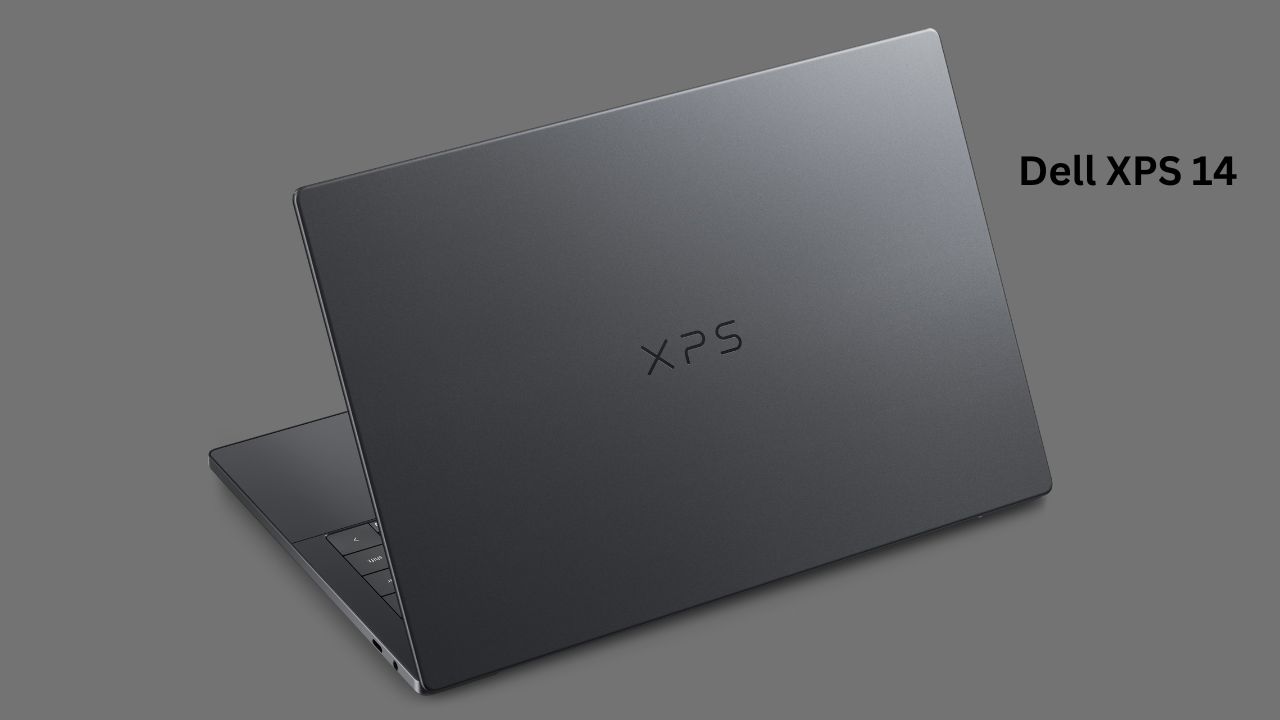
We live in a world where we expect our devices to be light as a feather but powerful enough to handle heavy AI workloads and professional multitasking. The ExpertBook Ultra attempts to bridge that gap. While some might be cross-shopping this with the Dell XPS 14 due to their similar status as high-end premium ultrabooks, the ExpertBook takes a slightly different approach with its focus on “expert” enterprise-grade reliability.
Quick Specs at a Glance
| Feature | Specification |
| Processor | Up to Intel® Core™ Ultra X9 Series 3 |
| RAM | Up to 64GB LPDDR5x |
| Display | 14-inch 3K Tandem OLED, 120Hz Touch |
| Weight | Starting at just 0.99 kg |
| Battery | 70Wh (Long-life high-density) |
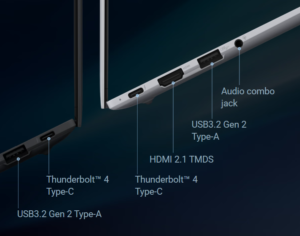
| Connectivity | Wi-Fi 7, Thunderbolt™ 4, HDMI 2.1 |
Design and Build Quality
The first thing I noticed when pulling the ExpertBook Ultra out of the box was how absurdly light it is. At 0.99 kg, it feels like holding a notebook rather than a piece of high-performance tech. ASUS used a magnesium-aluminum alloy that feels sturdy, not plasticky.
I’ve been carrying it around in my backpack without a sleeve, and so far, it’s held up well. It has a matte finish that resists fingerprints reasonably well, which is a big win for me. Compared to the Dell XPS 14, which opts for a heavier, dense CNC-machined aluminum feel, the ExpertBook prioritizes sheer portability. It’s the kind of laptop you forget is in your bag until you need it.
Display Quality
The 14-inch 3K Tandem OLED screen is, in a word, stunning. Because it’s a “tandem” OLED, it gets incredibly bright—peaking at 1400 nits in HDR—which makes working near a window or outdoors much easier than on my older laptops.
In my daily use, whether I was scrolling through endless spreadsheets or relaxing with a movie, the colors were deep and punchy. The 120Hz refresh rate makes everything feel fluid. One minor gripe: like many glossy OLEDs, it can be reflective under harsh office lights. However, the anti-glare treatment helps mitigate this significantly compared to typical glass-covered screens.
Asus Expertbook Ultra Performance

Under the hood, the Intel® Core™ Ultra X9 Series 3 processor is a beast. This is an AI-ready chip, and it shows. I often run multiple browser windows, a heavy Excel file, and video conferencing apps simultaneously. I never experienced a stutter.
The machine is clearly designed for multitasking. While the Dell XPS 14 is a fantastic performer as well, the ExpertBook feels slightly more optimized for business-centric apps and long-term stability. If you’re a light gamer, it can handle less demanding titles, but don’t expect it to replace a dedicated gaming rig.
Battery Life: Real-World Usage
Specs often promise 20+ hours, but we know how that goes in the real world. In my testing, with mixed office work, moderate screen brightness, and Wi-Fi always on, I comfortably pushed through a full workday. I’d say you can realistically expect 10 to 12 hours of genuine productivity. If you are just watching videos, you might squeeze out more. It’s enough to leave the charger behind for a day trip, which is the gold standard for me.
Keyboard and Trackpad Experience
As a writer, I am picky about keys. The ExpertBook Ultra offers 1.5mm of key travel, which feels tactile and satisfying. It’s not “mushy” at all. The haptic trackpad is also a highlight—it’s large, smooth, and the click feedback feels very intentional. It mimics a physical button click so well that you won’t miss the moving parts.
Heating and Noise
One thing I liked is how quiet the cooling system is. During my normal workload, the fans rarely kicked in loudly. Even when I pushed it with some light photo editing, the bottom got warm but never “burn-your-legs” hot. ASUS has done a great job with their thermal design here, keeping the chassis cool while maintaining performance.
Software and Features
The laptop comes with “ASUS MyExpert,” which includes AI-powered tools for noise cancellation and meeting optimization. Since I’m on video calls all day, the AI background noise suppression was a lifesaver. It’s clean software that doesn’t feel like “bloatware,” which is a nice change of pace.
Pros and Cons
Pros:
-
Unmatched Portability: At under 1 kg, it’s a dream for travel.
-
Display: The 3K Tandem OLED is bright, crisp, and color-accurate.
-
Keyboard: Excellent tactile feel for long typing sessions.
-
Build: Professional, durable, and MIL-STD-810H tested.
Cons:
-
Reflections: Despite the coating, it’s still an OLED screen, so reflections can occur.
-
Price: This is a premium machine, and the price tag reflects that.
-
Gaming: Not meant for heavy gaming compared to laptops with dedicated GPUs.
Pricing and Value for Money
Let’s be honest: the ExpertBook Ultra is an investment. It is positioned at the higher end of the market, similar to the Dell XPS 14. You are paying for the engineering required to make a laptop this thin, light, and powerful. If you are a professional who values time and portability, it offers great value. However, if you just need a laptop for basic browsing, you might be overpaying for features you won’t fully utilize.
When choosing between high-end professional laptops, the decision often comes down to your specific priorities: extreme portability versus premium build aesthetics.
The ASUS ExpertBook Ultra is engineered for the “road warrior”—someone who values a weight-to-performance ratio that makes the device feel virtually invisible in a bag. Its use of lightweight magnesium-aluminum alloys allows it to shed grams without sacrificing structural integrity, making it a superior choice for frequent travelers. The standout feature here is the Tandem OLED display, which provides industry-leading brightness levels that significantly outshine the standard panels found on most competitors.
Conversely, the Dell XPS 14 takes a different philosophy. It embraces a “luxury” aesthetic, utilizing CNC-machined aluminum and Gorilla Glass. This results in a more dense, rigid, and premium-feeling chassis, though this comes at the cost of added weight. The Dell experience is often favored by those who want a laptop that feels like a singular, solid piece of hardware and who prefer a more streamlined port selection focused on modern, high-speed Thunderbolt standards.
In terms of internal hardware, the ASUS generally leans into higher maximum memory configurations, making it a stronger candidate for power users dealing with large datasets or complex multitasking, while the Dell maintains a very clean, optimized software environment that many users find more user-friendly out of the box. Ultimately, the ASUS prioritizes utility and long-term deployment for enterprise users, whereas the Dell focuses on a sleek, high-end consumer experience that excels in office or home-studio environments.
| Feature | ASUS ExpertBook Ultra | Dell XPS 14 (2026) |
| Primary Focus | Enterprise-grade security, extreme portability | Premium design, balanced performance |
| Weight | Starting at ~0.99 kg | Starting at ~1.36 kg |
| Processor | Up to Intel® Core™ Ultra X9 Series 3 | Up to Intel® Core™ Ultra X7 Series 3 |
| RAM | Up to 64GB LPDDR5x | Up to 32GB LPDDR5x |
| Storage | Up to 2TB PCIe 5.0 SSD | Up to 1TB PCIe 4.0 SSD |
| Display | 14″ 3K Tandem OLED (up to 1400 nits) | 14″ 2.8K OLED or 2K LCD (up to 500 nits) |
| Battery | 70Wh | 70Wh |
| I/O Ports | 2x Thunderbolt 4, 2x USB-A, HDMI 2.1 | 3x Thunderbolt 4 |
| Security | ExpertGuardian, IR Camera, Webcam Shield | IR Camera, Fingerprint Reader |
| Construction | Magnesium-Aluminum Alloy | CNC-Machined Aluminum & Gorilla Glass |
Who Should Buy and Who Should Avoid?
You should buy this if:
-
You are a professional, traveler, or student who needs maximum portability.
-
You value display quality for content creation or media consumption.
-
You need enterprise-grade security and reliability.
You should avoid this if:
-
You are a hardcore gamer looking for top-tier GPU performance.
-
You are on a tight budget.
-
You prefer a larger 16-inch screen for your workflow.
Final Verdict
The ASUS ExpertBook Ultra is, in my opinion, one of the most balanced ultrabooks on the market in 2026. It feels like a tool built for people who respect their own time. While it faces stiff competition from the Dell XPS 14—which also offers a gorgeous design and impressive performance—the ExpertBook Ultra carves out a niche with its extreme lightness and business-friendly durability.
It’s not just a laptop; it’s a reliable companion that looks sharp, works fast, and doesn’t weigh you down. If you’re looking for a premium Windows experience that treats portability as a priority, this should absolutely be on your shortlist.