Dell XPS 14: A Premium Ultrabook Worth the Hype?
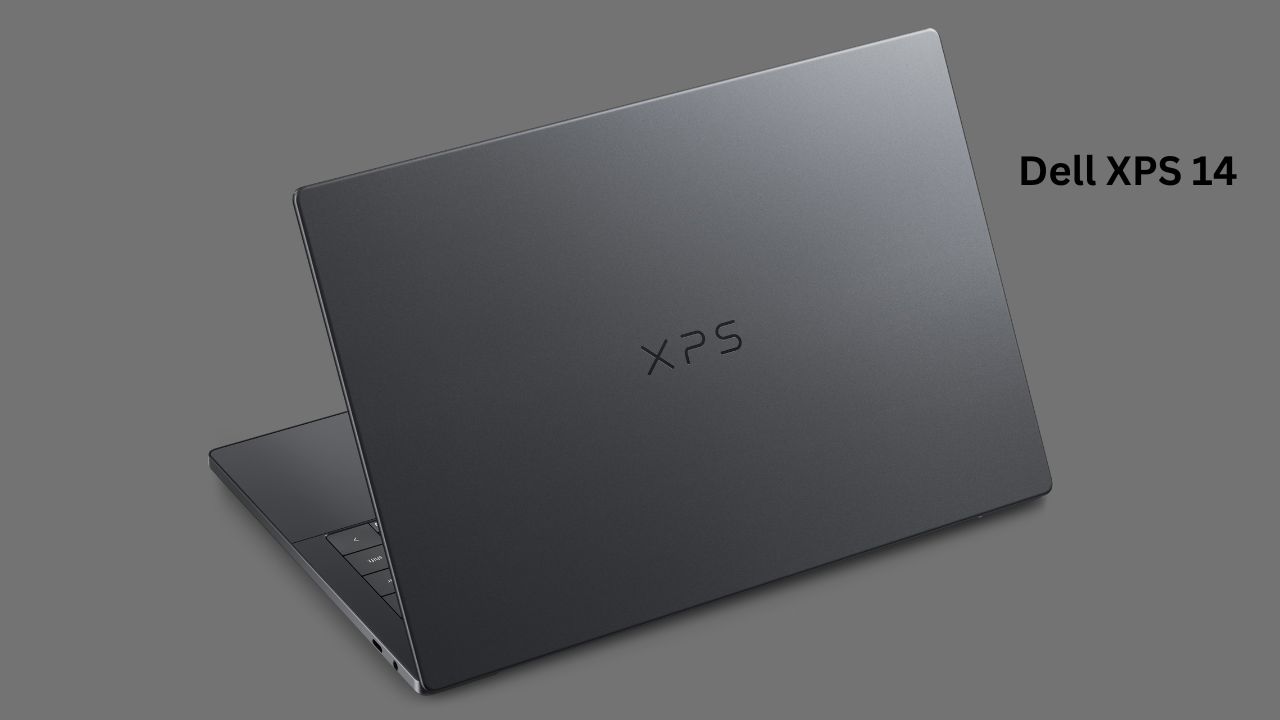
I’ve spent the last week living with the new Dell XPS 14 (2026 model), and it feels like Dell finally listened to the feedback. If you’ve followed the XPS line for a while, you know it’s always been about blending style with power. But this year, it feels different. There’s a refined, almost “no-nonsense” energy to it.
When I first took it out of the box, the first thing I noticed was the build—it’s incredibly sleek. But a pretty laptop doesn’t mean much if it can’t handle my daily chaos of fifty browser tabs, constant video calls, and a bit of photo editing on the side. Is this the Windows laptop that finally gives the MacBook Pro a run for its money? Let’s dive in.
| Feature | Specification |
| Processor | Intel Core Ultra X7 358H |
| Display | Up to 14.5″ OLED Touch (2.8K resolution, 120Hz) |
| Graphics | Intel Arc Graphics (Integrated) |
| Memory (RAM) | Options up to 32GB LPDDR5x |
| Storage | Up to 2TB PCIe Gen4 SSD |
| Battery | 70Wh (Supports 100W Fast Charging) |
| Webcam | 1080p FHD with Windows Hello IR |
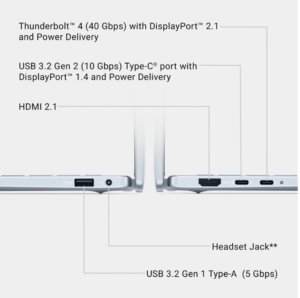
| Connectivity | 3x Thunderbolt 4 (USB-C), MicroSD slot, Headphone jack |
| Build Material | CNC-machined Aluminum & Gorilla Glass |
| Weight | Starting at approx. 1.36 kg |
Design and Build Quality
The Dell XPS 14 is a stunner. It uses a CNC-machined aluminum chassis that feels dense and solid—definitely not something that will creak when you pick it up with one hand. It weighs about 1.36 kg, which is light enough to throw in a backpack and forget about, but it still has a “premium” weight to it that makes you feel like you’re carrying a serious piece of equipment.
One thing I really liked is the dark grey finish. It’s understated, elegant, and doesn’t look like every other silver laptop in the coffee shop. Dell also included Corning Gorilla Glass 3 on the palm rest, which is a nice touch. It feels smooth against your wrists, especially during those long afternoons of typing up reports. However, I did notice that the metal surfaces can be a magnet for fingerprints, so keep a microfiber cloth handy if you like keeping things pristine.
Display Quality
The star of the show is, without a doubt, the display. My unit came with the 2.8K OLED touch panel, and it is gorgeous. Watching movies on this thing is a treat; the blacks are perfectly deep, and the colors really pop. The 120Hz refresh rate makes everything feel incredibly fluid, from scrolling through long documents to just navigating the Windows interface.
I spent a few hours browsing the web and editing some photos, and the sharpness is impressive. The only drawback? It is a bit reflective. If you’re sitting in a bright room or working near a window with sunlight streaming in, you might have to crank up the brightness or shift your chair slightly to avoid glare. But once you’re in a comfortable spot, it’s one of the best screens I’ve used on a 14-inch laptop.
Performance: Real-Life Use
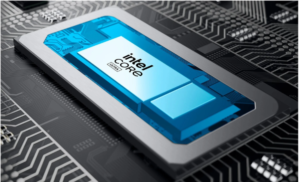
Under the hood, this machine is packing the new Intel Core Ultra X7 358H processor. In my daily usage—which usually involves Chrome, Slack, Spotify, and a photo editor running at the same time—the Dell XPS 14 didn’t break a sweat. Everything felt snappy. Apps launched almost instantly, and multitasking never felt sluggish.
I also tried some light creative tasks, and the Intel Arc B390 graphics handled them surprisingly well for an integrated solution. It’s not a hardcore gaming rig, but it can definitely manage casual gaming or light video editing without much trouble. If you’re a professional on the go who needs a reliable workstation, this chip is more than capable.
Battery Life
Battery claims are always tricky, right? Dell says you can get some impressive numbers, but in my real-world testing—mixed usage with the screen at about 60% brightness—I comfortably got through a full workday. I started my morning around 9 AM, and by the time I was wrapping up at 5 PM, I still had a bit of juice left.
This is a huge improvement over some older models. Having a 70Wh battery in a chassis this thin is great. Plus, the included 100W USB-C charger is compact and fast, which is a big relief for someone like me who hates carrying a heavy power brick in my bag.
Keyboard and Trackpad Experience

The keyboard on the Dell XPS 14 is interesting. Dell uses a “zero-lattice” design, meaning the keys are large and flush against each other with very little gap. At first, it felt a little unusual, and it took me a few hours to get used to the spacing. Once I adjusted, however, it was actually quite comfortable. The travel is shallow but tactile, so you get good feedback with every keystroke.
The trackpad is a massive glass surface with haptic feedback. There are no physical buttons, but the entire area clicks down with a satisfying, consistent feel regardless of where you press. It’s smooth, accurate, and easily one of the best Windows trackpads I’ve used. I barely touched my external mouse the whole week.
Heating and Noise
The laptop generally stays cool to the touch while you’re doing light tasks. When I started pushing it—running benchmarks or exporting large video files—I could hear the fans kick in. They’re audible, but they don’t have that high-pitched “whine” that some laptops have. They just sound like a steady whoosh of air. It’s a fair trade-off for the performance you’re getting in such a slim profile.
Software and Features
It comes with Windows 11, and the inclusion of the dedicated Copilot key is… well, it’s there if you want it. The 4K webcam is also a massive upgrade. The quality is sharp, and it works perfectly with Windows Hello for quick, secure facial recognition. I had no issues hopping onto Zoom calls; the audio from the quad-speaker setup is surprisingly loud and clear, making it perfect for meetings or just listening to music at your desk.
Pros and Cons
Pros:
-
Stunning OLED Display: The 120Hz screen is vibrant and incredibly smooth.
-
Premium Build: The aluminum chassis feels robust and high-end.
-
Strong Performance: The new Intel chip handles daily multitasking effortlessly.
-
Great Trackpad & Webcam: Both are among the best in their class for Windows laptops.
-
Battery Life: Solid, all-day battery for typical productivity work.
Cons:
-
Reflective Screen: Can be tricky to view in very bright, direct sunlight.
-
Limited Ports: You’re mostly limited to USB-C/Thunderbolt 4, so you might need a dongle for older USB-A devices.
-
Fingerprint Magnet: The metallic finish picks up smudges easily.
-
Price: It’s definitely on the higher end, which might be a stretch for some budgets.
Pricing and Value for Money
Let’s be honest: the Dell XPS 14 is not cheap. It sits in that “premium” price bracket. However, when you consider the build quality, the screen, and the overall experience, it feels like a professional tool. It’s an investment in your productivity. If you are a student or a professional who needs a reliable, long-term machine, the value is there. But if you’re looking for a budget-friendly laptop for basic web browsing, this is likely overkill.
Is the Dell XPS 14 good for professional work? Yes, the Dell XPS 14 is an excellent choice for professionals. The Dell XPS 14 combines a high-performance processor with a stunning display, making the Dell XPS 14 a reliable, powerful workstation for multitasking and creative tasks.
Does the Dell XPS 14 have a long battery life? The Dell XPS 14 offers impressive battery efficiency. In real-world usage, the Dell XPS 14 comfortably lasts through a full workday, ensuring the Dell XPS 14 keeps you productive without needing to reach for a charger.
Is the Dell XPS 14 suitable for gaming? While the Dell XPS 14 is not a dedicated gaming rig, it handles light gaming well. The capable graphics inside the Dell XPS 14 allow you to enjoy casual titles, though the Dell XPS 14 is best suited for productivity.
Does the Dell XPS 14 come with a touchscreen? Many versions of the Dell XPS 14 include a high-resolution touchscreen. The touch experience on the Dell XPS 14 is very responsive and makes navigating the Dell XPS 14 interface intuitive.
Is the Dell XPS 14 worth the price? Many users find that the Dell XPS 14 offers great value. Between the premium build, the vibrant display, and the portability of the Dell XPS 14, it is considered a worthwhile long-term investment for those who choose the Dell XPS 14.
What ports does the Dell XPS 14 have? The Dell XPS 14 features a slim, modern design utilizing USB-C/Thunderbolt 4 ports. If you use older devices, you may need an adapter to expand the connectivity of your Dell XPS 14.
Who Should Buy and Who Should Avoid?
You should buy it if:
-
You want a Windows alternative that matches the premium feel of a MacBook.
-
You work in creative fields and need a color-accurate, sharp display.
-
You value portability and want a laptop that looks great in a professional setting.
You should avoid it if:
-
You’re on a strict budget.
-
You do a lot of gaming—you’d be better off with a dedicated gaming laptop.
-
You require a lot of legacy ports (like HDMI or USB-A) without carrying an adapter.
Final Verdict
After a week of using the Dell XPS 14, I’m genuinely impressed. It feels like a mature, refined machine that knows exactly what it wants to be: a powerful, portable, and beautiful laptop for the modern professional. It’s not perfect—the lack of ports is a common gripe, and the price tag is high—but for the user experience it delivers, it’s easily one of the best laptops you can buy in 2026. If you have the budget and appreciate the finer details, it’s a hard one to beat.
Samsung Galaxy Book5 Pro Full Review – Features, Best Battery & Display, Best Gaming